Preview
Build your website and try everything before you go live.
$0free
Online store for meat boxes
Describe your farm or butcher shop and Cornerrr builds a website for meat boxes: mixed boxes and single cuts with stock, quarter and half shares on request, a monthly box subscription, delivery rates and Stripe checkout.
Step by step
A family box, a grilling box and a bulk freezer box make choosing easy and use more of the animal than single cuts. Say which cuts are inside and the approximate weight of each box.
Your freezer holds what the processor sent back. Set stock per cut and per box, and when the ribeye is gone, checkout stops for it until the next batch.
Quarter, half and whole animals involve hanging weight, cut sheets and processing dates. List them “price on request”, collect the details through a form, and agree the final weight and price with each buyer.
Frozen meat travels best on planned routes. Pick your delivery days, say where you deliver, and set a delivery rate with an estimate that names the day.
For parcels, use insulated boxes with enough coolant for the trip and ship early in the week by a fast service. Dry ice counts as a hazardous material for carriers, so check your carrier’s rules first.
Photos of the pasture, the barn and real cuts, plus a plain page about feed and welfare. People buying meat direct want to see the farm before they fill their freezer.
Food and drink
Products with photos, options, prices and stock, a cart and a Stripe checkout.
Built in
Every cut and box has its own stock, and stock goes down when an order is paid, so you never sell steaks that are already in someone else’s cooler.
Quarter and half shares hide their price and cart button. Buyers send the share size and contact details, and the request lands in your Inbox for you to answer by email.
A meat box billed by Stripe every month or every few weeks. Subscribers see their plan in their account, and your delivery days stay predictable.
Turn on “sell when out of stock” for holiday turkeys or roasts to take orders before they’re ready, and say on the page when they’ll be delivered.
Ready-made themes
Made for Farm boxes, Meal kits, Local deliveries
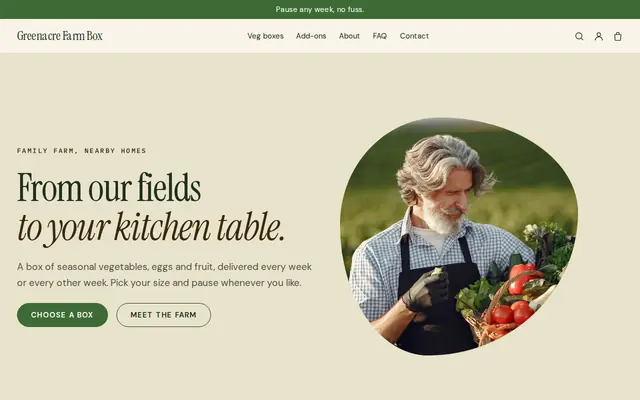
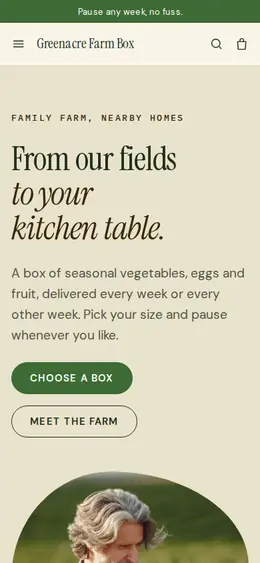
Earthy and friendly for farm boxes, meal kits and deliveries that repeat.
Before you start
In the US, meat sold by the cut must come from an inspected plant: USDA inspection for sales across state lines, while some states run their own programs for sales within the state. Custom-exempt meat is for the animal’s owners only and can’t be resold. Ask your state department of agriculture.
Cutting and processing meat usually needs an approved establishment, and selling it online means registering as a food business. Sending meat between Great Britain and the EU needs certificates. Check with your local authority.
Each pack needs the cut, the weight, your details and the inspection mark or approval number where required. Add a packed-on or use-by date and freezing instructions as well.
General information to help you get started, not legal advice. Rules differ by country, state and product, so check the ones that apply to you.
How it works
A sentence or two is enough: what you do, who it’s for and how people buy from you.
Cornerrr writes your pages, adds your products or services, and picks the colours, fonts and look. It takes about a minute.
Link a Stripe account, or create one in a few minutes. Your customers pay you directly.
Publish on your free Cornerrr web address, or use your own. Change anything later by asking.
Payments
Payments go through your own Stripe account, straight to you. Your customers see the methods you turn on in Stripe that work for their country and currency.
Selling in Europe or the US? United States, United Kingdom, Germany, France, Netherlands, Ireland and every country we cover.
Pricing
Build and preview for free, no card needed. Every paid plan starts with a 14-day free trial, and Cornerrr adds no transaction fees.
Build your website and try everything before you go live.
$0free
Go live and start selling.
$19a month
Most popular
For growing businesses with subscriptions and deliveries.
$49a month
For several stores and bigger catalogues.
$99a month
Questions
Yes, if it’s processed at the right kind of plant. In the US that usually means a USDA-inspected plant for shipping across state lines; in the UK and EU, an approved establishment. Check with your state or local authority before you list your first box.
Mark shares “price on request”. Buyers send the share size and their details through a form, the request lands in your Inbox, and you agree the cut sheet and final price by email.
Use an insulated liner inside a sturdy box, pack it full so there’s little air, add frozen gel packs or dry ice, and ship by a one- or two-day service early in the week. Ask your carrier about dry ice first.
Yes, on the Growth plan. Stripe bills each month or every few weeks, and subscribers see the subscription in their account. Pick a fixed delivery day so your routes stay simple.
No. You describe your business in your own words and Cornerrr builds the website. Afterwards you change things by clicking, or by asking the assistant in plain words.
Building and previewing your website is free, with no card needed. To go live and take payments, choose a plan from $19 a month. Every paid plan starts with a 14-day free trial; a card is needed to start it.
Describe what you sell and see your shop in about a minute. It’s free until you go live.