Preview
Build your website and try everything before you go live.
$0free
Website builder for meal kit companies
Describe your kits and Cornerrr builds a meal kit website with weekly plans by meals and servings, this week’s menu, allergen notes on every recipe and the cut-off for changes, with Stripe billing each plan.
What you get
Cornerrr writes every page from your description, then you change anything by clicking or by asking.
Three or four dinners a week for two or four people, as options of one plan with their own prices, billed weekly by Stripe on the Growth plan. Subscribers see their plan in their account.
A page with the week’s recipes, photos and allergens, refreshed every week. Ask the assistant to draft it from your list of dishes, then edit and apply it.
For customers who won’t commit yet, list one week’s box as a one-time product with stock set to what you can pack, and close it when your cut-off passes.
Desserts, breakfast packs, sauces and spice kits as one-time products that customers order alongside or between plan deliveries.
Deliveries and subscriptions
Plans billed every week or month by Stripe, with one-off products and extras alongside.
Each product has room for ingredients and the allergens it contains. Ask the assistant to add an allergen line to every product at once, then check each one yourself.
Customers can’t pick dishes in their account. Run a set menu with a vegetarian swap, and let customers send swaps through a form on the menu page before the cut-off. Requests land in your Inbox.
Cornerrr writes your How it works and About pages from a short description: where the ingredients come from, how boxes stay cold and what’s in the bag. Edit any line by clicking.
Weekly plans, single boxes and add-ons are paid through your own Stripe account, with cards, Apple Pay, Google Pay and the local methods you turn on. Cornerrr adds no transaction fee.
Ready-made themes
Made for Farm boxes, Meal kits, Local deliveries
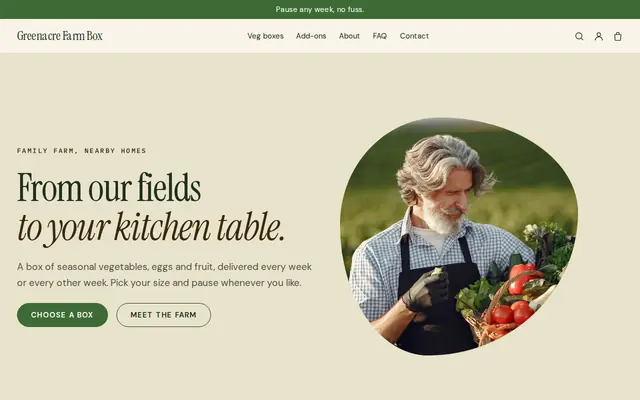
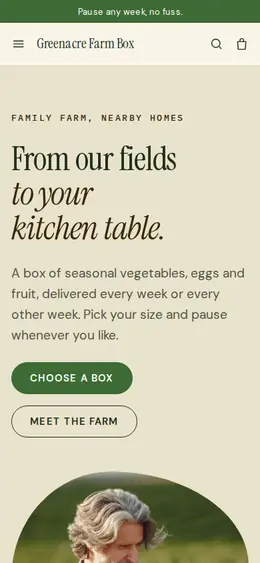
Earthy and friendly for farm boxes, meal kits and deliveries that repeat.
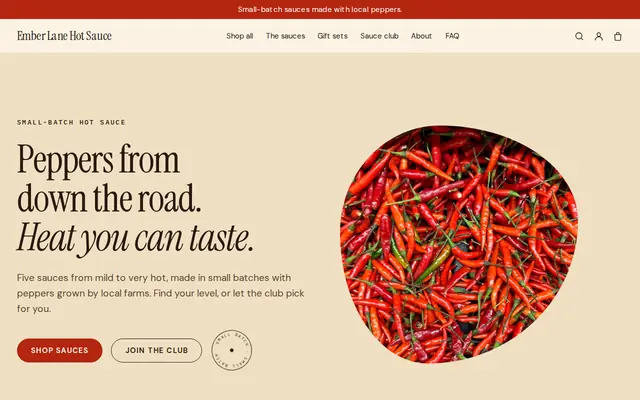
Made for Sauces and condiments, Snacks, Food gifts
Loud, playful and colourful for food makers with personality.
Advice
Whatever you build it with, these are the things that turn visitors into customers.
One photo of everything in a box laid out on the counter answers “how much food is it?” better than any sentence. Add a photo of the finished dish for each recipe card.
Say the day and hour the menu locks, such as Thursday at noon for Sunday delivery, on the plan page, the menu page and in the FAQ. A missed cut-off is one of the most common meal kit complaints.
Say how chilled items are packed, how long a box can safely wait on the doorstep, and what to do with ice packs and liners. Rules for delivering chilled food vary, so check with your local food authority.
List the major allergens in each recipe and say whether your kitchen handles nuts, gluten or shellfish. The US, the EU and the UK each name specific allergens in their labeling rules, so check which list applies to you.
People compare meal kits by what one serving costs. Write it next to each plan, beside the box price, so the comparison with the supermarket and the big kit brands is easy to make.
How it works
A sentence or two is enough: what you do, who it’s for and how people buy from you.
Cornerrr writes your pages, adds your products or services, and picks the colours, fonts and look. It takes about a minute.
Link a Stripe account, or create one in a few minutes. Your customers pay you directly.
Publish on your free Cornerrr web address, or use your own. Change anything later by asking.
Payments
Payments go through your own Stripe account, straight to you. Your customers see the methods you turn on in Stripe that work for their country and currency.
Selling in Europe or the US? United States, United Kingdom, Germany, France, Netherlands, Ireland and every country we cover.
Pricing
Build and preview for free, no card needed. Every paid plan starts with a 14-day free trial, and Cornerrr adds no transaction fees.
Build your website and try everything before you go live.
$0free
Go live and start selling.
$19a month
Most popular
For growing businesses with subscriptions and deliveries.
$49a month
For several stores and bigger catalogues.
$99a month
Questions
Settle your menu rhythm, box sizes, delivery days and area first. Then on Cornerrr’s Growth plan each plan becomes a subscription Stripe bills weekly, and the menu page, How it works and FAQ are written for you to edit.
Not in their account yet. Many small kit companies run a set menu with a vegetarian option; customers send swaps through a form before the cut-off, and the requests land in your Inbox.
Yes. List a week’s box as a one-time product with stock set to what you can pack, using fixed delivery rates for one-off orders. Set the stock to zero once your cut-off has passed.
Usually, because you prepare and handle food for sale. Most places expect a registered or licensed kitchen and food handler training. Check with your local health department or food authority before you launch.
No. You describe your business in your own words and Cornerrr builds the website. Afterwards you change things by clicking, or by asking the assistant in plain words.
Building and previewing your website is free, with no card needed. To go live and take payments, choose a plan from $19 a month. Every paid plan starts with a 14-day free trial; a card is needed to start it.
Describe your business and see your website in about a minute. It’s free until you go live.