Preview
Build your website and try everything before you go live.
$0free
Website builder for restaurants
Describe your restaurant and Cornerrr builds a website around your menu: dishes you deliver as products, holiday and family meal preorders, and a request form for reservations and private dining that you confirm yourself.
What you get
Cornerrr writes every page from your description, then you change anything by clicking or by asking.
The dishes that travel well, listed as products with photos, prices and options such as size or extra toppings. You set a fixed delivery rate, and paid orders arrive by email and in your Orders list.
A Thanksgiving dinner for six, a Christmas Eve feast or a Sunday roast box, sold ahead with stock set to what your kitchen can handle. Checkout stops selling when you’re full.
Guests send the date, party size and occasion through a short form, and the request lands in your Inbox. It isn’t a booking system: you check your book and confirm each one by email.
The house sauce people ask about, a bottle of your olive oil or a branded apron, sold as products and shipped with rates you set.
Food and drink
Products with photos, options, prices and stock, a cart and a Stripe checkout.
Your menu as a real page, not a PDF, so it reads well on a phone and search engines can read it too. Ask the assistant to swap the specials or change a price and apply it in one click.
Mark vegetarian, vegan and gluten-free dishes in their descriptions and list the main allergens. When the kitchen changes a recipe, the assistant can update the line on every dish at once.
Sizes, sides, spice levels and extras as product options, each with its own price, so customers order exactly what they want without phoning the restaurant.
Cornerrr adds structured data for your business, clean links and a sitemap, so search engines can understand your name, address and pages. Your Google Business Profile still matters as much.
Ready-made themes
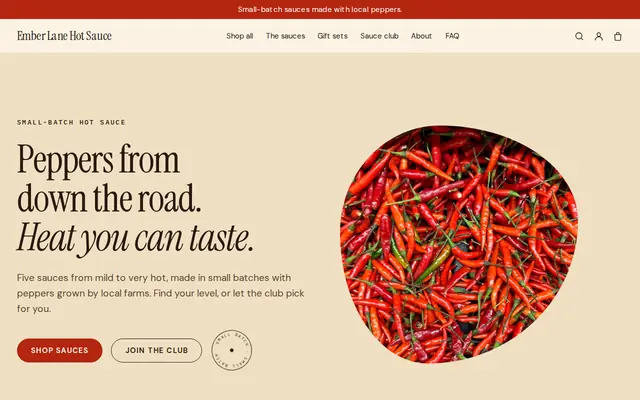
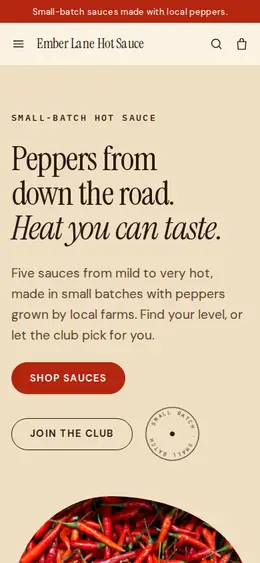
Made for Sauces and condiments, Snacks, Food gifts
Loud, playful and colourful for food makers with personality.
Advice
Whatever you build it with, these are the things that turn visitors into customers.
Your first photo should be the plate your regulars order, shot in daylight from above or at table height. A real dish beats an empty dining room or a stock picture of pasta.
Diners compare menus before they choose, and many give up on a site that only offers a blurry PDF. Search engines read text menus far more reliably than a photo of one.
Name the neighborhoods or the distance you cover, your delivery hours and how long orders usually take. A delivery rate can’t check a street address, so make the area clear on every dish.
Group dinners and buyouts are worth more than a weekday table. Show the room, your set menus and how many guests it seats, and ask only for date, party size and budget.
Wrong opening hours lose diners fast. Update your website, your Google Business Profile and any delivery apps on the same day, especially before public holidays.
How it works
A sentence or two is enough: what you do, who it’s for and how people buy from you.
Cornerrr writes your pages, adds your products or services, and picks the colours, fonts and look. It takes about a minute.
Link a Stripe account, or create one in a few minutes. Your customers pay you directly.
Publish on your free Cornerrr web address, or use your own. Change anything later by asking.
Payments
Payments go through your own Stripe account, straight to you. Your customers see the methods you turn on in Stripe that work for their country and currency.
Selling in Europe or the US? United States, United Kingdom, Germany, France, Netherlands, Ireland and every country we cover.
Pricing
Build and preview for free, no card needed. Every paid plan starts with a 14-day free trial, and Cornerrr adds no transaction fees.
Build your website and try everything before you go live.
$0free
Go live and start selling.
$19a month
Most popular
For growing businesses with subscriptions and deliveries.
$49a month
For several stores and bigger catalogues.
$99a month
Questions
Yes, for the dishes you list as products. Customers pay through your own Stripe account, you deliver for a fixed rate you set, and Cornerrr adds no commission on top of Stripe’s fees. Checkout doesn’t offer a pickup choice yet.
They can send a reservation request with the date, time and party size, and it lands in your Inbox and your email. There’s no table calendar, so you confirm or suggest another time by email.
Better not. A menu written on the page loads faster on phones, is easier to read and can be changed in seconds. On Cornerrr you edit the menu page by clicking or ask the assistant to change it.
Yes. Add a holiday menu as products with limited stock, and checkout stops when you reach the number your kitchen can cook. Orders are paid upfront through Stripe.
No. You describe your business in your own words and Cornerrr builds the website. Afterwards you change things by clicking, or by asking the assistant in plain words.
Building and previewing your website is free, with no card needed. To go live and take payments, choose a plan from $19 a month. Every paid plan starts with a 14-day free trial; a card is needed to start it.
Describe your business and see your website in about a minute. It’s free until you go live.