Food and drink · Cellar
Cellar, a wine shop website template for candlelit evenings
Cellar is a wine shop website template for an independent shop that knows its growers: bottles by style, mixed cases of six and twelve, tasting evenings in the shop and a clear delivery page. Start with it under your own shop’s name.
- Free to build and preview
- Payments by Stripe
- No transaction fees from Cornerrr
About this theme
Cellar Dark and elegant for wine, spirits and fine food.
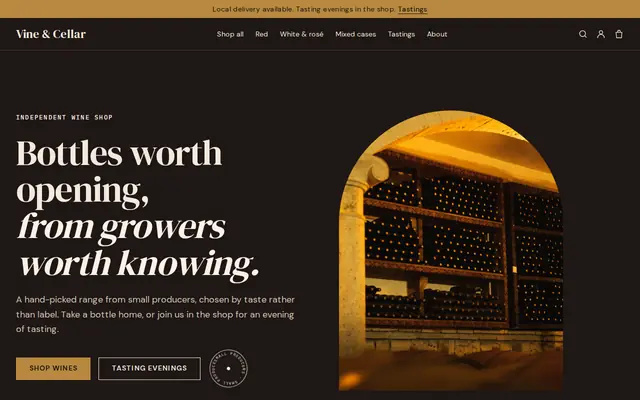
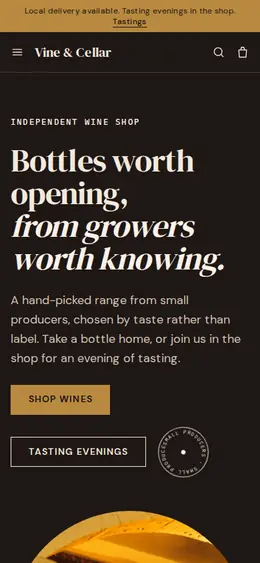
Cellar suits independent wine shops, small wineries, distilleries and delis that want a moody, grown-up look: a near-black background, brass gold, a deep wine red and square uppercase buttons, like a cellar lit by candles. It sells the way a good merchant talks: three ways in (by the bottle, by the case, at a tasting), tasting notes and food pairings on every bottle, and a story about choosing by taste rather than label. It also gives the rules that come with wine a page of their own.
- Made for
- Wine shops, Distilleries, Delis
- Feel
- Expressive: bold type and color
- Comes with
- 6 pages, 7 sample products
- Mood
- rich, moody, warm, convivial, unhurried
- background
- foreground
- primary
- accent
- muted
What’s inside
Every page, already written.
Home
A hero on the dark background, a strip of “hand-picked wines, small producers”, three ways to find a bottle, six bottles currently open, how you choose, and a call to come to a tasting.
About
Your shop in a sentence, a “chosen by taste, not by label” block, and a closing line about helping people find one bottle they love.
Tastings
Tasting evenings in the shop: what to expect and a button to ask for a place, which arrives as a request. To sell seats instead, list each evening as a product with stock set to the number of places.
Delivery & returns
Local delivery, a line that wine is handed only to an adult, and what to do if a bottle arrives damaged. Add the delivery rules your license sets.
FAQ
Answers on local delivery, what goes in a mixed case, tasting before buying and storing wine at home.
Contact
A message form for orders, delivery questions and tasting evenings. Each message lands in your Inbox and in your email.
How it works
From a few words to your own Cellar website, live.
Step 1: Describe your business
A sentence or two is enough: what you do, who it’s for and how people buy from you.
Step 2: We build it while you watch
Cornerrr writes your pages, adds your products or services, and picks the colours, fonts and look. It takes about a minute.
Step 3: Connect payments
Link a Stripe account, or create one in a few minutes. Your customers pay you directly.
Step 4: You’re live
Publish on your free Cornerrr web address, or use your own. Change anything later by asking.
Questions
Good to know
Can I sell wine online with the Cellar template?
Cellar gives you the shop, but selling and delivering alcohol needs the right license, and the rules on age checks, delivery and shipping across state or national borders vary a lot. Check them before you take orders. Cornerrr doesn’t check buyers’ ages, so state your rules plainly on the delivery page.
Can I make Cellar lighter?
Yes. The dark background is a starting point. Ask the assistant for “a light version with the same gold”, or change the colors and fonts yourself after you start.
What happens to the seven sample wines in Cellar?
They become your first products to rename and reprice: two reds, two whites, a rosé and mixed cases of six and twelve. Delete what you don’t stock and add your own bottles, or import your list from a spreadsheet on the Growth plan.
Make Cellar yours.
Start with this theme and Cornerrr builds your website from it with your own name. Free until you go live.