Preview
Build your website and try everything before you go live.
$0free
Website builder for plumbers
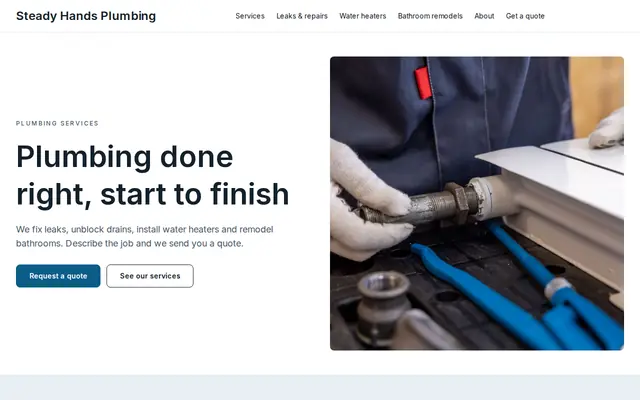
Tell Cornerrr what plumbing work you take on and where, and it builds a plumber website with your after-hours number if you offer one, fixed prices for common jobs, a quote form for bigger work, and the license details people check before letting you in.
What you get
Cornerrr writes every page from your description, then you change anything by clicking or by asking.
A page for burst pipes, no hot water and overflowing toilets, with your phone number first, the hours you answer and how far you’ll drive at night. Emergencies are calls, not forms.
Drain clearing, faucet or toilet installs and water heater flushes can be services with a set price, paid online when the customer asks for the job. Say what’s included and what would cost extra.
Replacements, repiping and bathroom remodels are “price on request”. The form asks for the property type, the age of the fixture and what they want done.
An annual plan with a water heater flush and a whole-house check for leaks can be a subscription on the Growth plan, billed yearly or monthly by Stripe.
Home and local services
What you offer without a price, and quote requests with the quantities and details you need.
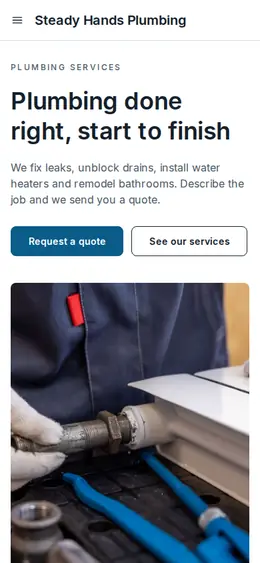
Every Cornerrr website works on phones. Ask the assistant to write your emergency page in short lines with your number first, the way someone with water on the floor will read it.
Cornerrr starts an About page with room for your license number, insurance and years in business, and the assistant writes the words from what you tell it.
Requests land in your Inbox and by email with the address and job details filled in. Reply by email with your questions or a price.
Moving from an old website? Add redirects so the pages people bookmarked or found on Google still open the right page on your new one.
Ready-made themes
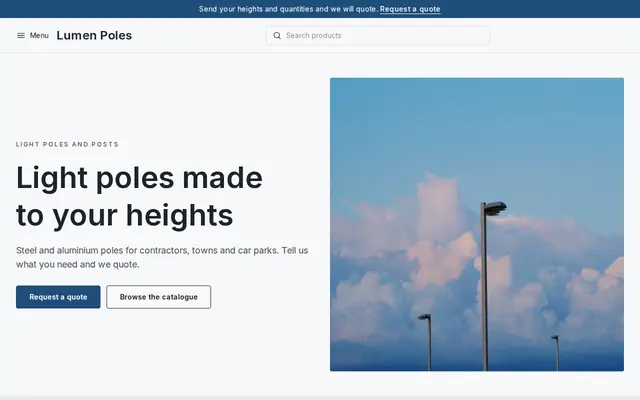
Made for Manufacturers, Suppliers, Contractors
Crisp and industrial for suppliers who sell on quotes.
Advice
Whatever you build it with, these are the things that turn visitors into customers.
Someone with a flooded kitchen wants a number and an arrival estimate; someone planning a new bathroom wants photos and a quote form. Give each its own page and its own first line.
Many US states license plumbers and some require the license number in advertising, websites included. In the UK, anyone working on gas appliances must be on the Gas Safe Register, so show your number if you do gas work.
If you charge a call-out or after-hours fee, say so before people call. Surprise fees are a common complaint about plumbers, and saying it first sets you apart.
If your Google Business Profile says 24 hours but your website says 8 to 6, people trust neither. Keep hours, name and phone number the same on both, and update holiday hours.
A clear photo of you, your marked van and your tidy work area tells people a real local plumber is coming. Close-ups of pipework under a sink help less than you’d think.
How it works
A sentence or two is enough: what you do, who it’s for and how people buy from you.
Cornerrr writes your pages, adds your products or services, and picks the colours, fonts and look. It takes about a minute.
Link a Stripe account, or create one in a few minutes. Your customers pay you directly.
Publish on your free Cornerrr web address, or use your own. Change anything later by asking.
Payments
Payments go through your own Stripe account, straight to you. Your customers see the methods you turn on in Stripe that work for their country and currency.
Selling in Europe or the US? United States, United Kingdom, Germany, France, Netherlands, Ireland and every country we cover.
Pricing
Build and preview for free, no card needed. Every paid plan starts with a 14-day free trial, and Cornerrr adds no transaction fees.
Build your website and try everything before you go live.
$0free
Go live and start selling.
$19a month
Most popular
For growing businesses with subscriptions and deliveries.
$49a month
For several stores and bigger catalogues.
$99a month
Questions
Your phone number at the top, emergency hours, your services, the areas you cover, license and insurance details and an easy quote form. Cornerrr builds those pages from a sentence or two about your business.
They can pay for fixed-price jobs online or send a request for anything else, and both reach you by email. There’s no calendar, so you confirm the visit time with the customer yourself.
Many list prices for common, predictable jobs and quote the rest. Even a “from” price for drain clearing, with what’s included, answers the first question people have.
Keep your Google Business Profile complete and matching your website, name the towns you cover on a service area page, and ask satisfied customers to leave a review on Google. No website can promise rankings, but these basics help.
No. You describe your business in your own words and Cornerrr builds the website. Afterwards you change things by clicking, or by asking the assistant in plain words.
Building and previewing your website is free, with no card needed. To go live and take payments, choose a plan from $19 a month. Every paid plan starts with a 14-day free trial; a card is needed to start it.
Describe your business and see your website in about a minute. It’s free until you go live.