Preview
Build your website and try everything before you go live.
$0free
Website builder for local grocery delivery businesses
Describe your shop and Cornerrr builds a grocery delivery website with your shelves as products, stock that stops overselling, delivery rates by area and speed, and a clear cut-off for same-day orders.
What you get
Cornerrr writes every page from your description, then you change anything by clicking or by asking.
Pantry staples, produce in fixed packs, deli items and local bread, each with a photo, a price and stock. On the Growth plan you can import a long product list from a spreadsheet.
A collection for what just came in: berries in season, a new cheese, this week’s fish. Ask the assistant to rewrite the collection’s introduction each week.
A pantry restock box, a breakfast bundle or a get-well basket as single products, so a customer can order a week’s basics without building the basket item by item.
Regular orders for offices, cafés and care homes as price on request: they send their list and a delivery day, and you reply with a quote.
Deliveries and subscriptions
Products with photos, options, prices and stock, a cart and a Stripe checkout.
Set up to five fixed rates, such as same-day nearby, next-day nearby and next-day farther out, each with a delivery estimate. Customers choose one at checkout.
On any paid plan, a free shipping code with a minimum order gives customers a reason to fill the basket, with start and end dates and usage limits you set.
Stock goes down when an order is paid and checkout stops when an item is sold out, so two customers can’t both pay for the last tray of strawberries.
Make a product listing from a photo, or ask the assistant to write short descriptions, alt text and tags for a whole aisle at once. You check them and apply.
Ready-made themes
Made for Farm boxes, Meal kits, Local deliveries
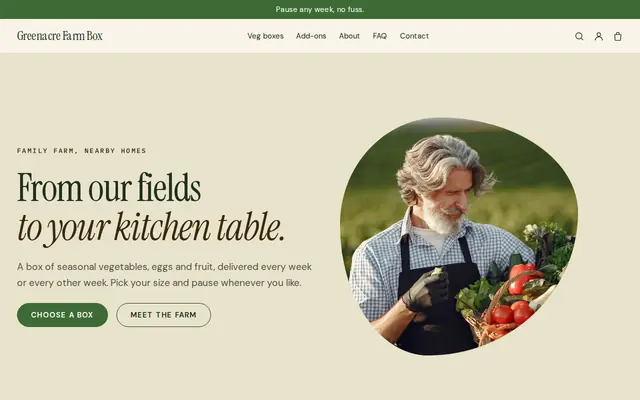
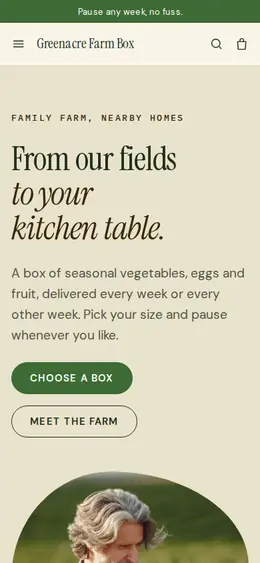
Earthy and friendly for farm boxes, meal kits and deliveries that repeat.
Made for Water delivery, Propane and fuel, Laundry pick-up
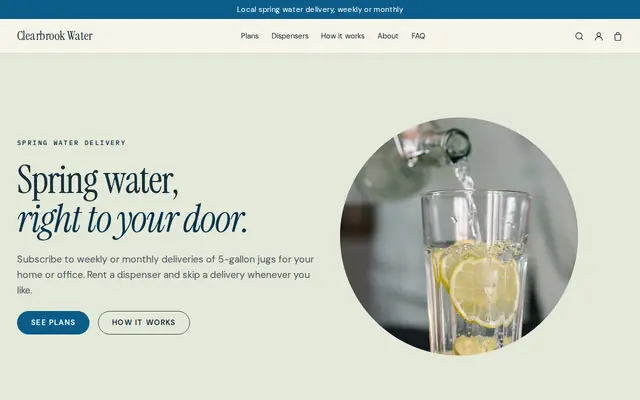
Clean and fresh for deliveries on a schedule.
Advice
Whatever you build it with, these are the things that turn visitors into customers.
Say what you do when something is out: swap in a similar item, call first, or leave it out and refund it. Put the rule in your FAQ and on the Delivery page.
Checkout can’t weigh produce, so sell by the pack or the piece: a bag of apples, half a pound of ham, a bunch of herbs. Put the approximate weight in the product name.
Orders by noon arrive the same day, later ones the next day: put the rule at the top of every page, and say when you don’t deliver, such as Sundays and holidays.
Say how chilled and frozen items travel, whether someone must be home, and how long a bag can wait on a doorstep. Check your local food safety rules for delivering chilled food.
You don’t need every item online on day one. Start with the hundred or so products people buy every week, and add more as customers ask for them.
How it works
A sentence or two is enough: what you do, who it’s for and how people buy from you.
Cornerrr writes your pages, adds your products or services, and picks the colours, fonts and look. It takes about a minute.
Link a Stripe account, or create one in a few minutes. Your customers pay you directly.
Publish on your free Cornerrr web address, or use your own. Change anything later by asking.
Payments
Payments go through your own Stripe account, straight to you. Your customers see the methods you turn on in Stripe that work for their country and currency.
Selling in Europe or the US? United States, United Kingdom, Germany, France, Netherlands, Ireland and every country we cover.
Pricing
Build and preview for free, no card needed. Every paid plan starts with a 14-day free trial, and Cornerrr adds no transaction fees.
Build your website and try everything before you go live.
$0free
Go live and start selling.
$19a month
Most popular
For growing businesses with subscriptions and deliveries.
$49a month
For several stores and bigger catalogues.
$99a month
Questions
Pick your delivery area and days, then list your best sellers with photos, prices and stock. Cornerrr builds the website from a short description, sets up your fixed delivery rates and connects Stripe, so customers pay before you pack.
Not at checkout. Offer delivery rates by speed, such as same-day or next-day, and say your delivery hours for each area. Customers who need a particular time can message you after ordering.
Checkout doesn’t enforce one. Many shops set a delivery rate that covers a small order and offer a free-delivery code with a minimum order amount, then say the rule on the Delivery page.
Yes, on the Growth plan. Upload your product list as a spreadsheet, then add photos to the items people buy most, first.
No. You describe your business in your own words and Cornerrr builds the website. Afterwards you change things by clicking, or by asking the assistant in plain words.
Building and previewing your website is free, with no card needed. To go live and take payments, choose a plan from $19 a month. Every paid plan starts with a 14-day free trial; a card is needed to start it.
Describe your business and see your website in about a minute. It’s free until you go live.