Preview
Build your website and try everything before you go live.
$0free
Website builder for assisted living communities
Describe your community in a sentence or two and Cornerrr builds the pages families look for: care and services, rooms, daily life, what’s included and a tour request form. Requests land in your Inbox, and you change anything by asking.
What you get
Cornerrr writes every page from your description, then you change anything by clicking or by asking.
Describe what help each level includes, from medication reminders to help with bathing, dressing and getting around, and how you decide which level fits after a care assessment. Families compare communities on exactly this.
A tour request form asks who the tour is for, a preferred day and how soon the family hopes to move. Each request lands in your Inbox and by email, and you reply to set the visit.
Private and companion rooms each get their own page with photos, the size, a floor plan if you have one and what comes furnished. Mark them “price on request” so families ask about current rates and openings.
If you offer short stays while a family caregiver rests, travels or recovers, give them their own page with the minimum stay, what to bring and a request form of their own.
Care and health
Your services with prices, or “price on request” so clients ask first, and every request in your Inbox.
Every tour request and family question arrives in your Inbox and by email, with the name, phone number and note the family left. You reply by email, and nothing gets lost in a voicemail box.
Cornerrr writes your care, rooms and FAQ pages in a warm, clear voice. Ask the assistant to explain a level of care in simpler words, or to shorten a page that says too much.
Add a page for this month’s activity calendar, a sample weekly menu or your license and inspection information, and update it by clicking on the words. No developer, no waiting.
Page titles, descriptions and your business details are set up for search engines, so they know your name, your town and what kind of care you offer. Link your Google Business Profile to the website too.
Ready-made themes
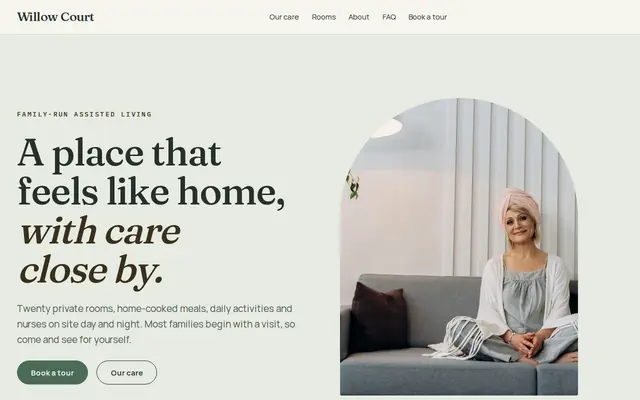
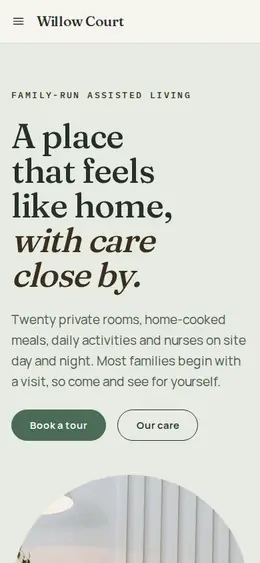
Made for Assisted living, Care homes, Home care
Calm and reassuring, with tour requests front and centre.
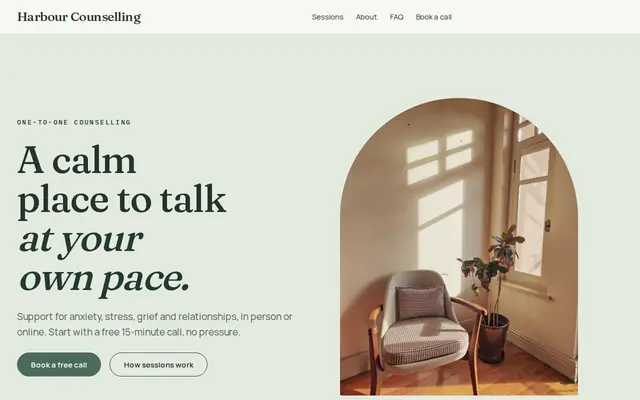
Made for Counsellors, Therapists, Life coaches
Soft and quiet for counsellors, coaches and therapists.
Advice
Whatever you build it with, these are the things that turn visitors into customers.
You don’t have to publish rates to be open about cost. Say what the monthly rate includes (meals, housekeeping, laundry, activities, utilities), what changes it (level of care, room type) and whether there’s a one-time community fee.
Put your state license type and number in the footer or on your About page, and say where families can read your latest state inspection report. Some states ask for the license number in advertising, so check your state’s rules.
Shoot each room type in daylight from the doorway, then the bathroom, the view from the window and a common area at a busy hour. Get written permission before any resident’s face appears on your website.
Many families start looking after a fall or a hospital stay, in a hurry and on a phone. Put your phone number on every page, say how fast you reply, and keep the form to contact details and a short note. Health needs are for the call or the assessment.
Families ask whether Medicare pays (it generally doesn’t cover assisted living), whether you take long-term care insurance, and whether veterans’ benefits or your state’s Medicaid program can help. A short, honest FAQ answer saves many calls.
A sample daily schedule, this month’s activity calendar and a week of menus tell families more than “vibrant lifestyle”. Update them every month so the website never looks forgotten.
How it works
A sentence or two is enough: what you do, who it’s for and how people buy from you.
Cornerrr writes your pages, adds your products or services, and picks the colours, fonts and look. It takes about a minute.
Link a Stripe account, or create one in a few minutes. Your customers pay you directly.
Publish on your free Cornerrr web address, or use your own. Change anything later by asking.
Payments
Payments go through your own Stripe account, straight to you. Your customers see the methods you turn on in Stripe that work for their country and currency.
Selling in Europe or the US? United States, United Kingdom, Germany, France, Netherlands, Ireland and every country we cover.
Pricing
Build and preview for free, no card needed. Every paid plan starts with a 14-day free trial, and Cornerrr adds no transaction fees.
Build your website and try everything before you go live.
$0free
Go live and start selling.
$19a month
Most popular
For growing businesses with subscriptions and deliveries.
$49a month
For several stores and bigger catalogues.
$99a month
Questions
The levels of care you offer, room types with photos, what the monthly rate includes, your license details, a sample day, how to request a tour and a phone number on every page. Cornerrr builds a first version with pages like these from your description, and you fill in the specifics.
Yes. Families fill in a short tour request form; it lands in your Inbox and by email, and you reply to agree a day and time. There’s no booking calendar, so you decide who visits when.
It’s your choice. Some communities show a starting rate, others explain what’s included and invite families to ask. On Cornerrr, rooms can be marked “price on request”, so families send a request instead of seeing a price.
It’s better not to ask for them. Keep website forms to contact details and a short note, and talk about health history, medications and diagnoses by phone or during the assessment, under your own privacy procedures.
Yes. Give each home its own page with its address, photos and rooms, and put the town in that page’s title, so families searching in that town can match it.
No. You describe your business in your own words and Cornerrr builds the website. Afterwards you change things by clicking, or by asking the assistant in plain words.
Building and previewing your website is free, with no card needed. To go live and take payments, choose a plan from $19 a month. Every paid plan starts with a 14-day free trial; a card is needed to start it.
Describe your business and see your website in about a minute. It’s free until you go live.