Food and drink · Harvest
Harvest, a farm box website template for boxes that come back
Harvest is a farm box website template for a family farm that delivers: three box sizes billed every week, egg and fruit add-ons, and a page that explains delivery days and pausing. Start with it and the boxes, words and pages are yours to change.
- Free to build and preview
- Payments by Stripe
- No transaction fees from Cornerrr
About this theme
Harvest Earthy and friendly for farm boxes, meal kits and deliveries that repeat.
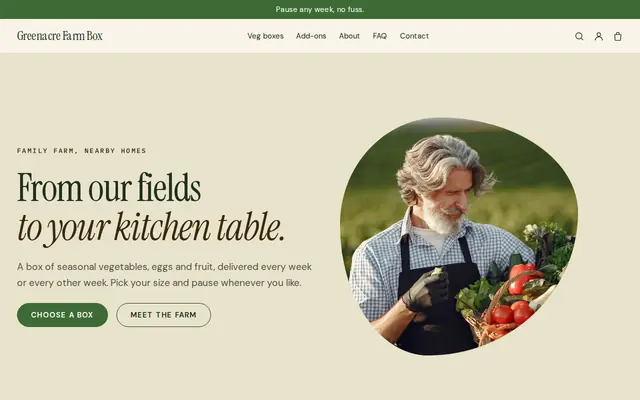
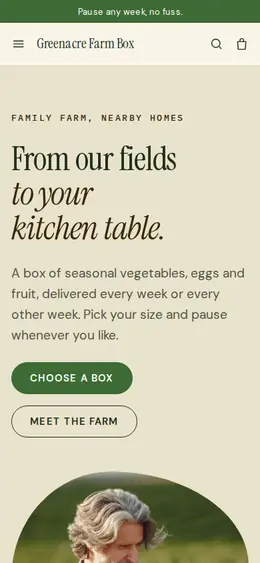
Harvest fits farms, CSAs and local delivery businesses whose customers sign up once and receive a box again and again. Leafy greens, warm cream, a pea-pod drawing and bold uppercase buttons feel fresh and family-run rather than corporate. Above all, it answers the three things a new subscriber worries about, right on the home page: which box suits my household, how often it comes, and what if I’m away. The boxes are subscriptions billed by Stripe, which needs the Growth plan.
- Made for
- Farm boxes, Meal kits, Local deliveries
- Feel
- Expressive: bold type and color
- Comes with
- 5 pages, 5 sample products
- Mood
- fresh, wholesome, family-run, seasonal
- background
- foreground
- primary
- accent
- muted
What’s inside
Every page, already written.
Home
A hero with a drawn pea pod, three boxes in a spotlight (for one or two, for families, the full veg, fruit and egg box), how your box works in three steps, the products, the farm’s story and a short FAQ.
About
The farm in a few lines: what you grow, that boxes follow the seasons and travel only to homes nearby, and a picked, packed, delivered block that links to the boxes.
FAQ
How the subscription works, pausing a week, whether you reach a given area and whether customers can choose what goes in the box. Edit the answers to match your own rules.
Delivery & pausing
Weekly or every-two-weeks delivery to homes near the farm, and how to pause a week. Subscribers see their plan in their account but can’t change it themselves yet, so say that pausing goes through you.
Contact
A message form that also asks where the customer lives, so you can confirm you reach them before they subscribe.
How it works
From a few words to your own Harvest website, live.
Step 1: Describe your business
A sentence or two is enough: what you do, who it’s for and how people buy from you.
Step 2: We build it while you watch
Cornerrr writes your pages, adds your products or services, and picks the colours, fonts and look. It takes about a minute.
Step 3: Connect payments
Link a Stripe account, or create one in a few minutes. Your customers pay you directly.
Step 4: You’re live
Publish on your free Cornerrr web address, or use your own. Change anything later by asking.
Questions
Good to know
Can Harvest customers pause their own box?
Not by themselves yet. Subscribers see their box in their account, but changes such as pausing a week go through you. Harvest’s sample words promise easy pausing, so reword them to your real rule, such as “write to us by Thursday”.
Can I use Harvest for a meal kit or a milk round?
Yes. Rename the boxes to your kits or bottles, set the billing to every week or every two weeks, and ask the assistant to rewrite the words. The layout already explains sizes, how often it comes and where you deliver.
Which plan do I need for Harvest’s subscription boxes?
Subscriptions need the Growth plan, and you can build and preview the whole website for free before choosing one. Stripe bills each box on its schedule, and payments go to your own Stripe account.
Harvest suits
- Farm box and CSA website builder
- Farm website builder
- Meal kit company website builder
- Milk delivery website builder
- Grocery delivery website builder
- Meal prep service website builder
- Catering company website builder
- Butcher shop website builder
- Juice bar website builder
Selling with Harvest
Make Harvest yours.
Start with this theme and Cornerrr builds your website from it with your own name. Free until you go live.