Preview
Build your website and try everything before you go live.
$0free
Online store for farm produce
Tell Cornerrr what you grow and it builds a farm shop: this week’s harvest as products with stock, mixed boxes, eggs and flowers, delivery days and rates, and a Stripe checkout. Set the week’s stock, and the shop shows what’s ready.
Step by step
Keep every crop as a product, and set stock only for what’s ready this week. Anything at zero can’t be checked out, so customers see at a glance what’s in season.
Close orders the day before you harvest, so you pick to order and waste less. Put the cut-off and the delivery day at the top of the home page.
A small and a large “what’s good this week” box saves customers choosing and lets you use what’s abundant. Describe what a typical box holds in each season.
Fresh produce rarely ships far. Name the towns or routes you cover and the day, and set a delivery rate with that day as the estimate. If you also sell at a market, list it too.
A crate of this week’s tomatoes beats a stock photo of perfect ones. Take quick photos in the field or packing shed and swap them as the season changes.
In winter, sell what keeps: storage roots, preserves, dried herbs, seeds or next season’s box. A website that stays open keeps your customers through the gap.
Food and drink
Products with photos, options, prices and stock, a cart and a Stripe checkout.
Built in
Set a number per crop each week. Stock goes down as orders are paid, and checkout stops at zero, so you never sell more lettuce than you planted.
On the Growth plan, a weekly or every-two-weeks box can be billed by Stripe. Subscribers see it in their account and let you know by email when they’re away.
On any paid plan, set a delivery rate with an estimate like “Thursday” and add a free-delivery discount code above an order amount.
Restaurants that want a weekly order of herbs or greens send a request with quantities. It lands in your Inbox, and you reply with your price list by email.
Ready-made themes
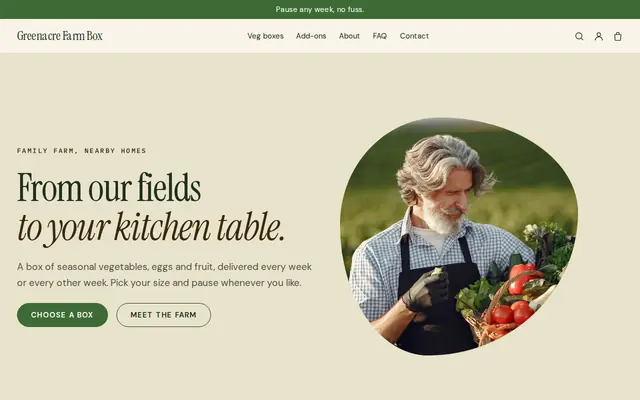
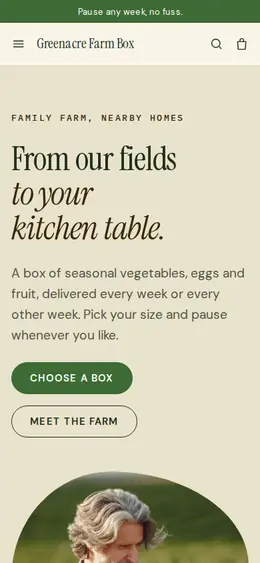
Made for Farm boxes, Meal kits, Local deliveries
Earthy and friendly for farm boxes, meal kits and deliveries that repeat.
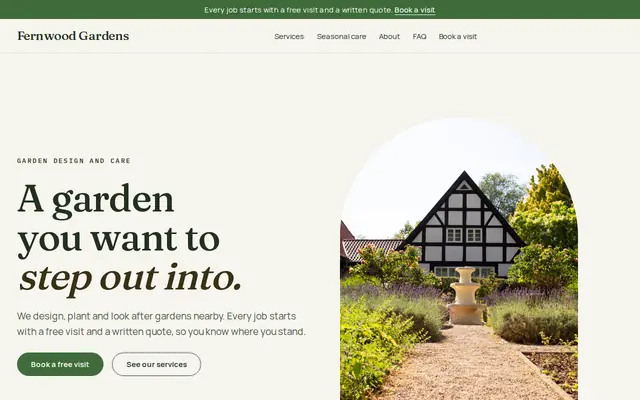
Made for Gardeners, Landscapers, Tree surgeons
Green and natural for gardeners and landscapers.
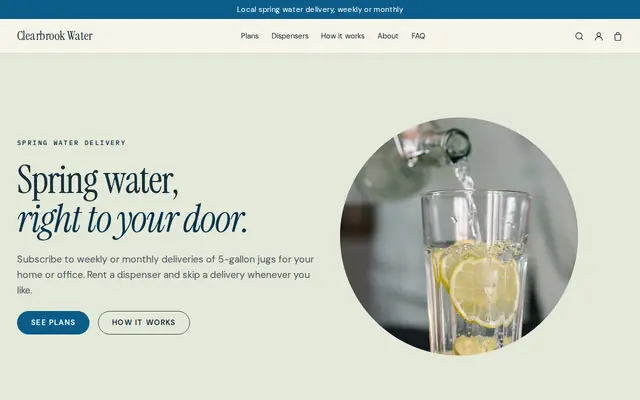
Made for Water delivery, Propane and fuel, Laundry pick-up
Clean and fresh for deliveries on a schedule.
Before you start
Whole, uncut produce is among the simplest foods to sell. Eggs are different: many US states require a license, grading or refrigeration rules, and in Great Britain flocks above a set size must be registered. Check before you add eggs.
Washing, cutting or bagging salad can bring extra food safety rules. In the US, the FDA’s Produce Safety Rule covers many farms above a sales threshold, and in the UK and EU it counts as food handling. Check your local rules.
Sell by the bunch, bag or piece rather than by exact weight, so the price at checkout is the price the customer pays. Give the approximate weight of each bag.
General information to help you get started, not legal advice. Rules differ by country, state and product, so check the ones that apply to you.
How it works
A sentence or two is enough: what you do, who it’s for and how people buy from you.
Cornerrr writes your pages, adds your products or services, and picks the colours, fonts and look. It takes about a minute.
Link a Stripe account, or create one in a few minutes. Your customers pay you directly.
Publish on your free Cornerrr web address, or use your own. Change anything later by asking.
Payments
Payments go through your own Stripe account, straight to you. Your customers see the methods you turn on in Stripe that work for their country and currency.
Selling in Europe or the US? United States, United Kingdom, Germany, France, Netherlands, Ireland and every country we cover.
Pricing
Build and preview for free, no card needed. Every paid plan starts with a 14-day free trial, and Cornerrr adds no transaction fees.
Build your website and try everything before you go live.
$0free
Go live and start selling.
$19a month
Most popular
For growing businesses with subscriptions and deliveries.
$49a month
For several stores and bigger catalogues.
$99a month
Questions
Yes. Whole fresh produce has fewer rules than most foods, though some states and countries ask you to register or follow farm food safety rules above a certain size. Check with your state department of agriculture or local authority.
Keep every crop as a product and change the stock each week: set this week’s amounts and put anything not ready at zero. Customers see what’s available without you rebuilding the shop.
A farm shop lets people choose items each week; a CSA or box scheme is a share paid in advance. Cornerrr can do both: products with stock for the shop and, on the Growth plan, subscriptions for the box.
Yes. Cut flower bunches are products like any other, with their own stock and photos, and they’re an easy thing to add to a weekly veg order.
No. You describe your business in your own words and Cornerrr builds the website. Afterwards you change things by clicking, or by asking the assistant in plain words.
Building and previewing your website is free, with no card needed. To go live and take payments, choose a plan from $19 a month. Every paid plan starts with a 14-day free trial; a card is needed to start it.
Describe what you sell and see your shop in about a minute. It’s free until you go live.