Preview
Build your website and try everything before you go live.
$0free
Website builder for doulas
Expecting parents choose a doula they feel they already know. Describe your support and Cornerrr builds a warm website: your story, birth and postpartum packages, the area you cover and a consultation request that lands in your Inbox.
What you get
Cornerrr writes every page from your description, then you change anything by clicking or by asking.
Prenatal visits, on-call weeks around the due date, support during labor and a postpartum visit, written out as one package. Sell it at its price, or list it “price on request” and send a quote.
Daytime or overnight help in the first weeks, with what you do (feeding support, rest, meals, help with siblings) and what you don’t. Offer a block of hours as a package, or take requests.
Parents ask for a free consultation with their contact details and a short note, such as the month they need you. The request lands in your Inbox and by email, and you reply to arrange a call or a coffee.
Childbirth preparation or newborn care classes as products with a set number of places, so a class stops taking sign-ups when it’s full.
Care and health
Your services with prices, or “price on request” so clients ask first, and every request in your Inbox.
Sell a package at checkout through your own Stripe account, or keep it “price on request” and quote each family. Either way, payments go straight to you.
Cornerrr writes your pages in a gentle, personal voice. Ask the assistant to rewrite your About page in the first person or explain what a doula does in three plain sentences.
Consultation requests arrive in your Inbox and by email, so they reach your phone wherever you are, even in the middle of a birth week.
Add a page naming the towns, hospitals and birth centers you serve, with its own search title, so parents looking nearby can match you.
Ready-made themes
Made for Counsellors, Therapists, Life coaches
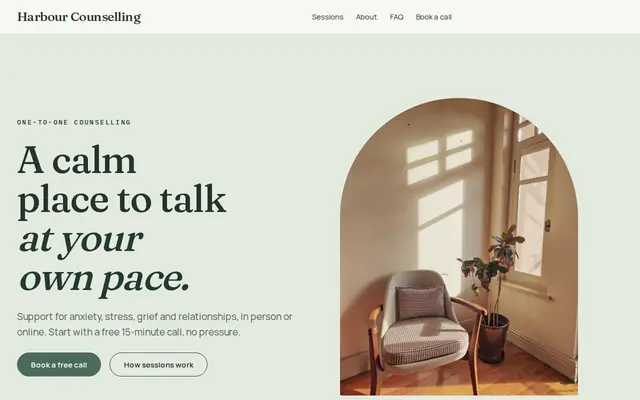
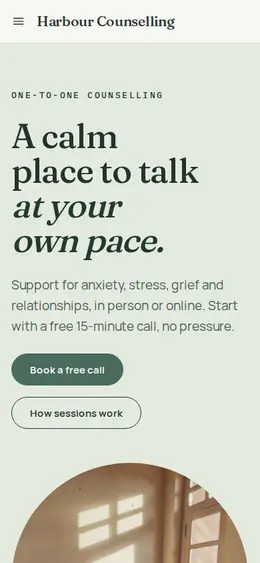
Soft and quiet for counsellors, coaches and therapists.
Advice
Whatever you build it with, these are the things that turn visitors into customers.
Doulas give emotional, physical and practical support; they don’t give medical advice, perform exams or deliver babies. Saying so clearly reassures parents and their midwives and doctors.
If you’re certified, name the organization, for example DONA International or CAPPA, and when you trained. If you’re working toward certification, say that honestly.
List the hospitals, birth centers and towns you serve, how far you’ll travel, and how many weeks around the due date you’re on call. Parents plan around these details.
A growing number of US states’ Medicaid programs pay for doula care. If you’re enrolled with one, or with an insurer that covers doulas, say so and suggest families check their own coverage.
If you take only a few births each month, say so. It explains why parents should reach out early, without any pressure in the words.
How it works
A sentence or two is enough: what you do, who it’s for and how people buy from you.
Cornerrr writes your pages, adds your products or services, and picks the colours, fonts and look. It takes about a minute.
Link a Stripe account, or create one in a few minutes. Your customers pay you directly.
Publish on your free Cornerrr web address, or use your own. Change anything later by asking.
Payments
Payments go through your own Stripe account, straight to you. Your customers see the methods you turn on in Stripe that work for their country and currency.
Selling in Europe or the US? United States, United Kingdom, Germany, France, Netherlands, Ireland and every country we cover.
Pricing
Build and preview for free, no card needed. Every paid plan starts with a 14-day free trial, and Cornerrr adds no transaction fees.
Build your website and try everything before you go live.
$0free
Go live and start selling.
$19a month
Most popular
For growing businesses with subscriptions and deliveries.
$49a month
For several stores and bigger catalogues.
$99a month
Questions
What you offer for birth and postpartum, your packages, the area and hospitals you serve, your training, and an easy way to ask for a free consultation. Cornerrr builds a first version from a short description of your work.
Yes. A package can be a product with a price, paid at checkout through your own Stripe account. If you prefer to talk first, mark it “price on request” and send your quote by email.
Name your town and the hospitals you serve in page titles, link your website from your Google Business Profile and any doula directories you’re listed in, and ask local birth centers whether they keep a list of doulas.
Many doulas do, because parents compare packages early in pregnancy. If your price depends on travel or extra visits, show a base package with its price and add a “price on request” option for custom support.
No. You describe your business in your own words and Cornerrr builds the website. Afterwards you change things by clicking, or by asking the assistant in plain words.
Building and previewing your website is free, with no card needed. To go live and take payments, choose a plan from $19 a month. Every paid plan starts with a 14-day free trial; a card is needed to start it.
Describe your business and see your website in about a minute. It’s free until you go live.