Preview
Build your website and try everything before you go live.
$0free
Website builder for daycares and child care centers
Parents compare daycares on safety, ratios, routines and how you keep them in the loop. Describe your center and Cornerrr builds a page for each, with tour requests that land in your Inbox and, on the Growth plan, monthly tuition billed by Stripe.

What you get
Cornerrr writes every page from your description, then you change anything by clicking or by asking.
Infants, toddlers, twos and preschool, each with a page for its ratio, routine, what parents bring and a photo of the room. Parents of a baby read only the infant page.
Parents ask for a tour with their child’s age and the start date they need. Requests land in your Inbox and by email, and you reply with a day to visit.
On the Growth plan, tuition can be a weekly or monthly subscription billed by Stripe, by card or by bank debit where Stripe offers it. Families see their plan in their account.
Charge a one-time registration fee as a product, and handle enrollment paperwork in person or by email. Immunization and health records don’t belong in a website form.
Care and health
Your services with prices, or “price on request” so clients ask first, and every request in your Inbox.
Weekly or monthly tuition can be a Stripe subscription on the Growth plan, paid straight to your own Stripe account. Parents see it in their account; changes, like moving from three days to five, go through you.
Post the lunch menu, the closure calendar and the summer program as pages, and change them by clicking on the words. No waiting for a web person before a snow day.
Cornerrr writes your pages in a warm, clear voice. Ask the assistant to explain your play-based curriculum in two sentences, or to turn your handbook’s rules into a short FAQ.
Ready-made themes
Made for Swim schools, Music lessons, Kids’ clubs
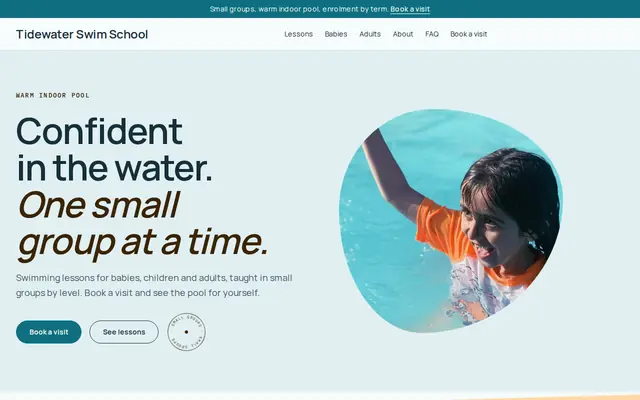
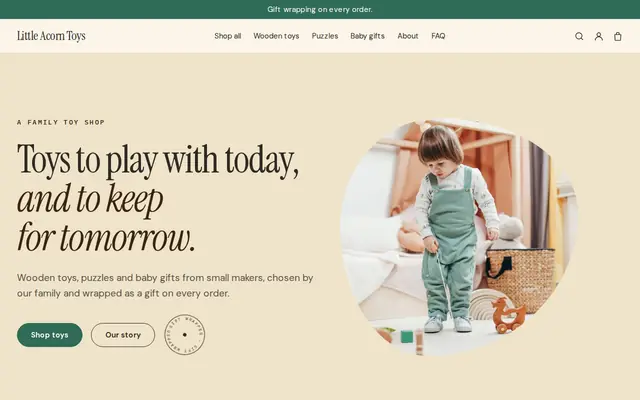
Bright and cheerful for lessons, schools and clubs.
Advice
Whatever you build it with, these are the things that turn visitors into customers.
Parents check that you’re licensed and how many children each adult cares for. Show your license number and your ratios by age group, and say where parents can read your state inspection record if it’s public.
Secure entry, who may pick up, staff background checks, safe sleep for infants and how you handle allergies. Say it plainly; it’s what parents ask on every tour.
Get written permission from parents before any child appears on your website, and leave out names. Photos of empty rooms, art on the walls and small hands at work show your center just as well.
If an age group is full, say so on its page and invite families to send a request for the next opening with the start date they need. It saves you calls and helps parents plan.
When does a child need to stay home? Do you close for holidays, snow days or staff training? Parents plan their work around these answers, so put them on your FAQ.
If you accept state child care assistance or another subsidy program, say so on your tuition page. Many families look specifically for centers that do.
How it works
A sentence or two is enough: what you do, who it’s for and how people buy from you.
Cornerrr writes your pages, adds your products or services, and picks the colours, fonts and look. It takes about a minute.
Link a Stripe account, or create one in a few minutes. Your customers pay you directly.
Publish on your free Cornerrr web address, or use your own. Change anything later by asking.
Payments
Payments go through your own Stripe account, straight to you. Your customers see the methods you turn on in Stripe that work for their country and currency.
Selling in Europe or the US? United States, United Kingdom, Germany, France, Netherlands, Ireland and every country we cover.
Pricing
Build and preview for free, no card needed. Every paid plan starts with a 14-day free trial, and Cornerrr adds no transaction fees.
Build your website and try everything before you go live.
$0free
Go live and start selling.
$19a month
Most popular
For growing businesses with subscriptions and deliveries.
$49a month
For several stores and bigger catalogues.
$99a month
Questions
Your license, ages served, ratios, hours, a typical day, meals, safety and pickup rules, tuition and how to tour. Cornerrr builds a first version from a short description of your center, and you edit every detail.
Yes. On the Growth plan, weekly or monthly tuition can be a Stripe subscription, paid by card, wallet or bank debit where Stripe supports it. Payments go to your own Stripe account, with no transaction fee added by Cornerrr.
Parents send a tour request with their child’s age and start date, and it lands in your Inbox and by email. You reply with a day and time; there’s no automatic calendar, so you choose when visitors come in.
Only with written permission from parents, and never with names or details that say where a child is at a given time. Many centers use photos of rooms and activities without faces.
No. You describe your business in your own words and Cornerrr builds the website. Afterwards you change things by clicking, or by asking the assistant in plain words.
Building and previewing your website is free, with no card needed. To go live and take payments, choose a plan from $19 a month. Every paid plan starts with a 14-day free trial; a card is needed to start it.
Describe your business and see your website in about a minute. It’s free until you go live.