Preview
Build your website and try everything before you go live.
$0free
Online store for workshop and class tickets
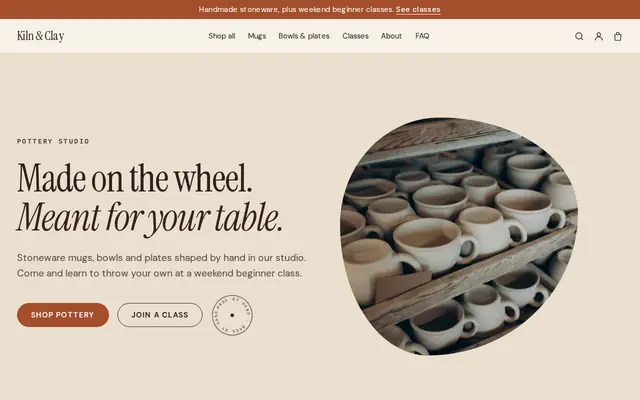
Tell Cornerrr what you teach and it builds a website for your workshops: each date with its places as stock, so checkout stops when it’s full, a page for private group requests, and a Stripe checkout that pays you directly.

Step by step
Create a product for each workshop date, like “Wheel throwing, Saturday, March 14”, or one workshop with its dates as options. Set the stock to the number of places.
Stock goes down as each place is paid for, and checkout stops at zero, so you never sell a seventh place at a table for six.
Materials, aprons, drinks, what they take home and when. Also say what to wear, how early to arrive, where to park and whether any experience is needed.
A four-week course can be one product covering every session. List the dates in the description and say what happens if someone misses a week.
Say what happens if a customer can’t come, how much notice you need, and what you do if you cancel. Cornerrr can draft a refund policy for you to edit.
Birthday parties, bachelorette parties and team days need a date and a group size. Mark private groups “price on request” and reply with dates and a price from your Inbox.
Ways to sell
Products with photos, options, prices and stock, a cart and a Stripe checkout.
Built in
Each date has its own stock. It goes down when a place is paid for, and checkout stops when the workshop is full, with no seat map to set up.
One workshop page can hold several dates as options, each with its own stock, so customers pick a date without scrolling past copies of the same class.
Each buyer gets an order confirmation email, and you get an email for every place sold. Your Orders list shows who bought each date.
Regulars who come every week can pay by subscription, billed by Stripe each month. Subscribers see their plan in their account.
Ready-made themes
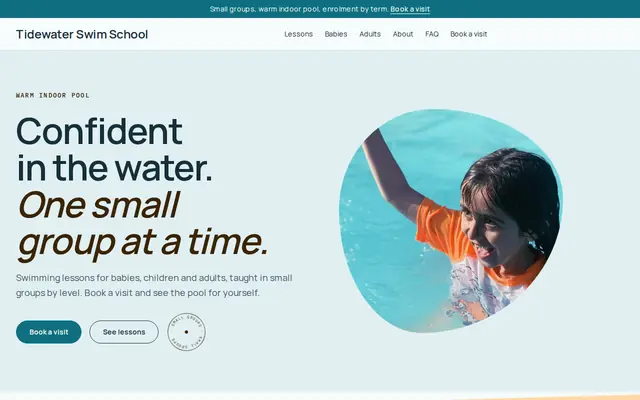
Made for Swim schools, Music lessons, Kids’ clubs
Bright and cheerful for lessons, schools and clubs.
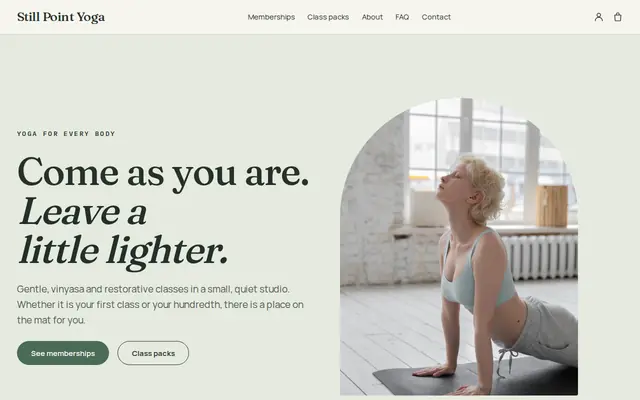
Made for Yoga studios, Pilates, Meditation
Serene and spacious for studios with classes and memberships.
Before you start
Cornerrr sells places as stock, not numbered seats or calendar bookings. That suits workshops and classes with a set size; a venue with numbered seating needs a ticketing tool.
The buyer’s name and email come with the order. If someone buys places for friends, ask for their names by email. Ask about allergies or mobility privately by email, not in a website form.
Hosting the public usually calls for liability insurance, and classes for children often need background checks for teachers. Check what your venue, your insurer and your local rules expect.
General information to help you get started, not legal advice. Rules differ by country, state and product, so check the ones that apply to you.
How it works
A sentence or two is enough: what you do, who it’s for and how people buy from you.
Cornerrr writes your pages, adds your products or services, and picks the colours, fonts and look. It takes about a minute.
Link a Stripe account, or create one in a few minutes. Your customers pay you directly.
Publish on your free Cornerrr web address, or use your own. Change anything later by asking.
Payments
Payments go through your own Stripe account, straight to you. Your customers see the methods you turn on in Stripe that work for their country and currency.
Selling in Europe or the US? United States, United Kingdom, Germany, France, Netherlands, Ireland and every country we cover.
Pricing
Build and preview for free, no card needed. Every paid plan starts with a 14-day free trial, and Cornerrr adds no transaction fees.
Build your website and try everything before you go live.
$0free
Go live and start selling.
$19a month
Most popular
For growing businesses with subscriptions and deliveries.
$49a month
For several stores and bigger catalogues.
$99a month
Questions
Yes. Each class date is a product with its places as stock. People pay at checkout, stock goes down, and checkout stops when the class is full. You get an email for each sale.
Checkout stops for that date. Add another date as a new product or option, and say on the page when the next dates open. A newsletter sign-up form lets people leave their email for news.
Yes. Sell places the same way and email the video call link after purchase. Handouts, patterns or recordings can be sold as digital downloads on any paid plan.
Set your rule in your refund policy, such as a full refund up to a week before or a move to another date. Refunds go back through Stripe, and the customer gets a refund email.
No. You describe your business in your own words and Cornerrr builds the website. Afterwards you change things by clicking, or by asking the assistant in plain words.
Building and previewing your website is free, with no card needed. To go live and take payments, choose a plan from $19 a month. Every paid plan starts with a 14-day free trial; a card is needed to start it.
Describe what you sell and see your shop in about a minute. It’s free until you go live.