Shops and makers · Acorn
Acorn, a toy store website template for gifts that last
Acorn is a toy store website template for a family shop: wooden toys, puzzles and baby gifts from small makers, sorted into three collections, with gift wrapping promised on every order. Start with it under your shop’s name and fill the shelves with your own stock.
- Free to build and preview
- Payments by Stripe
- No transaction fees from Cornerrr
About this theme
Acorn Playful and gentle for toy shops and baby gifts.
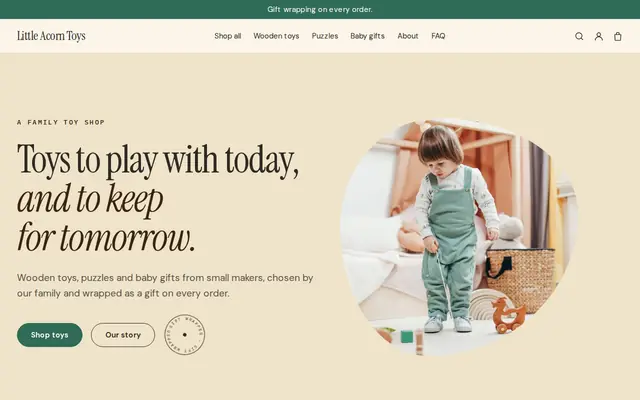
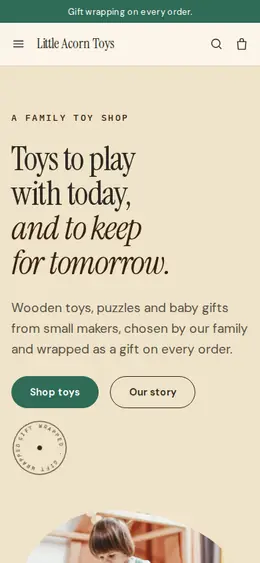
Acorn suits toy shops, baby gift shops and kids’ clothing boutiques. Natural wood tones, a soft green and peach with a drawn parcel feel warm and playful without shouting. It works because most visitors are buying for someone else: the spotlight sorts the shop by moment (playtime, quiet afternoons, new arrivals), the announcement bar and every product page mention gift wrapping, and the story says each toy comes from a small maker, which is what gift buyers want to hear.
- Made for
- Toy shops, Baby gifts, Kids’ clothing
- Feel
- Expressive: bold type and color
- Comes with
- 4 pages, 7 sample products
- Mood
- warm, playful, caring, handmade
- background
- foreground
- primary
- accent
- muted
What’s inside
Every page, already written.
Home
A hero with a drawn parcel, a strip of “wooden toys, puzzles, baby gifts”, three ways to find a gift, six products, the family story, a statement and a sign-up for new toys.
About
The family shop in two paragraphs and a block on choosing toys from small makers, linking to the shop.
FAQ
Gift wrapping, who makes the toys, choosing a baby gift and order tracking. Add age ranges, safety notes and how far you ship.
Contact
A message form for order questions and gift ideas. Notes from customers land in your Inbox and email.
How it works
From a few words to your own Acorn website, live.
Step 1: Describe your business
A sentence or two is enough: what you do, who it’s for and how people buy from you.
Step 2: We build it while you watch
Cornerrr writes your pages, adds your products or services, and picks the colours, fonts and look. It takes about a minute.
Step 3: Connect payments
Link a Stripe account, or create one in a few minutes. Your customers pay you directly.
Step 4: You’re live
Publish on your free Cornerrr web address, or use your own. Change anything later by asking.
Questions
Good to know
What safety rules apply to a toy store website?
The toys must meet the rules where you sell them. In the US, toys for children 12 and under need third-party testing and a Children’s Product Certificate; in the EU and UK they need CE or UKCA marking. Put age ranges and small-parts warnings on each product page.
Can I charge for gift wrapping on Acorn?
The sample wraps every order for free. To charge, add gift wrapping as an option on each product with its own price, or as a separate product customers add to their cart.
What happens to Acorn’s seven sample toys?
They’re your starting shelf: building blocks, a pull-along duck, a play food set, two puzzles, a rattle and a first toys set. Replace the photos and words with your makers’ products, or ask the AI to write a listing from a photo.
Acorn suits
- Toy store website builder
- Gift shop website builder
- Clothing boutique website builder
- Handmade business website builder
- Bookstore website builder
- Ice cream shop website builder
- Daycare website builder
- Doula website builder
- After-school program website builder
Selling with Acorn
Make Acorn yours.
Start with this theme and Cornerrr builds your website from it with your own name. Free until you go live.