Care and health · Harbour
Harbour, a therapist website template that feels like a quiet room
Harbour is a therapist website template for a small counseling or coaching practice: a free 15-minute intro call, one-to-one sessions in person or online, and words that never rush. Start with it under your practice’s name, then make the words sound like you.
- Free to build and preview
- Payments by Stripe
- No transaction fees from Cornerrr
About this theme
Harbour Soft and quiet for counsellors, coaches and therapists.
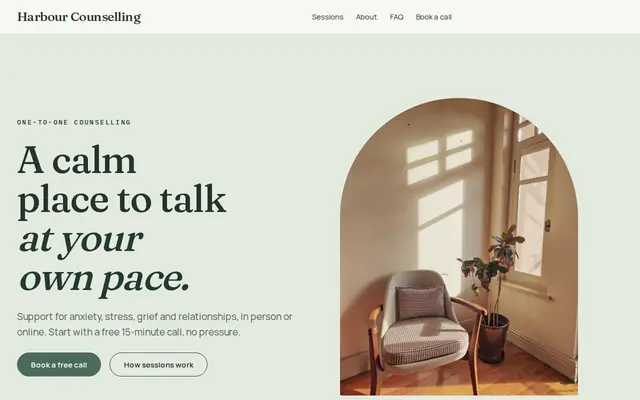
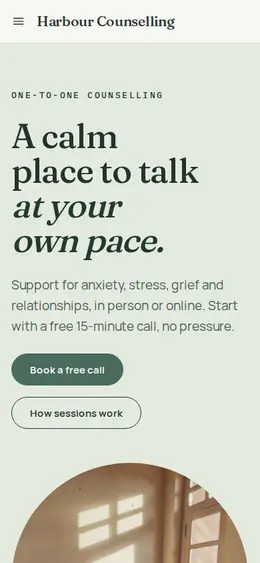
Harbour is for counselors, therapists and life coaches whose clients often arrive unsure what to say. Muted greens, warm neutrals and a soft serif give it the feel of a quiet room. It works because it makes the first step small: the free call is the main button, the home page names what you help with in plain words, and “You do not have to have the words ready” sets the tone. There are only three sample offers, so the page never reads like a menu.
- Made for
- Counsellors, Therapists, Life coaches
- Feel
- Calm: quiet and spacious
- Comes with
- 4 pages, 3 sample services
- Mood
- calm, gentle, reassuring, quiet
- background
- foreground
- primary
- accent
- muted
What’s inside
Every page, already written.
Home
A calm photo hero offering a free call, a gentle statement, four things you help with (anxiety and stress, grief, relationships, in person or online), ways to begin, how you work, three questions and the call request form.
About
A short introduction to the practice and a block on counseling as room to think and be listened to, with a link to book the free call.
FAQ
What the free call is, online sessions, what you help with and how to get started. Add your qualifications, fees, cancellation terms and how confidentiality works.
Contact
The “Book your free call” form: name, email, phone and a short message. It reaches your Inbox and email, and you reply to arrange the call.
How it works
From a few words to your own Harbour website, live.
Step 1: Describe your business
A sentence or two is enough: what you do, who it’s for and how people buy from you.
Step 2: We build it while you watch
Cornerrr writes your pages, adds your products or services, and picks the colours, fonts and look. It takes about a minute.
Step 3: Connect payments
Link a Stripe account, or create one in a few minutes. Your customers pay you directly.
Step 4: You’re live
Publish on your free Cornerrr web address, or use your own. Change anything later by asking.
Questions
Good to know
What should a therapy website say about emergencies?
Say plainly that your website and inbox aren’t watched around the clock and aren’t for emergencies, and point to local crisis lines and emergency numbers. Harbour has room for that line on the home, FAQ and contact pages.
Is it safe to ask clients what they want to talk about in Harbour’s form?
Keep it light. Change the message label to something like “anything you’d like us to know before the call”, say that no details are needed, and talk about the rest on the call. Don’t ask for health details in a website form.
Can a life coach use Harbour?
Yes. Rename the sessions to coaching packages, give them a price if you sell them outright, and ask the assistant to rewrite the words for coaching. Priced sessions are paid at Stripe checkout, straight to your own Stripe account.
Harbour suits
- Therapist website builder
- Life coach website builder
- Nutritionist website builder
- Doula website builder
- Business coach website builder
- Assisted living community website builder
- Memory care community website builder
- Day spa website builder
- Yoga studio website builder
Selling with Harbour
Make Harbour yours.
Start with this theme and Cornerrr builds your website from it with your own name. Free until you go live.