Preview
Build your website and try everything before you go live.
$0free
Website builder for photographers
Tell Cornerrr what you shoot and where, and it builds your portfolio pages, lists your session packages, sets up an inquiry form and connects Stripe for prints and paid sessions. Add your own photos and change anything by asking.
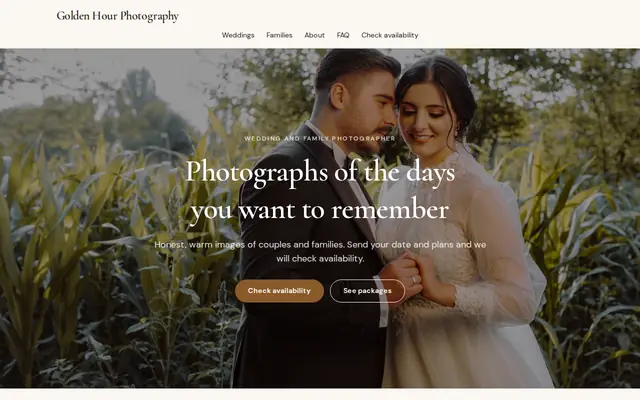

What you get
Cornerrr writes every page from your description, then you change anything by clicking or by asking.
Families, newborns and headshots each get their own gallery page, so a parent looking for newborn photos sees newborn work first instead of scrolling past corporate portraits.
List each session with its length, the number of edited images, location options and turnaround. Show a price and sell it online, or mark it “price on request” so clients ask first.
A fall or holiday mini-session day is a product whose stock is the number of spots. Families pay online, checkout stops when it’s full, and you email each family their time.
Fine art prints, canvases and albums as products with sizes and finishes as options, so clients who loved their gallery can order wall art from the same website.
Creative and events
Your services with prices, or “price on request” so clients ask first, and every request in your Inbox.
Add a gallery to any page and let the AI write alt text for each photo. It helps people using screen readers, and it tells search engines what you photograph.
The inquiry form asks for the kind of session, preferred dates and location. Each request lands in your Inbox and your email, and you reply with times and next steps.
Clients pay for sessions and prints by card, Apple Pay, Google Pay and the methods you turn on in Stripe. The money goes straight to your account, with no Cornerrr transaction fee.
Cornerrr writes your About page and session descriptions from your sentence or two. Ask the assistant to make them warmer, shorter or more playful, and undo anything you don’t like.
Ready-made themes
Made for Photographers, Videographers, Event planners
Editorial and airy for photographers and creatives who take bookings.

Advice
Whatever you build it with, these are the things that turn visitors into customers.
If most of your bookings are families, make the first photo and the headline about families. A home page that shows everything at once makes it harder for anyone to picture their own session.
Twenty to thirty of your best photos per gallery beat two hundred. Visitors judge your weakest image too, so cut anything you wouldn’t be proud to deliver again.
A short guide to clothes, locations and how the session runs saves you the same email every week, and it makes nervous clients feel ready before they arrive.
Put your turnaround and the number of edited images on every session page. After price, it’s the question clients ask most, and a clear answer stops the follow-up emails.
Mention your city and the parks, beaches or studios you use in page titles and on your About page, and link your website from your Google Business Profile. Most portrait searches are local.
How it works
A sentence or two is enough: what you do, who it’s for and how people buy from you.
Cornerrr writes your pages, adds your products or services, and picks the colours, fonts and look. It takes about a minute.
Link a Stripe account, or create one in a few minutes. Your customers pay you directly.
Publish on your free Cornerrr web address, or use your own. Change anything later by asking.
Payments
Payments go through your own Stripe account, straight to you. Your customers see the methods you turn on in Stripe that work for their country and currency.
Selling in Europe or the US? United States, United Kingdom, Germany, France, Netherlands, Ireland and every country we cover.
Pricing
Build and preview for free, no card needed. Every paid plan starts with a 14-day free trial, and Cornerrr adds no transaction fees.
Build your website and try everything before you go live.
$0free
Go live and start selling.
$19a month
Most popular
For growing businesses with subscriptions and deliveries.
$49a month
For several stores and bigger catalogues.
$99a month
Questions
Many photographers show a starting price for each package and explain what’s included, so the number makes sense. On Cornerrr each session can show its price and be paid online, or be marked “price on request” so clients ask first.
They send a session request with the date and kind of shoot they want, and it lands in your Inbox. Cornerrr has no calendar, so you confirm the time by email. Sessions on a fixed date, like a mini-session day, can be paid for online.
Cornerrr isn’t a client proofing tool. Most photographers keep delivering galleries through their gallery service and use their website for the portfolio, packages, inquiries and print sales.
A website is the part you own. It can show up in local searches, and it lays out your packages and takes inquiries and payments. Link the two, so followers can find your session details in one tap.
No. You describe your business in your own words and Cornerrr builds the website. Afterwards you change things by clicking, or by asking the assistant in plain words.
Building and previewing your website is free, with no card needed. To go live and take payments, choose a plan from $19 a month. Every paid plan starts with a 14-day free trial; a card is needed to start it.
Describe your business and see your website in about a minute. It’s free until you go live.