Preview
Build your website and try everything before you go live.
$0free
Online store for templates
Whether you design Canva social posts, Notion dashboards, résumé layouts or spreadsheet budgets, Cornerrr builds a shop for them: preview images, the app each one needs, a Stripe checkout, and files or template links delivered after payment.
Step by step
People search for “Notion template for freelancers” or “Canva Instagram templates for bakeries”, not just “templates”. Put the app and the user in the product title, and the version or plan the template needs in the description.
Canva, Notion and Google templates are shared as links. Put the link in a branded PDF with setup steps and attach it as the download. Keep the original template in an account only you use, so buyers’ copies never touch it.
For Word, Excel, Keynote or Figma files, zip them with a read-me that lists every font used and where to get it. A template that opens with missing fonts is a common reason for refund requests.
Screenshot it with realistic sample data and, for Canva packs, show a grid of every design. If setup takes several steps, add a short screen recording to the download as a video file.
Before you list a template, duplicate it from a new or free account. That’s how you find the paid feature, missing font or private link that would break it for a buyer.
When you fix or improve a template, replace the file on the product. Buyers who sign in to their account download the newest version, and a note in the description says what changed.
Digital products
Products with photos, options, prices and stock, a cart and a Stripe checkout.
Built in
A PDF holding your template link or a ZIP of design files: either way, buyers get it after payment and keep it in their account, signing in with a code sent to their email.
Replace a file on the product and every past buyer who opens their account downloads the new version. No re-sending emails to everyone who bought it.
Offer a personal and a commercial license as options of one template, each with its own price. Both deliver the same files, so describe what each license allows on the page.
Upload a preview image and Cornerrr drafts the listing, alt text and tags. Ask the assistant to rewrite descriptions for a new audience, such as coaches instead of freelancers, and apply the ones you like.
Ready-made themes
Made for Printables, Templates, Online courses
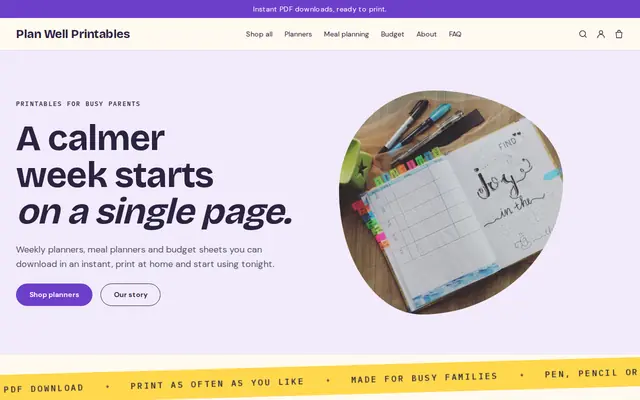
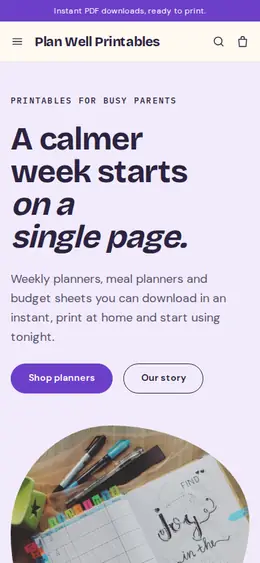
Bright and tidy for downloads, templates and courses.
Made for Office suppliers, Fit-out companies, B2B services
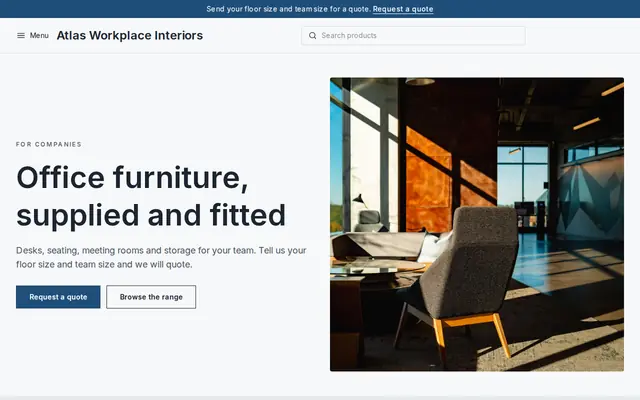
Modern and confident for B2B services and fit-outs.
Before you start
Canva, Notion and other tools have their own rules for selling templates made with them, especially when a design uses the tool’s own photos, graphics or fonts. Read them before you sell.
Say whether buyers may use a template for one business or for their clients, and whether they may resell edited versions. Put the same words in the product description and inside the PDF.
If you sell contracts, terms or policies, say they’re general templates and not legal advice, and suggest buyers have a lawyer check them for their country.
General information to help you get started, not legal advice. Rules differ by country, state and product, so check the ones that apply to you.
How it works
A sentence or two is enough: what you do, who it’s for and how people buy from you.
Cornerrr writes your pages, adds your products or services, and picks the colours, fonts and look. It takes about a minute.
Link a Stripe account, or create one in a few minutes. Your customers pay you directly.
Publish on your free Cornerrr web address, or use your own. Change anything later by asking.
Payments
Payments go through your own Stripe account, straight to you. Your customers see the methods you turn on in Stripe that work for their country and currency.
Selling in Europe or the US? United States, United Kingdom, Germany, France, Netherlands, Ireland and every country we cover.
Pricing
Build and preview for free, no card needed. Every paid plan starts with a 14-day free trial, and Cornerrr adds no transaction fees.
Build your website and try everything before you go live.
$0free
Go live and start selling.
$19a month
Most popular
For growing businesses with subscriptions and deliveries.
$49a month
For several stores and bigger catalogues.
$99a month
Questions
Share the design as a template link from Canva, put the link in a PDF with setup steps, and sell that PDF as a download. Buyers open the link and get their own copy to edit.
Publish the template page so it can be duplicated, put the link in a PDF guide and sell the guide as a download. On Cornerrr, the order email points buyers to it after payment and it stays in their account.
Yes. Turn on tax ID collection at checkout so business buyers can enter their VAT or tax number, and Stripe Tax handles the calculation once it’s active on your Stripe account.
The app and version it needs, what’s included (pages, slides or sheets), a filled-in preview, the license, and how buyers receive it. Those five answers prevent most questions before a sale.
No. You describe your business in your own words and Cornerrr builds the website. Afterwards you change things by clicking, or by asking the assistant in plain words.
Building and previewing your website is free, with no card needed. To go live and take payments, choose a plan from $19 a month. Every paid plan starts with a 14-day free trial; a card is needed to start it.
Describe what you sell and see your shop in about a minute. It’s free until you go live.