Preview
Build your website and try everything before you go live.
$0free
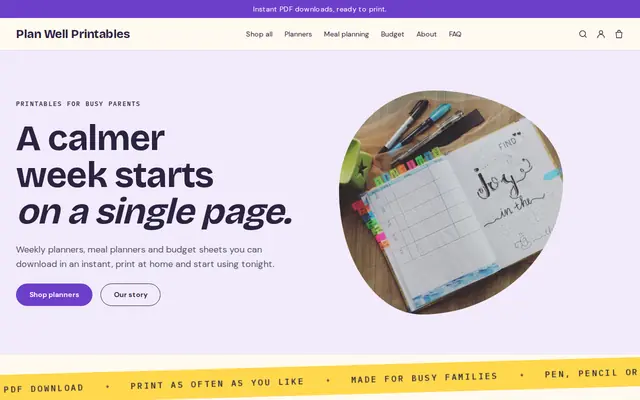
Online store for planners
Describe your planners and Cornerrr builds the shop: each planner with sizes, covers and start months as options, refill inserts and stickers, printable versions as downloads, and a Stripe checkout. You keep every sale.
Step by step
Buyers choose a planner by its pages. Photograph or scan each spread (year, month, week, notes) and say how many weeks or months it covers.
Dated planners feel finished but lose value once their year begins; undated ones sell all year. Many makers do both, with undated as the year-round seller.
Calendar-year planners sell from late summer to January, and academic planners from early summer. Launch dated planners early, and choose a date for clearing leftovers.
List each planner once, with size, cover color and start month as options, each with its own stock, so January and July starts never get mixed up.
A printable PDF of the same layout reaches buyers abroad and people who want it today. On any paid plan, files are delivered after payment and kept in the buyer’s account.
Refill inserts for next year, stickers, page flags and pen loops bring back customers who already own your cover.
Art, books and paper
Products with photos, options, prices and stock, a cart and a Stripe checkout.
Built in
Each planner has size, cover and start month options with their own price, SKU and stock, so a sold-out January A5 stops at checkout.
On any paid plan, sell a PDF version as a digital download. Buyers get the file after paying and can find it again in their account.
Make a discount code with start and end dates for leftover dated planners, so the clearance runs for exactly as long as you want.
Ask the assistant how many orders are waiting to ship or what a customer bought last time, and get the answer in plain words.
Ready-made themes
Made for Printables, Templates, Online courses
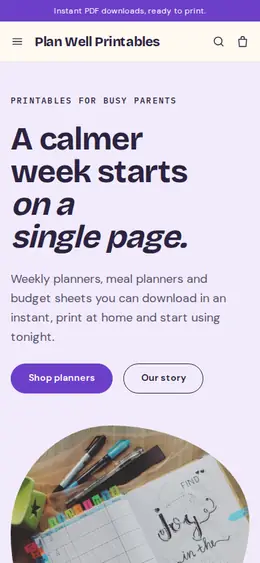
Bright and tidy for downloads, templates and courses.
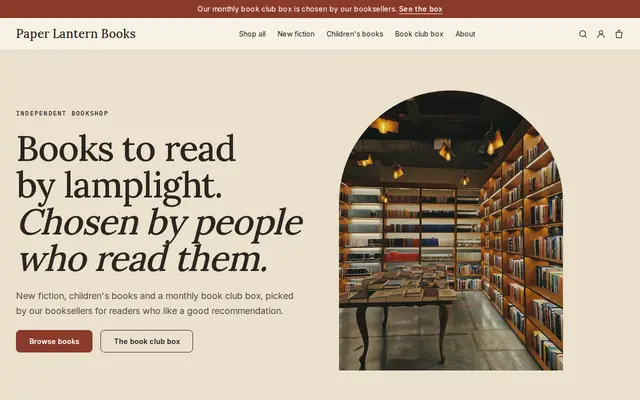
Made for Bookshops, Stationers, Record shops
Bookish and characterful for bookshops and stationers.
Before you start
One wrong date or a missing holiday spoils a dated planner. Proofread every month against a printed calendar, and if you list public holidays, say which country they’re for.
In the EU and UK, buyers of downloads can usually cancel within 14 days unless they agreed, before downloading, to give up that right. Say plainly on the page how your downloads work, and check what your checkout asks.
Digital sales to EU consumers are taxed at the rate of the buyer’s country. Stripe Tax can calculate it once it’s active, and you may need to register for the EU’s One Stop Shop. Check with your accountant.
General information to help you get started, not legal advice. Rules differ by country, state and product, so check the ones that apply to you.
How it works
A sentence or two is enough: what you do, who it’s for and how people buy from you.
Cornerrr writes your pages, adds your products or services, and picks the colours, fonts and look. It takes about a minute.
Link a Stripe account, or create one in a few minutes. Your customers pay you directly.
Publish on your free Cornerrr web address, or use your own. Change anything later by asking.
Payments
Payments go through your own Stripe account, straight to you. Your customers see the methods you turn on in Stripe that work for their country and currency.
Selling in Europe or the US? United States, United Kingdom, Germany, France, Netherlands, Ireland and every country we cover.
Pricing
Build and preview for free, no card needed. Every paid plan starts with a 14-day free trial, and Cornerrr adds no transaction fees.
Build your website and try everything before you go live.
$0free
Go live and start selling.
$19a month
Most popular
For growing businesses with subscriptions and deliveries.
$49a month
For several stores and bigger catalogues.
$99a month
Questions
Undated planners sell all year and never go out of date; dated ones are easier to use and sell best from late summer to January. Many makers start undated, then add a dated edition once they know their numbers.
Yes. On Cornerrr a printable is a digital download (any paid plan) and a paper planner is a product with stock and shipping. Both can sit side by side in the same collection.
Many planner shops launch in late summer or early autumn, when people start looking ahead. Academic planners launch earlier, before the school year. Collect newsletter sign-ups in the weeks before.
In a rigid mailer or box with the corners protected, and tracked for orders abroad. On Cornerrr you set fixed rates and delivery estimates per country, and add the tracking number so customers get a shipping email.
No. You describe your business in your own words and Cornerrr builds the website. Afterwards you change things by clicking, or by asking the assistant in plain words.
Building and previewing your website is free, with no card needed. To go live and take payments, choose a plan from $19 a month. Every paid plan starts with a 14-day free trial; a card is needed to start it.
Describe what you sell and see your shop in about a minute. It’s free until you go live.