Preview
Build your website and try everything before you go live.
$0free
Online store for printables
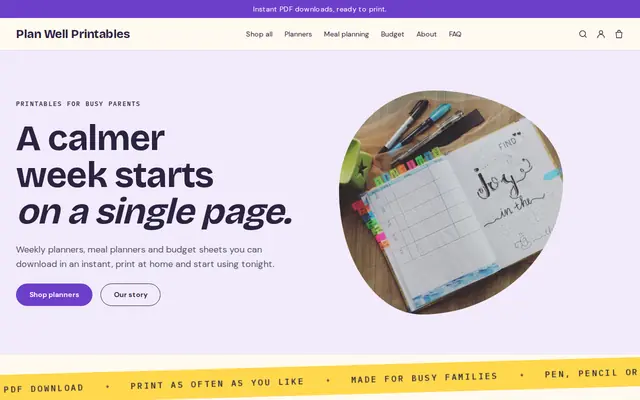
Tell Cornerrr what you design, whether weekly planners, classroom worksheets or nursery wall art, and it builds a shop with product pages, paper size notes and a Stripe checkout. Buyers get their PDFs after payment and keep them in their account.
Step by step
“Printable planner” is crowded; “printable meal planner for shift workers” or “homeschool attendance tracker” is not. A narrow audience tells you what to make next and what to call it.
Buyers in the US and Canada print on Letter, and almost everyone in Europe prints on A4. Put both PDFs in each download and say so on the product page, so nobody has to ask.
Frames come in different shapes. Files in 2:3, 3:4, 4:5 and 11:14, plus the ISO A sizes, fit most of them. Export each ratio at 300 dpi, zip them together and add a sheet that says which file fits which frame.
Print your own file, then photograph it on a desk, a fridge or in a frame in daylight, and add a flat image of each page. Mockups are fine, but a real print shows buyers how the colors come out on paper.
Print at 100% or “actual size”, which paper weight works, how to print double-sided and how to order at a copy shop: one short PDF answers most questions. Add it to every product.
Dated planners sell from late summer into January, teacher printables before the school year, party printables before holidays. Release a few weeks early and put the year a dated planner covers in its title.
Digital products
Products with photos, options, prices and stock, a cart and a Stripe checkout.
Built in
Attach the Letter and A4 files, or one ZIP with every ratio, to a product. Buyers get them after payment and can download them again from their account the next time the printer jams.
List a bundle as its own product, and create discount codes with start and end dates for back-to-school or new-year sales, limited to one use per customer if you like.
Some buyers would rather not print. Sell a printed, bound planner next to the download, with stock and your own fixed shipping rates, in the same shop.
Upload a mockup and Cornerrr drafts the title, description, alt text and tags for that printable. You edit them before anything goes live.
Ready-made themes
Made for Printables, Templates, Online courses
Bright and tidy for downloads, templates and courses.

Before you start
Most printables are for personal use: print as many copies as you need for your home or classroom, but don’t share or resell the file. If you also offer a commercial license, for example for party planners printing for clients, make it a separate product.
Many free fonts and graphics are free for personal use only, and selling a printable counts as commercial use. Keep a note of the license for every font, illustration and photo in your files.
Say that printed colors can vary, avoid big areas of solid dark ink, and offer a low-ink version of busy designs. It saves buyers ink and saves you refund requests.
General information to help you get started, not legal advice. Rules differ by country, state and product, so check the ones that apply to you.
How it works
A sentence or two is enough: what you do, who it’s for and how people buy from you.
Cornerrr writes your pages, adds your products or services, and picks the colours, fonts and look. It takes about a minute.
Link a Stripe account, or create one in a few minutes. Your customers pay you directly.
Publish on your free Cornerrr web address, or use your own. Change anything later by asking.
Payments
Payments go through your own Stripe account, straight to you. Your customers see the methods you turn on in Stripe that work for their country and currency.
Selling in Europe or the US? United States, United Kingdom, Germany, France, Netherlands, Ireland and every country we cover.
Pricing
Build and preview for free, no card needed. Every paid plan starts with a 14-day free trial, and Cornerrr adds no transaction fees.
Build your website and try everything before you go live.
$0free
Go live and start selling.
$19a month
Most popular
For growing businesses with subscriptions and deliveries.
$49a month
For several stores and bigger catalogues.
$99a month
Questions
PDF for anything people print as it is, since it keeps fonts and layout fixed. High-resolution JPG or PNG suits wall art that buyers send to a print shop. Put several files in one ZIP.
If you sell to the US and Europe, yes. A planner made for Letter gets cut off or shrunk on A4 paper, and buyers notice at once.
Yes. Sell a fillable PDF, or a PDF with a link to a Canva or Google Docs template, as a download. Say on the product page which app and which kind of account the buyer needs to edit it.
You mark the product as a download and attach the files. After payment the order email points the buyer to them, and they stay in the buyer’s account. Downloads are part of every paid plan.
No. You describe your business in your own words and Cornerrr builds the website. Afterwards you change things by clicking, or by asking the assistant in plain words.
Building and previewing your website is free, with no card needed. To go live and take payments, choose a plan from $19 a month. Every paid plan starts with a 14-day free trial; a card is needed to start it.
Describe what you sell and see your shop in about a minute. It’s free until you go live.