Preview
Build your website and try everything before you go live.
$0free
Website builder for professional organizers
Tell Cornerrr how you help people and it builds a professional organizer website with session packages, a virtual option, pages for moves and downsizing, printable checklists and a gentle request form for a first conversation.
What you get
Cornerrr writes every page from your description, then you change anything by clicking or by asking.
Sell a starter session or a block of hours as fixed-price services, with the number of hours as the option. Clients pay online, then you agree the day with them by email.
Video sessions for people further away, sold as a service, with a page explaining how they work: what to film beforehand, how long a session lasts and what they do between calls.
Sorting a family home before a move takes careful quoting. The request form asks how many rooms, the move date and who else is involved, and lands in your Inbox.
Decluttering checklists or a moving planner can be digital downloads on any paid plan, delivered to buyers after payment and kept in their account.
Home and local services
Your services with prices, or “price on request” so clients ask first, and every request in your Inbox.
Cornerrr writes your pages in a warm, practical voice. Ask the assistant to soften anything that reads like a lecture, and apply only the changes you like.
Add a PDF once and every buyer gets it after paying, and can find it again in their account. No more emailing files by hand late at night.
Keep the first form to the basics: which rooms, what feels hardest and when they’d like to start. Requests reach your Inbox and email, and you reply to set up the call.
Add a sign-up form for spring decluttering tips. Each sign-up is confirmed by email, and you can export the list to the newsletter tool you already use.
Ready-made themes
Made for Cleaners, Window cleaners, Home organisers
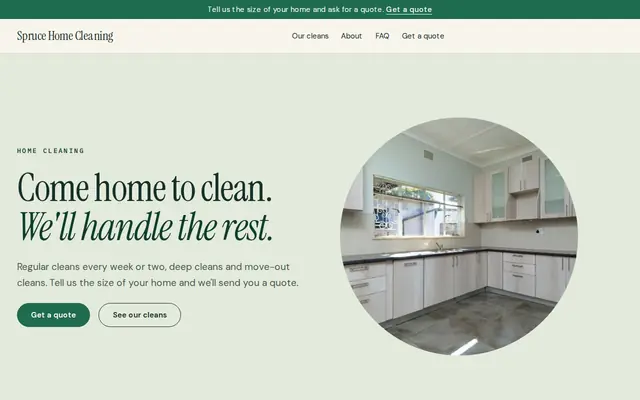
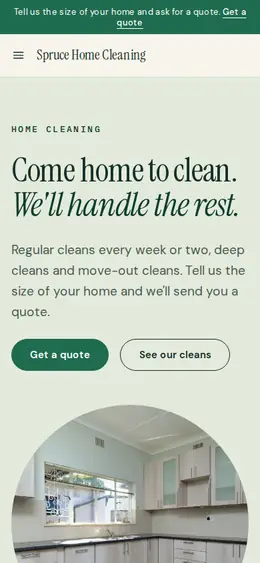
Fresh and tidy for cleaners and home services.
Made for Skincare, Bath and body, Natural beauty
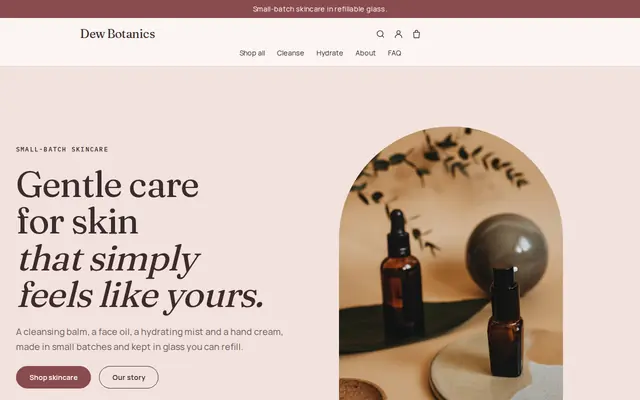
Soft and minimal for skincare, candles and self-care brands.
Advice
Whatever you build it with, these are the things that turn visitors into customers.
Before and after photos are what clients want to see, but many don’t want their home online. Ask permission, and crop out personal items, family photos and anything with a name or address.
People who need an organizer often feel embarrassed. Say that you don’t judge, that they stay in charge of what goes, and that you work at their pace.
Say whether you take items to charity, arrange resale or removal, or leave that to the client. It’s one of the first practical questions people ask.
Don’t ask about health, money or family situations on the website form. A short phone call is a better place for those conversations, and nothing sensitive sits in an inbox.
In the US, NAPO members can appear in its find-an-organizer directory, and APDO runs one in the UK. A link from those listings to your website shows people you’re established.
How it works
A sentence or two is enough: what you do, who it’s for and how people buy from you.
Cornerrr writes your pages, adds your products or services, and picks the colours, fonts and look. It takes about a minute.
Link a Stripe account, or create one in a few minutes. Your customers pay you directly.
Publish on your free Cornerrr web address, or use your own. Change anything later by asking.
Payments
Payments go through your own Stripe account, straight to you. Your customers see the methods you turn on in Stripe that work for their country and currency.
Selling in Europe or the US? United States, United Kingdom, Germany, France, Netherlands, Ireland and every country we cover.
Pricing
Build and preview for free, no card needed. Every paid plan starts with a 14-day free trial, and Cornerrr adds no transaction fees.
Build your website and try everything before you go live.
$0free
Go live and start selling.
$19a month
Most popular
For growing businesses with subscriptions and deliveries.
$49a month
For several stores and bigger catalogues.
$99a month
Questions
Commonly by the hour, with packages of hours for bigger projects and a separate price for virtual sessions. On Cornerrr, the number of hours can be an option on one service, with each option priced.
Many organizers offer a short free phone call to see whether they’re a good fit, then charge for in-home assessments. Put the call on your website as a request, so people don’t have to phone a stranger.
Yes, on any paid plan. Add checklists or planners as digital downloads; buyers get the file after payment and can find it again in their account.
Yes, with the client’s permission and nothing personal in view. Even one kitchen or closet transformation says more than a paragraph, and Cornerrr’s AI writes the alt text for each photo you add.
No. You describe your business in your own words and Cornerrr builds the website. Afterwards you change things by clicking, or by asking the assistant in plain words.
Building and previewing your website is free, with no card needed. To go live and take payments, choose a plan from $19 a month. Every paid plan starts with a 14-day free trial; a card is needed to start it.
Describe your business and see your website in about a minute. It’s free until you go live.