Preview
Build your website and try everything before you go live.
$0free
Website builder for virtual assistants
Describe the work you take off people’s plates and the tools you use, and Cornerrr builds monthly packages that Stripe bills automatically, pages for your services and a discovery call request that lands in your Inbox.
What you get
Cornerrr writes every page from your description, then you change anything by clicking or by asking.
A set number of hours each month as a subscription on the Growth plan, billed by Stripe. Clients see their package in their account.
An inbox cleanup, a CRM setup or help through a launch week, sold as fixed-price products and paid before you start.
New clients send what they need help with and how many hours they think it takes, and you reply by email to set up a call.
Inbox, calendar, travel booking, customer emails, social media: a list of what you do, and what you don’t, saves both sides a call.
Professional services
Plans billed every week or month by Stripe, with one-off products and extras alongside.
Stripe bills each package every month, by card or direct debit where Stripe supports it, and the money goes to your account with no Cornerrr transaction fee.
Many virtual assistants work for clients abroad. Stripe Checkout shows in your website’s language (it knows about 40), with the payment methods you turn on.
Ask the assistant to add a 30-hour package or rewrite your services for a new niche, then apply it or undo it.
Ready-made themes
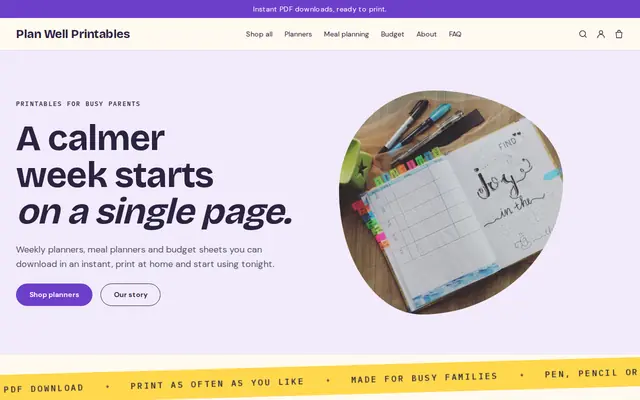
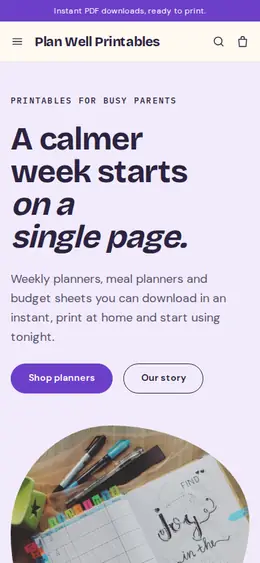
Made for Printables, Templates, Online courses
Bright and tidy for downloads, templates and courses.
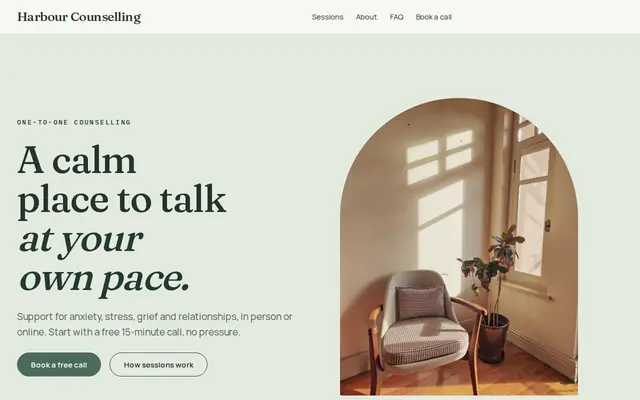
Made for Counsellors, Therapists, Life coaches
Soft and quiet for counsellors, coaches and therapists.
Advice
Whatever you build it with, these are the things that turn visitors into customers.
Clients want to know when you work and how fast you reply. Put your time zone, working hours and usual response time on the home page.
Google Workspace, Asana, Notion, Canva, Calendly: clients search by the tools they already use, and knowing theirs means less training.
Do unused hours roll over to next month, expire or get refunded? Answer before anyone asks, right on your packages page.
Say that you sign confidentiality agreements and use a password manager for client logins. Clients are handing you their inbox, and they want to know it’s safe.
A virtual assistant for podcasters or for real estate agents is easier to find and to hire than a general one, and your pages can speak their language.
How it works
A sentence or two is enough: what you do, who it’s for and how people buy from you.
Cornerrr writes your pages, adds your products or services, and picks the colours, fonts and look. It takes about a minute.
Link a Stripe account, or create one in a few minutes. Your customers pay you directly.
Publish on your free Cornerrr web address, or use your own. Change anything later by asking.
Payments
Payments go through your own Stripe account, straight to you. Your customers see the methods you turn on in Stripe that work for their country and currency.
Selling in Europe or the US? United States, United Kingdom, Germany, France, Netherlands, Ireland and every country we cover.
Pricing
Build and preview for free, no card needed. Every paid plan starts with a 14-day free trial, and Cornerrr adds no transaction fees.
Build your website and try everything before you go live.
$0free
Go live and start selling.
$19a month
Most popular
For growing businesses with subscriptions and deliveries.
$49a month
For several stores and bigger catalogues.
$99a month
Questions
On the Growth plan, each package is a subscription that Stripe bills every month. Clients pay by card or direct debit where Stripe supports it, and see their package in their account.
Clients can’t switch packages themselves yet, so they ask you and you make the change. One-off extra hours can be a product they pay for online.
A website is where LinkedIn contacts go to check you out. It shows your services, packages and tools in one place, and lets them start with a call request or a package straight away.
No. You describe your business in your own words and Cornerrr builds the website. Afterwards you change things by clicking, or by asking the assistant in plain words.
Building and previewing your website is free, with no card needed. To go live and take payments, choose a plan from $19 a month. Every paid plan starts with a 14-day free trial; a card is needed to start it.
Describe your business and see your website in about a minute. It’s free until you go live.