Preview
Build your website and try everything before you go live.
$0free
Online store for online courses
Cornerrr sells courses the simple way: lesson videos, workbooks and templates as files students download after payment and keep, live cohorts with a set number of seats, and coaching through a request form. It suits short, practical courses best.
Step by step
Courses that sell well as downloads are short and practical: a handful of lesson videos, a workbook and templates the student keeps. If yours depends on quizzes, progress tracking or certificates, use a course platform for the teaching part.
Keep each lesson video short enough to download on home internet, and number the files so they sort in order. Put the workbook, supply list and templates in one ZIP beside the videos.
For hours of video, upload the lessons to a video host as unlisted or password-protected videos and sell a PDF guide that holds the links. Links can be passed on, so say in your terms that access is for one student.
List each run of your live group as a product with its dates in the name and stock equal to the seats, so checkout stops when it’s full. Send the call link to the students who paid by email before the first session.
Show a finished project from the course, every lesson with its length, the supplies needed and who the course is for. The lesson list proves you’ve planned the route from beginner to finished piece.
A downloaded course can’t be returned, so many teachers offer a short refund window or a first-lesson preview instead. Cornerrr can draft the policy page for you to check, and an advisor can confirm it fits your country’s rules.
Digital products
Products with photos, options, prices and stock, a cart and a Stripe checkout.
Built in
Attach lesson videos, PDFs and ZIPs to a course. Students get them after payment and find them again in their account by signing in with a code sent to their email.
Give each cohort a stock equal to its seats. Checkout stops when it’s full, and every paid order arrives by email and in your Orders list with the student’s details.
Mark one-to-one sessions “price on request”. Students say what they need through a form, the request lands in your Inbox, and you reply by email with the times that suit you.
Create an early-student discount code that ends the day your course opens, or limit it to the first twenty uses. The assistant can set it up when you ask in plain words.
Ready-made themes
Made for Printables, Templates, Online courses
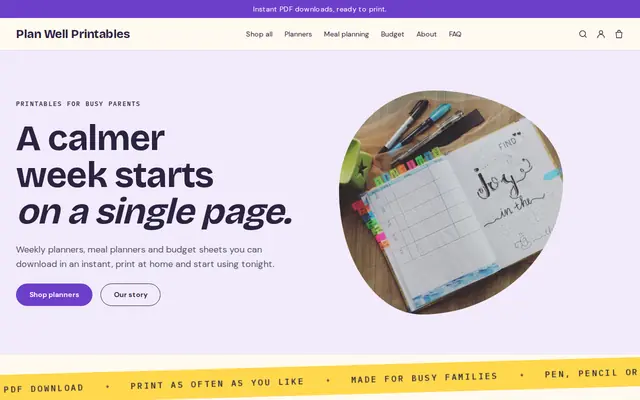
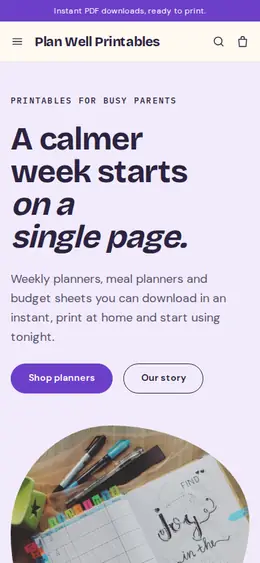
Bright and tidy for downloads, templates and courses.
Made for Counsellors, Therapists, Life coaches
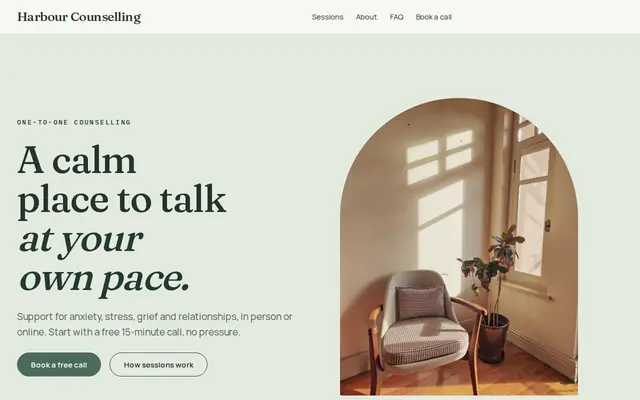
Soft and quiet for counsellors, coaches and therapists.
Before you start
There are no lesson pages behind a login, no progress tracking, quizzes or certificates. If you need those, teach on a course platform and use Cornerrr for your website and for selling downloads, live seats and coaching around it.
Courses about business, money or health draw complaints when they promise results. Describe what students will learn and make, not what they’ll earn or how their body will change, and check the advertising rules in your field.
Recorded courses sold to EU consumers are usually taxed as electronic services at the buyer’s country rate, while live online classes can follow different rules. Ask an accountant how each of your formats is taxed.
General information to help you get started, not legal advice. Rules differ by country, state and product, so check the ones that apply to you.
How it works
A sentence or two is enough: what you do, who it’s for and how people buy from you.
Cornerrr writes your pages, adds your products or services, and picks the colours, fonts and look. It takes about a minute.
Link a Stripe account, or create one in a few minutes. Your customers pay you directly.
Publish on your free Cornerrr web address, or use your own. Change anything later by asking.
Payments
Payments go through your own Stripe account, straight to you. Your customers see the methods you turn on in Stripe that work for their country and currency.
Selling in Europe or the US? United States, United Kingdom, Germany, France, Netherlands, Ireland and every country we cover.
Pricing
Build and preview for free, no card needed. Every paid plan starts with a 14-day free trial, and Cornerrr adds no transaction fees.
Build your website and try everything before you go live.
$0free
Go live and start selling.
$19a month
Most popular
For growing businesses with subscriptions and deliveries.
$49a month
For several stores and bigger catalogues.
$99a month
Questions
You can attach video files to a course as downloads that students save and keep. Cornerrr doesn’t stream lessons, so for long courses many teachers keep the videos on a video host and sell a guide with the links.
Buy now, pay later methods such as Klarna, Affirm or Afterpay can appear in Stripe Checkout when you turn them on in your Stripe Dashboard and they’re available for your country, currency and kind of product.
List each date as a product with the seats as stock. Students pay at checkout, your Orders list shows who has paid, and you email them the call link before the class.
No. They sign in to their account on your website with a code sent to their email, and every course they’ve bought is there to download.
No. You describe your business in your own words and Cornerrr builds the website. Afterwards you change things by clicking, or by asking the assistant in plain words.
Building and previewing your website is free, with no card needed. To go live and take payments, choose a plan from $19 a month. Every paid plan starts with a 14-day free trial; a card is needed to start it.
Describe what you sell and see your shop in about a minute. It’s free until you go live.