Preview
Build your website and try everything before you go live.
$0free
Online store for fonts
Describe your typefaces and Cornerrr builds a small foundry website: a page per family with specimens, desktop, web and app licenses as options, and font files delivered after payment and kept in each buyer’s account. You write the license; Cornerrr sells it.

Step by step
Show it on a poster, a logo, packaging and a wedding invitation, then the full character set and every weight side by side. Your specimen images are your product photos.
Check spacing, kerning and accented letters for every language you say the font supports, and install it on Mac and Windows. Buyers in Europe will type words with ä, é, ł and ø.
Desktop, web and app use are separate licenses at most foundries. Make them options of one font, each with its own price, and put the full license text on its own page of your website.
Desktop buyers want OTF or TTF; websites need WOFF2. Put each in a ZIP with the license as a PDF, and name every file with the family and the weight.
Designers often want the whole family, crafters often need one script. Offer the full family as a bundle and single weights for buyers who need only one.
Ask buyers to send photos of your font on their packaging, signs or invitations, and with their permission show them on the family’s page. Real use convinces designers faster than specimens.
Digital products
Products with photos, options, prices and stock, a cart and a Stripe checkout.
Built in
Desktop, web, app and extended licenses become options of one font, each with its own price. Every option delivers the same files, so the license text is what sets the tiers apart.
Buyers get the ZIP after payment and can download it again on a new computer by signing in with a code sent to their email.
Business buyers can add a tax ID at checkout, Stripe Tax works out VAT or sales tax once it’s active on your account, and one-time orders come with invoices.
Mark custom lettering, logotypes or extra language support “price on request”. Brands send you the brief through a form, and it lands in your Inbox.
Ready-made themes
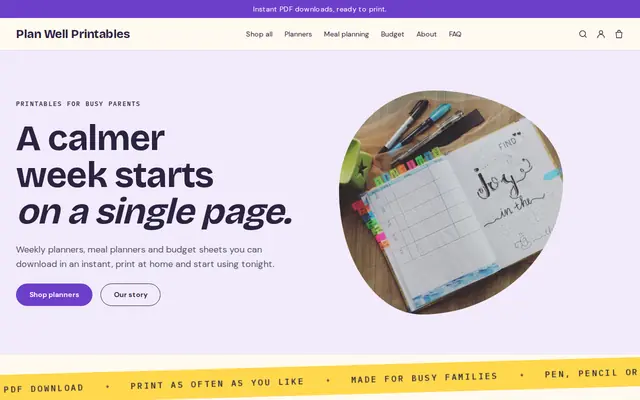
Made for Printables, Templates, Online courses
Bright and tidy for downloads, templates and courses.
Before you start
Cornerrr delivers the files; the terms are yours. Say how many computers, which uses (print, web, apps, logos, products for sale) and whether the license can pass to a client. Put it on a page of its own and in every ZIP.
In the US, font software can be protected by copyright even where letter shapes aren’t, and in Europe typeface designs can be protected too. Draw your own glyphs, and if you start from an open-source font, follow its license, which may require a new name.
General information to help you get started, not legal advice. Rules differ by country, state and product, so check the ones that apply to you.
How it works
A sentence or two is enough: what you do, who it’s for and how people buy from you.
Cornerrr writes your pages, adds your products or services, and picks the colours, fonts and look. It takes about a minute.
Link a Stripe account, or create one in a few minutes. Your customers pay you directly.
Publish on your free Cornerrr web address, or use your own. Change anything later by asking.
Payments
Payments go through your own Stripe account, straight to you. Your customers see the methods you turn on in Stripe that work for their country and currency.
Selling in Europe or the US? United States, United Kingdom, Germany, France, Netherlands, Ireland and every country we cover.
Pricing
Build and preview for free, no card needed. Every paid plan starts with a 14-day free trial, and Cornerrr adds no transaction fees.
Build your website and try everything before you go live.
$0free
Go live and start selling.
$19a month
Most popular
For growing businesses with subscriptions and deliveries.
$49a month
For several stores and bigger catalogues.
$99a month
Questions
OTF or TTF for desktop use, and WOFF2 for websites. Put them in one ZIP with the license, or keep the web formats for buyers of the web license.
Usually yes, if the app’s terms let you sell what you make, as most do. Check them, and test the exported files in a few design programs before you list the font.
Usually, unless you agreed to exclusivity with a marketplace. Keep the license terms the same everywhere so buyers aren’t confused about what they’ve bought.
The order email points them to their files; they sign in with a code sent to their email and download the ZIP, which stays in their account. Cornerrr delivers files only, with no activation step.
No. You describe your business in your own words and Cornerrr builds the website. Afterwards you change things by clicking, or by asking the assistant in plain words.
Building and previewing your website is free, with no card needed. To go live and take payments, choose a plan from $19 a month. Every paid plan starts with a 14-day free trial; a card is needed to start it.
Describe what you sell and see your shop in about a minute. It’s free until you go live.