Preview
Build your website and try everything before you go live.
$0free
Website builder for wedding planners
Describe how you plan weddings and where, and Cornerrr builds your packages, real-wedding pages and a consultation request form that asks for the date, guest count and budget range. Every inquiry lands in your Inbox.

What you get
Cornerrr writes every page from your description, then you change anything by clicking or by asking.
Lay out what each level covers: budget tracking, vendor booking, design, the run-of-show and who is on site on the day. Couples pick a level and ask about it.
Each wedding gets a page of photos with the venue, florist, photographer and caterer credited. Vendors share those pages, and couples see how you work with people they’re already considering.
Couples send their date, venue if they have one, guest count and budget range. You reply by email to set up a call, so every first conversation is one you chose to have.
A planning checklist, a budget spreadsheet or a timeline template as a digital download on any paid plan, for couples who are planning on their own.
Creative and events
Your services with prices, or “price on request” so clients ask first, and every request in your Inbox.
Every consultation request arrives by email and in your Inbox with its details. Ask the assistant which couples you haven’t answered yet, or which weddings are next spring.
Show each real wedding as a gallery, with alt text the AI writes for you, so your designs read well to search engines and to people using screen readers.
On the Growth plan, publish timelines, venue guides and budget advice. Couples search these questions months before they hire anyone, and a good answer brings them to you.
Ready-made themes
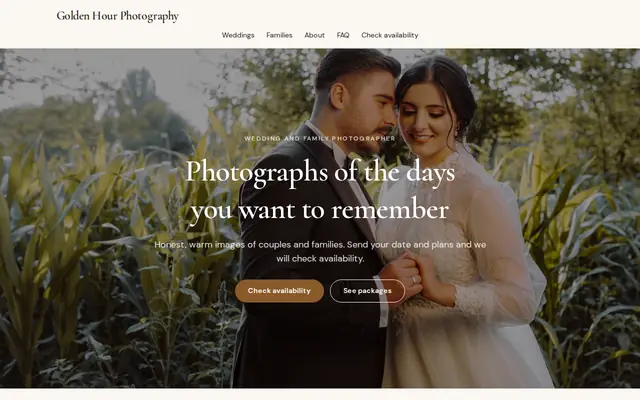
Made for Photographers, Videographers, Event planners
Editorial and airy for photographers and creatives who take bookings.
Advice
Whatever you build it with, these are the things that turn visitors into customers.
Say the typical spend of the weddings you plan, or your planning fee range. Couples with a very different budget can see it at once, and you spend fewer calls on poor fits.
Many couples don’t know that wedding-day coordination usually starts weeks before the date. Spell out when you start, how many meetings are included and how many hours you’re on site.
Mention the venues and towns you work in most. Searches like “Charleston waterfront wedding planner” or “Lake Como elopement planner” are specific, and so should your pages be.
Date, venue, guest count, budget range and a free-text box are enough to decide whether to call. Questions about color palettes belong after they hire you.
Couples hire a person, not a logo. A real photo of you, and your team if you have one, on the home page and About page builds trust faster than a mood board.
How it works
A sentence or two is enough: what you do, who it’s for and how people buy from you.
Cornerrr writes your pages, adds your products or services, and picks the colours, fonts and look. It takes about a minute.
Link a Stripe account, or create one in a few minutes. Your customers pay you directly.
Publish on your free Cornerrr web address, or use your own. Change anything later by asking.
Payments
Payments go through your own Stripe account, straight to you. Your customers see the methods you turn on in Stripe that work for their country and currency.
Selling in Europe or the US? United States, United Kingdom, Germany, France, Netherlands, Ireland and every country we cover.
Pricing
Build and preview for free, no card needed. Every paid plan starts with a 14-day free trial, and Cornerrr adds no transaction fees.
Build your website and try everything before you go live.
$0free
Go live and start selling.
$19a month
Most popular
For growing businesses with subscriptions and deliveries.
$49a month
For several stores and bigger catalogues.
$99a month
Questions
Referred couples usually look you up before they write. A website with real weddings, clear packages and a short inquiry form turns a venue’s recommendation into a consultation request.
Yes. They fill in a short form with their date, venue and guest count, the request lands in your Inbox, and you reply by email to set a time. Cornerrr has no calendar, so you stay in charge of your week.
Many planners show a starting fee for each package, while others charge a share of the total budget and explain that instead. On Cornerrr each package can show its price or be marked “price on request”.
Yes. On any paid plan, PDF checklists, budget spreadsheets and timeline templates can be digital downloads, delivered to couples after payment and kept in their account.
No. You describe your business in your own words and Cornerrr builds the website. Afterwards you change things by clicking, or by asking the assistant in plain words.
Building and previewing your website is free, with no card needed. To go live and take payments, choose a plan from $19 a month. Every paid plan starts with a 14-day free trial; a card is needed to start it.
Describe your business and see your website in about a minute. It’s free until you go live.