Preview
Build your website and try everything before you go live.
$0free
Online store for photo presets
Cornerrr builds a preset shop around your editing style: packs with before-and-after photos, files for Lightroom on desktop and phone in one download, a Stripe checkout, and every pack kept in the buyer’s account for their next computer or phone.
Step by step
A pack of eight to twelve presets for one mood is easier to choose than fifty unrelated looks. Name the look the way buyers describe it: warm film, airy wedding, dark and moody.
Apply the same preset to a portrait, a landscape and an indoor shot, with the unedited photo beside each. Buyers want to see it on photos like theirs, not only on your best work.
XMP files install in Lightroom Classic and Lightroom on desktop, while people using Lightroom on a phone usually import DNG files. Put both in one ZIP with a short install guide.
Results change with light, camera and white balance. Say on every product that a preset is a starting point, and show how to adjust exposure and temperature after applying it.
Lightroom updates can change how some settings look. Re-test your packs after major updates, and say in the description which version you tested them on.
Post a before and after every time you release a pack, and send people to that pack’s page. Buyers choose presets from photographers whose pictures they already like.
Digital products
Products with photos, options, prices and stock, a cart and a Stripe checkout.
Built in
Attach a ZIP of XMP and DNG files and a PDF guide to each pack. Buyers get it after payment and can download it again from their account when they switch phones.
Each pack’s page holds a gallery of photos, so you can show several before-and-after pairs across different kinds of shot, with alt text written for each.
Mark brand presets or one-to-one editing “price on request”. Clients describe the look they want through a form, and the request lands in your Inbox for you to quote by email.
Create a release-week discount code with an end date, or one that each follower can use once. The assistant sets it up when you ask in plain words.
Ready-made themes
Made for Photographers, Videographers, Event planners
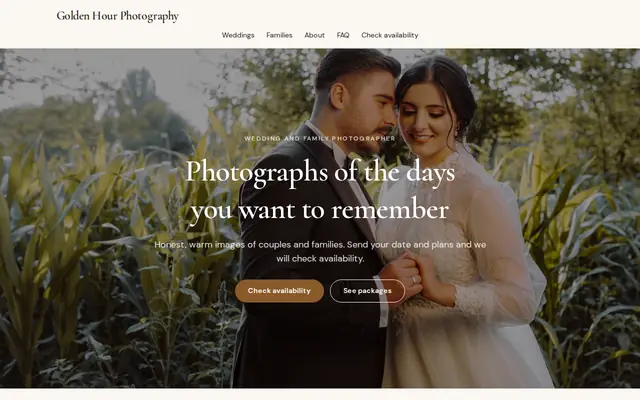
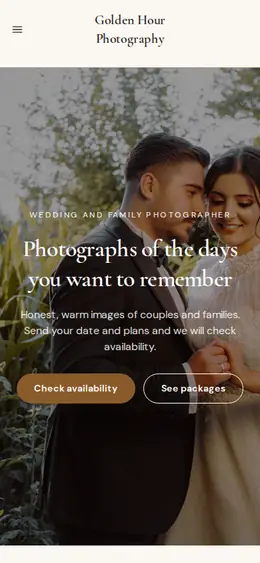
Editorial and airy for photographers and creatives who take bookings.
Made for Printables, Templates, Online courses
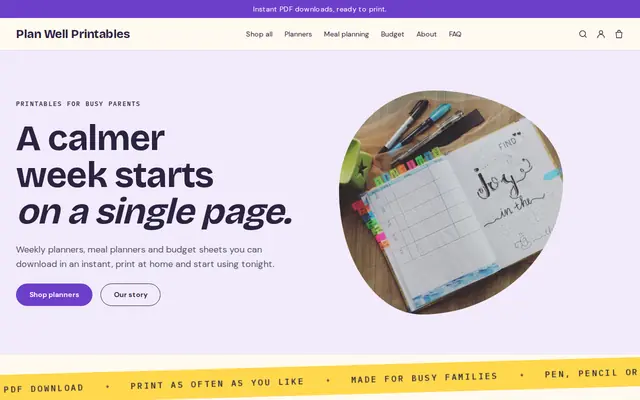
Bright and tidy for downloads, templates and courses.
Before you start
Say presets are for the buyer’s own editing, including client work if you allow it, and that the files may not be shared or resold. Put the same words on the product page and in the ZIP.
You can say your presets work with Lightroom, but keep Adobe’s logos out of your product images and don’t suggest Adobe made or endorses them.
General information to help you get started, not legal advice. Rules differ by country, state and product, so check the ones that apply to you.
How it works
A sentence or two is enough: what you do, who it’s for and how people buy from you.
Cornerrr writes your pages, adds your products or services, and picks the colours, fonts and look. It takes about a minute.
Link a Stripe account, or create one in a few minutes. Your customers pay you directly.
Publish on your free Cornerrr web address, or use your own. Change anything later by asking.
Payments
Payments go through your own Stripe account, straight to you. Your customers see the methods you turn on in Stripe that work for their country and currency.
Selling in Europe or the US? United States, United Kingdom, Germany, France, Netherlands, Ireland and every country we cover.
Pricing
Build and preview for free, no card needed. Every paid plan starts with a 14-day free trial, and Cornerrr adds no transaction fees.
Build your website and try everything before you go live.
$0free
Go live and start selling.
$19a month
Most popular
For growing businesses with subscriptions and deliveries.
$49a month
For several stores and bigger catalogues.
$99a month
Questions
XMP files for Lightroom Classic and Lightroom on desktop, and DNG files for people importing presets into Lightroom on a phone. Zip them with an install guide so one download covers both.
On desktop they import the XMP files from Lightroom’s Presets panel; on a phone they open each DNG in Lightroom and save its settings as a preset. Put a step-by-step guide in the download and on your FAQ page.
Yes, if the app lets users import them. Name the app in the product title and give install steps for it, so buyers know before paying that the files will work for them.
Yes. Upload a before-and-after image and Cornerrr drafts the listing. The assistant can rewrite every pack’s description in your voice, and you apply or undo each change.
No. You describe your business in your own words and Cornerrr builds the website. Afterwards you change things by clicking, or by asking the assistant in plain words.
Building and previewing your website is free, with no card needed. To go live and take payments, choose a plan from $19 a month. Every paid plan starts with a 14-day free trial; a card is needed to start it.
Describe what you sell and see your shop in about a minute. It’s free until you go live.