Preview
Build your website and try everything before you go live.
$0free
Online store for flowers
Many florists who sell flowers online deliver on set days to a set area, take weddings by quote and fill the quiet weeks with subscriptions. Cornerrr builds that shop: bouquets by size, a fixed delivery rate, wedding inquiries in your Inbox and a Stripe checkout.
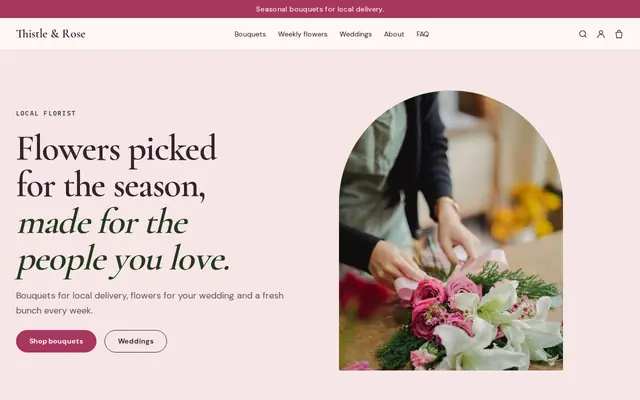
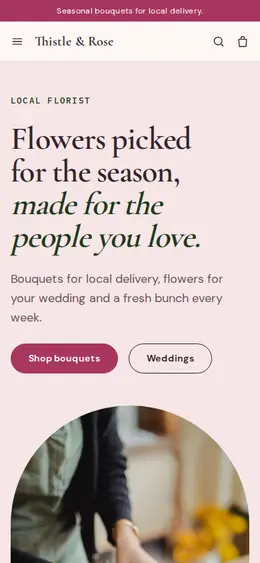
Step by step
Small, medium and large, or “florist’s choice”, with one photo of each. Fresh flowers change by the week, so say that you’ll use the best of the season in the same colors.
Write which days you deliver, the area you cover and the order cut-off on the home page and on every bouquet. Someone ordering for a birthday needs to know before they pay.
Valentine’s Day and Mother’s Day can be the busiest days of a florist’s year. Add special bouquets with limited stock weeks ahead, and close them when you run out of flowers or drivers.
Weddings and events are quotes, not cart items. Mark them “price on request” and ask for the date, venue, guest count and colors, so each request arrives ready for you to price.
A weekly or monthly bouquet billed by Stripe on the Growth plan gives you steady orders between holidays. Say the delivery day and how the bouquet changes with the season.
Customers want to see what you make, not a stock photo. Shoot each bouquet against a plain wall in daylight, and keep a gallery page of real past wedding work.
Home, garden and decor
Products with photos, options, prices and stock, a cart and a Stripe checkout.
Built in
Give your Mother’s Day bouquet a stock that matches the flowers and drivers you have. When it’s gone, checkout stops, so you never promise more than you can deliver.
Bill a weekly or monthly bouquet automatically through Stripe, with optional free trial days. Subscribers can see their subscription in their account.
Couples and planners send the date, venue and budget through a request form. You reply by email with a quote, and nothing is priced on the website until you’ve talked.
Set a fixed delivery rate with a delivery estimate, and a free-delivery discount code above an order amount you choose.
Ready-made themes
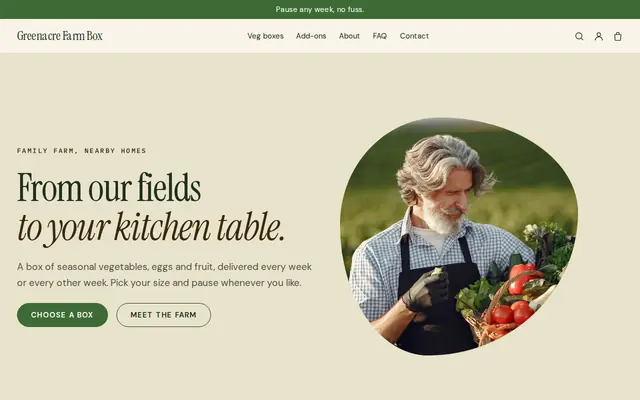
Made for Farm boxes, Meal kits, Local deliveries
Earthy and friendly for farm boxes, meal kits and deliveries that repeat.
Before you start
Write a short substitution note: if a flower isn’t available, you’ll swap it for one of equal value in the same colors. Customers accept changes they were told about.
Your delivery rate can’t check an address against your area, so name the towns or zip codes you cover on each bouquet and in your FAQ, and refund quickly if someone outside it orders.
Fresh flowers travel badly in ordinary parcels. If you ship beyond your own area, use next-day services, ship early in the week and pack stems in water tubes or wet wraps.
General information to help you get started, not legal advice. Rules differ by country, state and product, so check the ones that apply to you.
How it works
A sentence or two is enough: what you do, who it’s for and how people buy from you.
Cornerrr writes your pages, adds your products or services, and picks the colours, fonts and look. It takes about a minute.
Link a Stripe account, or create one in a few minutes. Your customers pay you directly.
Publish on your free Cornerrr web address, or use your own. Change anything later by asking.
Payments
Payments go through your own Stripe account, straight to you. Your customers see the methods you turn on in Stripe that work for their country and currency.
Selling in Europe or the US? United States, United Kingdom, Germany, France, Netherlands, Ireland and every country we cover.
Pricing
Build and preview for free, no card needed. Every paid plan starts with a 14-day free trial, and Cornerrr adds no transaction fees.
Build your website and try everything before you go live.
$0free
Go live and start selling.
$19a month
Most popular
For growing businesses with subscriptions and deliveries.
$49a month
For several stores and bigger catalogues.
$99a month
Questions
Yes. Many flower farmers and home florists sell only online and deliver locally. Cornerrr builds the website, bouquet pages and checkout, and each order arrives by email and in your Orders list.
Pick set delivery days, say them on every bouquet with the order cut-off, and set a fixed delivery rate. Cornerrr has no delivery calendar, so customers who need another day can send you a request first.
If you grow or buy flowers every week, a subscription turns that rhythm into steady income. On the Growth plan Stripe bills it automatically, and you can offer a few free trial days.
They can send an inquiry. Mark wedding flowers “price on request”, couples fill in the date, venue and colors, and you reply from your Inbox with a quote and next steps.
No. You describe your business in your own words and Cornerrr builds the website. Afterwards you change things by clicking, or by asking the assistant in plain words.
Building and previewing your website is free, with no card needed. To go live and take payments, choose a plan from $19 a month. Every paid plan starts with a 14-day free trial; a card is needed to start it.
Describe what you sell and see your shop in about a minute. It’s free until you go live.