Preview
Build your website and try everything before you go live.
$0free
Online store for photography prints
Describe your photography and Cornerrr builds a print shop: each image with sizes and finishes as options, limited editions with fixed stock, requests for licensing and commercial work, and a Stripe checkout.
Step by step
A tight selection sells better than your whole archive. Start with twenty or thirty images grouped into collections by place or subject, and add more once you see what sells.
Fine art paper, canvas, metal or acrylic, framed or not: list each image once with size and finish as options, each with its own price, SKU and stock.
People are buying something to hang. Add a photo of the print on a wall, a close-up of the paper or metal surface, and the back with your signature or label.
Say whether an image is an open edition or limited, and whether the limit counts across all sizes or per size. Collectors buy limited editions because they stay limited.
Where and when it was taken, what was happening, and how you got the shot. Stories sell landscape and travel prints, and a place name helps people find them in search.
Businesses, magazines and designers may want to use an image rather than hang it. Add a licensing page with “price on request” so they can tell you the use, size and time period.
Art, books and paper
Products with photos, options, prices and stock, a cart and a Stripe checkout.
Built in
Each image can have size and finish options with their own price and stock, so a limited edition of twenty-five can never sell a twenty-sixth.
Licensing and commercial shoots are listed without a price. Requests land in your Inbox with the details, and you reply with your terms by email.
Group images by country, region or subject, and ask the assistant to write each collection’s introduction from a few of your notes.
Every image gets its own page title, description and clean link, with structured data for products, so a search for a place and “print” has a page of yours to find.
Ready-made themes
Made for Photographers, Videographers, Event planners
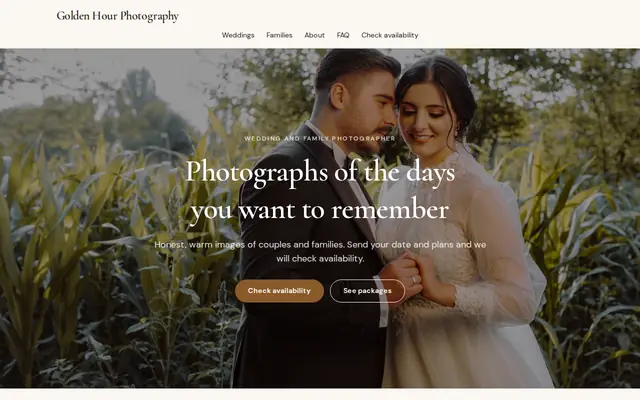
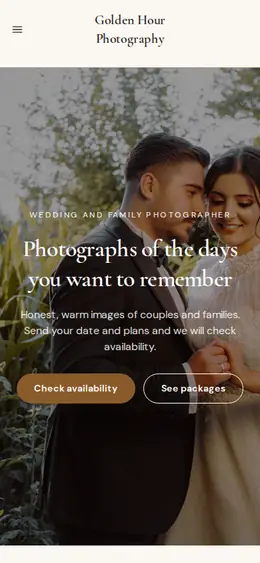
Editorial and airy for photographers and creatives who take bookings.

Before you start
If a person is recognizable, or the photo was taken on private property, a signed release removes doubt about selling prints. Some countries give people strong rights over their own image, so check the rules where you sell.
If a lab prints for you, order a test print of each image at each size before you list it, so you know exactly what a customer will unpack.
Big framed or metal prints can cost more to ship than you expect and may need a special box. Get a quote for your largest size before you set its shipping rate.
General information to help you get started, not legal advice. Rules differ by country, state and product, so check the ones that apply to you.
How it works
A sentence or two is enough: what you do, who it’s for and how people buy from you.
Cornerrr writes your pages, adds your products or services, and picks the colours, fonts and look. It takes about a minute.
Link a Stripe account, or create one in a few minutes. Your customers pay you directly.
Publish on your free Cornerrr web address, or use your own. Change anything later by asking.
Payments
Payments go through your own Stripe account, straight to you. Your customers see the methods you turn on in Stripe that work for their country and currency.
Selling in Europe or the US? United States, United Kingdom, Germany, France, Netherlands, Ireland and every country we cover.
Pricing
Build and preview for free, no card needed. Every paid plan starts with a 14-day free trial, and Cornerrr adds no transaction fees.
Build your website and try everything before you go live.
$0free
Go live and start selling.
$19a month
Most popular
For growing businesses with subscriptions and deliveries.
$49a month
For several stores and bigger catalogues.
$99a month
Questions
It depends on where you live and how you sell. A signed model release is the safest route for any recognizable person, and in parts of Europe image rights are stronger than in the US. When in doubt, ask permission or choose another frame.
Start with fine art paper, which suits most images, and add metal or acrylic for bold, high-contrast work. On Cornerrr each finish is an option with its own price and stock on the same page.
Add a licensing page or product with “price on request”. The buyer tells you the use, size, place and time period, the request lands in your Inbox, and you send terms by email.
Yes. One Cornerrr website can sell prints as products and take requests for shoots, so your portfolio, your shop and your contact page live in one place.
No. You describe your business in your own words and Cornerrr builds the website. Afterwards you change things by clicking, or by asking the assistant in plain words.
Building and previewing your website is free, with no card needed. To go live and take payments, choose a plan from $19 a month. Every paid plan starts with a 14-day free trial; a card is needed to start it.
Describe what you sell and see your shop in about a minute. It’s free until you go live.