Preview
Build your website and try everything before you go live.
$0free
Website builder for art galleries
Tell Cornerrr about your gallery and the artists you show, and it builds artist pages, exhibition pages, a collection of works with prices or “price on request”, and an inquiry form that lands in your Inbox.

What you get
Cornerrr writes every page from your description, then you change anything by clicking or by asking.
A statement, a short biography and the artist’s available works on one page, so a collector who falls for one painting can see everything else by the same hand.
Exhibition pages with dates, a short essay and a gallery of installation views. Past shows stay online as an archive that grows with the gallery.
Smaller works and editions with a price and a buy button; major pieces marked “price on request”, with each inquiry landing in your Inbox.
A sign-up form with double opt-in for collectors who want opening invitations and previews. Export the list to the email tool you already use.
Creative and events
Products with photos, options, prices and stock, a cart and a Stripe checkout.
Group works into collections by artist, exhibition or medium, so collectors can browse the way they think, and you can feature a new show on the home page in minutes.
Choose the countries you ship to and set fixed rates for small works. Stripe Tax can work out VAT or sales tax at checkout, and business buyers can add a tax ID.
The AI drafts a description and alt text from a photo of each work. You add the artist’s own words and the details only the gallery knows.
Ready-made themes
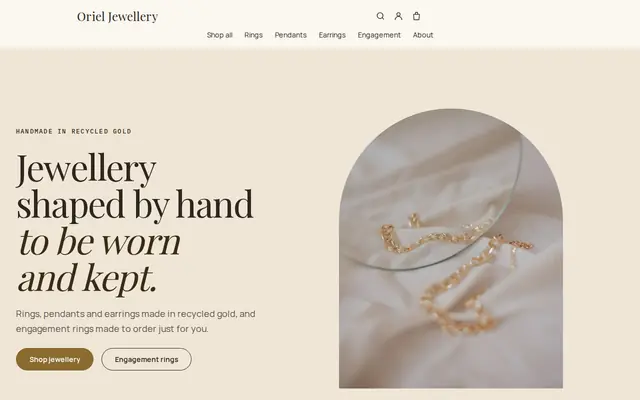
Made for Jewellers, Watchmakers, Luxury goods
Refined and luxurious for jewellery and premium goods.

Advice
Whatever you build it with, these are the things that turn visitors into customers.
Visitors check whether you’re open before they come. Put opening hours, the address and the current exhibition on the home page, and keep your Google Business Profile the same.
Artist, title, year, medium, dimensions and edition, in the same order every time. Collectors scan for these, and consistency makes your gallery look careful.
Past exhibitions show the gallery’s history and keep your artists’ names on your website for search engines. Don’t take a show down when it closes; move it to the archive.
Collectors expect it for major works, but say how to ask and how quickly you reply. A prompt, warm answer often decides the sale.
Sending art to another country can mean customs forms, import VAT and, for works with materials like ivory or some rare woods, export permits under CITES. Check before you promise delivery.
How it works
A sentence or two is enough: what you do, who it’s for and how people buy from you.
Cornerrr writes your pages, adds your products or services, and picks the colours, fonts and look. It takes about a minute.
Link a Stripe account, or create one in a few minutes. Your customers pay you directly.
Publish on your free Cornerrr web address, or use your own. Change anything later by asking.
Payments
Payments go through your own Stripe account, straight to you. Your customers see the methods you turn on in Stripe that work for their country and currency.
Selling in Europe or the US? United States, United Kingdom, Germany, France, Netherlands, Ireland and every country we cover.
Pricing
Build and preview for free, no card needed. Every paid plan starts with a 14-day free trial, and Cornerrr adds no transaction fees.
Build your website and try everything before you go live.
$0free
Go live and start selling.
$19a month
Most popular
For growing businesses with subscriptions and deliveries.
$49a month
For several stores and bigger catalogues.
$99a month
Questions
Many galleries now do for editions and smaller works and keep “price on request” for major pieces. Cornerrr lets you do both on the same website, work by work.
Yes. Works with a price can be bought through Stripe Checkout by card, Apple Pay, Google Pay and the methods you turn on. A unique work has a stock of one, so it can’t be sold twice.
Yes. Add as many pages as you need and edit them by clicking, or ask the assistant to draft an exhibition text from your notes, then rewrite it in the gallery’s voice.
Yes. Cornerrr collects sign-ups with double opt-in and lets you export the list. It doesn’t send invitations itself, so you send them from your usual email tool.
No. You describe your business in your own words and Cornerrr builds the website. Afterwards you change things by clicking, or by asking the assistant in plain words.
Building and previewing your website is free, with no card needed. To go live and take payments, choose a plan from $19 a month. Every paid plan starts with a 14-day free trial; a card is needed to start it.
Describe your business and see your website in about a minute. It’s free until you go live.