Preview
Build your website and try everything before you go live.
$0free
Website builder for tour operators
Describe your tours and Cornerrr builds a tour operator website with each tour’s route, length and meeting point, departures sold as dated options with a set number of places, and a request form for private groups.

What you get
Cornerrr writes every page from your description, then you change anything by clicking or by asking.
Each tour as a product with its departure dates as options and stock set to the places you have, so a date stops selling when it’s full. Paid orders arrive by email and in your Orders list.
Families, schools and companies send the date, group size and interests through a request form, and you reply by email with a price and a plan.
Route, length, distance on foot, what’s included, age limits and accessibility on every tour page, written by Cornerrr from your notes.
Printed maps, photo books, or a city guide as a digital download that buyers get after payment, on any paid plan.
Travel and hospitality
Your services with prices, or “price on request” so clients ask first, and every request in your Inbox.
Every dated option keeps its own count of places. When a group of four buys, the count drops by four, and checkout won’t sell more places than you have left.
Stripe Checkout shows in your website’s language and takes cards, Apple Pay, Google Pay and the local methods you turn on. Your website itself is in one language.
Add next month’s departures as new options on a tour and remove the ones that have passed, right on the product page. Stock is set per date.
Payments go to your own Stripe account, and Cornerrr adds no transaction fee, so a full tour doesn’t have to share its takings with a booking platform.
Ready-made themes
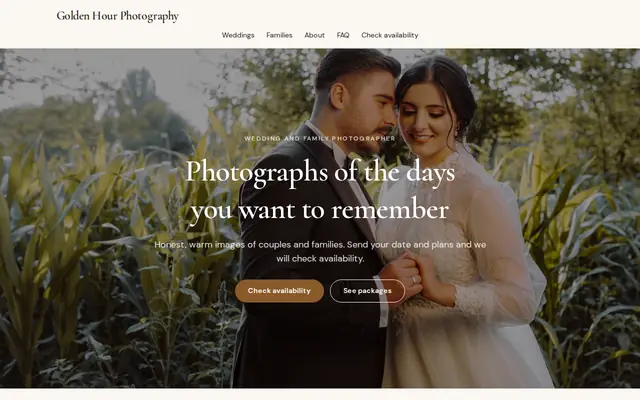
Made for Photographers, Videographers, Event planners
Editorial and airy for photographers and creatives who take bookings.
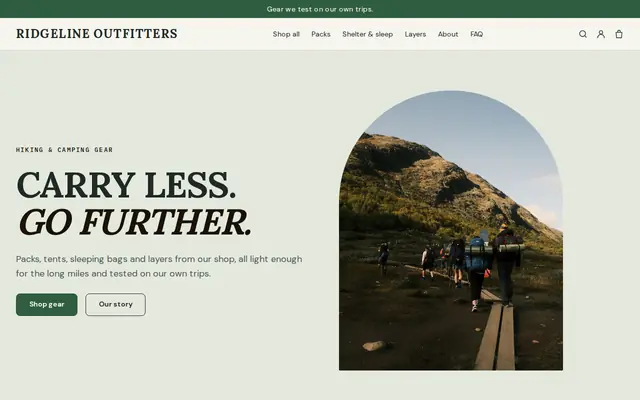
Made for Outdoor gear, Bike shops, Sports shops
Rugged and outdoorsy for adventure and sports shops.
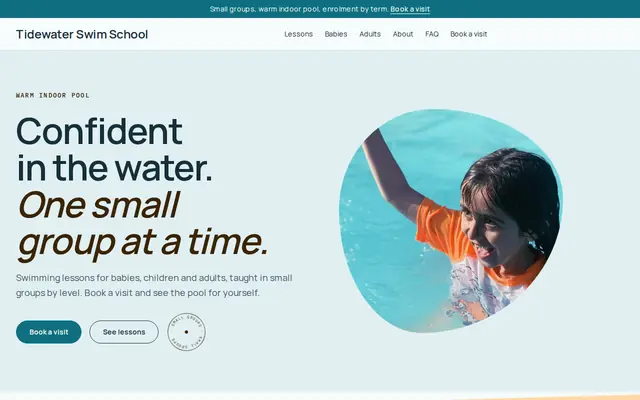
Made for Swim schools, Music lessons, Kids’ clubs
Bright and cheerful for lessons, schools and clubs.
Advice
Whatever you build it with, these are the things that turn visitors into customers.
Name the exact spot, add a photo of it and a map link, and say how early to arrive. Guests waiting at the wrong fountain are one of the most common tour-day problems.
Rain, heat and storms: say whether tours run, when you decide, and whether guests can move to another date or get a refund.
Distance on foot, hills, stairs, and whether a stroller or wheelchair works. Guests who know before they buy have a better tour and tell their friends.
A photo and a short note about each guide. People choose small tour companies for the person who’ll lead them, and a face makes the price feel fair.
Travelers search for the place and the kind of tour together, such as “food tour Lisbon”. Use both in your page titles, and link your website from your Google Business Profile and the tourist office listing.
How it works
A sentence or two is enough: what you do, who it’s for and how people buy from you.
Cornerrr writes your pages, adds your products or services, and picks the colours, fonts and look. It takes about a minute.
Link a Stripe account, or create one in a few minutes. Your customers pay you directly.
Publish on your free Cornerrr web address, or use your own. Change anything later by asking.
Payments
Payments go through your own Stripe account, straight to you. Your customers see the methods you turn on in Stripe that work for their country and currency.
Selling in Europe or the US? United States, United Kingdom, Germany, France, Netherlands, Ireland and every country we cover.
Pricing
Build and preview for free, no card needed. Every paid plan starts with a 14-day free trial, and Cornerrr adds no transaction fees.
Build your website and try everything before you go live.
$0free
Go live and start selling.
$19a month
Most popular
For growing businesses with subscriptions and deliveries.
$49a month
For several stores and bigger catalogues.
$99a month
Questions
Yes. Each tour is a product with its dates as options and stock set to the places on each departure. When a date is full, checkout stops selling it.
Yes. List private tours as price on request: groups send their date, size and interests, the request lands in your Inbox, and you reply with a price by email.
Write your policy on every tour page and in your terms. Cornerrr can draft a refund policy for you to check, and when an order is refunded, the customer gets a refund email.
It depends on where you work. Some cities and sites require licensed guides, most places need a business license and liability insurance, and selling tours with transport or stays can bring travel rules. Check with your city and tourism office.
No. You describe your business in your own words and Cornerrr builds the website. Afterwards you change things by clicking, or by asking the assistant in plain words.
Building and previewing your website is free, with no card needed. To go live and take payments, choose a plan from $19 a month. Every paid plan starts with a 14-day free trial; a card is needed to start it.
Describe your business and see your website in about a minute. It’s free until you go live.