Preview
Build your website and try everything before you go live.
$0free
Online store for ebooks
Describe your books and Cornerrr builds an author shop: a page per title with its cover, blurb and formats, EPUB and PDF files delivered after payment, and signed paperbacks next to them if you have copies. Payments go to your own Stripe account.
Step by step
Some programs require that an ebook is sold nowhere else while it’s enrolled, Amazon’s KDP Select being the best known. Check what you’ve signed up for before you list a title on your own website.
EPUB reads well on most e-readers and phone apps, and Kindle readers can send it to their device with Amazon’s Send to Kindle. Add a PDF for people who read on a computer, and put both in every purchase.
Direct sales go wrong when readers don’t know what to do with a file. Add a short help page: opening an EPUB on a phone, sending it to a Kindle, and where to write if it doesn’t work.
Cover, blurb, where the book sits in the series, page count, and content notes if your genre expects them. Series readers want the reading order spelled out on every page.
Sell the first three books as one product holding all the files, priced below buying them one by one. Readers who finish book one are the most likely to buy the rest.
Add a newsletter sign-up to every page, export the subscriber list to the email tool you already use, and announce each release with a discount code that ends on a set date.
Digital products
Products with photos, options, prices and stock, a cart and a Stripe checkout.
Built in
Attach the EPUB, the PDF and, if you have one, the audiobook files to the same product. Readers get all of them after payment, and they stay in the reader’s account.
Sell signed paperbacks next to the ebooks with a stock count, so checkout stops when your box of author copies is empty. Add a tracking number as you post each one.
Cornerrr builds About, FAQ and contact pages around your books, and on the Growth plan a blog for release news, extras and behind-the-scenes posts.
Each book page gets its own title, description and structured data with its price, so search engines can read what the book is and what it costs.
Ready-made themes
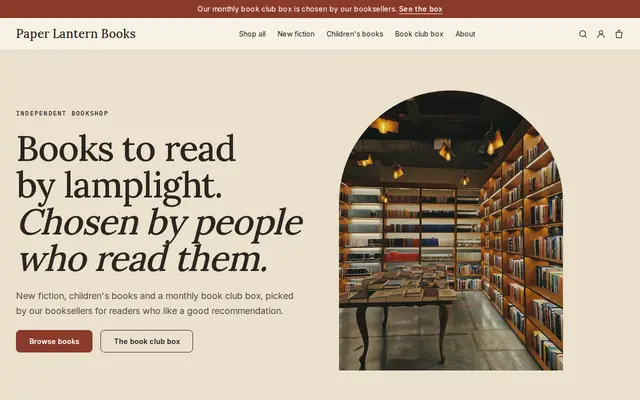
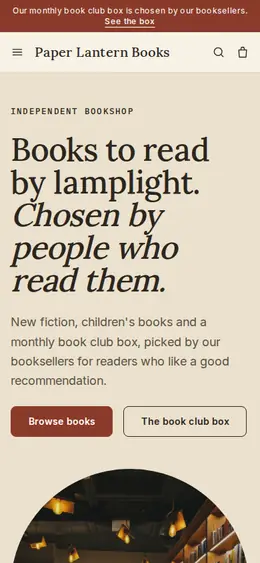
Made for Bookshops, Stationers, Record shops
Bookish and characterful for bookshops and stationers.
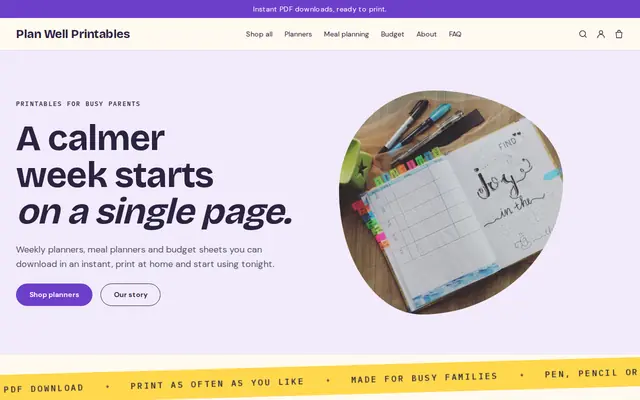
Made for Printables, Templates, Online courses
Bright and tidy for downloads, templates and courses.
Before you start
Many European countries tax ebooks at a lower VAT rate than other downloads, and the rate is the one in the buyer’s country. Stripe Tax can calculate it; ask an accountant whether you need to register for the EU’s One-Stop Shop.
You don’t need an ISBN to sell an ebook from your own website, though some libraries and stores ask for one. Files sold direct are usually DRM-free; say so on the page, since many readers see it as a plus.
General information to help you get started, not legal advice. Rules differ by country, state and product, so check the ones that apply to you.
How it works
A sentence or two is enough: what you do, who it’s for and how people buy from you.
Cornerrr writes your pages, adds your products or services, and picks the colours, fonts and look. It takes about a minute.
Link a Stripe account, or create one in a few minutes. Your customers pay you directly.
Publish on your free Cornerrr web address, or use your own. Change anything later by asking.
Payments
Payments go through your own Stripe account, straight to you. Your customers see the methods you turn on in Stripe that work for their country and currency.
Selling in Europe or the US? United States, United Kingdom, Germany, France, Netherlands, Ireland and every country we cover.
Pricing
Build and preview for free, no card needed. Every paid plan starts with a 14-day free trial, and Cornerrr adds no transaction fees.
Build your website and try everything before you go live.
$0free
Go live and start selling.
$19a month
Most popular
For growing businesses with subscriptions and deliveries.
$49a month
For several stores and bigger catalogues.
$99a month
Questions
Yes, unless the ebook is enrolled in a program that requires exclusivity, such as KDP Select. That exclusivity covers the ebook, not the paperback, so you can sell signed copies either way.
EPUB for most readers, since it adjusts to any screen size, plus a PDF for computer reading. Cookbooks, picture books and heavily designed books often read better as a PDF.
Yes. Every purchase stays in the reader’s account on your website. They sign in with a code sent to their email, so there’s no password to forget.
Yes, as audio files in a download, usually zipped one file per chapter. If your audiobook is distributed under an exclusive agreement, check its terms first.
No. You describe your business in your own words and Cornerrr builds the website. Afterwards you change things by clicking, or by asking the assistant in plain words.
Building and previewing your website is free, with no card needed. To go live and take payments, choose a plan from $19 a month. Every paid plan starts with a 14-day free trial; a card is needed to start it.
Describe what you sell and see your shop in about a minute. It’s free until you go live.