Preview
Build your website and try everything before you go live.
$0free
Website builder for course creators
Describe what you teach and Cornerrr builds a sales page for each course with what’s inside, who it’s for and a buy button. Students pay through Stripe and get your files or links as digital downloads.
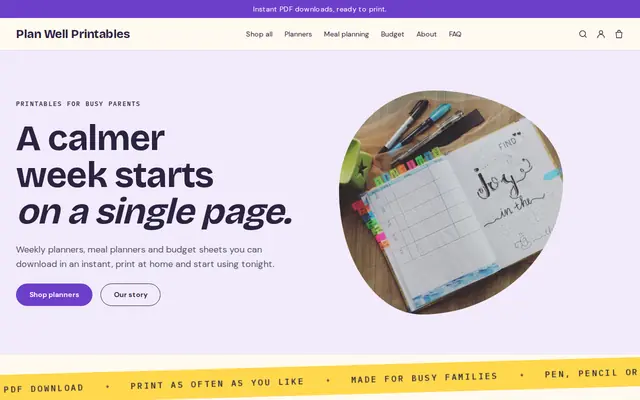
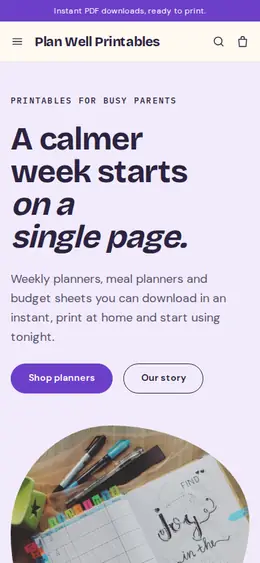
What you get
Cornerrr writes every page from your description, then you change anything by clicking or by asking.
Sell video files, PDFs and workbooks, or a document with links to lessons hosted elsewhere, as digital downloads on any paid plan. Students get them after payment and keep them in their account.
Group courses into a bundle at a better price, and run a launch with a discount code that has start and end dates and a usage limit.
A live online workshop as a product whose stock is the number of seats. You email the joining link to everyone who paid.
A sign-up form with double opt-in for people not ready to buy yet. Export the list to your email tool when the next course opens.
Professional services
Products with photos, options, prices and stock, a cart and a Stripe checkout.
Each order delivers the files straight away, and students sign in with an emailed code to download them again, so you’re not resending links.
Digital products are often taxed where the buyer lives, including across the EU and UK and in many US states. Stripe Tax can work it out at checkout once it’s active.
Cornerrr drafts each course page from your description: what’s inside, who it’s for and the questions buyers ask. You edit it in your own voice.
Ready-made themes
Made for Printables, Templates, Online courses
Bright and tidy for downloads, templates and courses.

Advice
Whatever you build it with, these are the things that turn visitors into customers.
Video files, PDFs or a link to a private playlist: give the format, the length and how students will watch before they pay. It prevents refund requests from people who expected something else.
Long video files are slow to download on phones. Split a course into modules, or host long videos privately and sell the link together with the workbook.
“Paint loose florals in an afternoon” says more than “12 modules”. Put one finished student piece, shared with permission, near the top of the page.
A free lesson on the page, or a short video linked from it, lets buyers see how you teach before they spend money.
In the EU and UK, buyers can lose their right to cancel once a download starts, but only if they expressly agreed to that first. Write your refund policy plainly and check your local rules.
How it works
A sentence or two is enough: what you do, who it’s for and how people buy from you.
Cornerrr writes your pages, adds your products or services, and picks the colours, fonts and look. It takes about a minute.
Link a Stripe account, or create one in a few minutes. Your customers pay you directly.
Publish on your free Cornerrr web address, or use your own. Change anything later by asking.
Payments
Payments go through your own Stripe account, straight to you. Your customers see the methods you turn on in Stripe that work for their country and currency.
Selling in Europe or the US? United States, United Kingdom, Germany, France, Netherlands, Ireland and every country we cover.
Pricing
Build and preview for free, no card needed. Every paid plan starts with a 14-day free trial, and Cornerrr adds no transaction fees.
Build your website and try everything before you go live.
$0free
Go live and start selling.
$19a month
Most popular
For growing businesses with subscriptions and deliveries.
$49a month
For several stores and bigger catalogues.
$99a month
Questions
Cornerrr delivers files and links as digital downloads; it doesn’t stream lessons, track progress or run a members area. Many creators sell downloadable video files, or a link to a private playlist, plus workbooks.
Yes. Students sign in to their account with an emailed code, with no password to remember, and download their files again whenever they want.
If you need quizzes, progress tracking or lessons released over time, a course platform does that and Cornerrr doesn’t. If your course is a set of videos and workbooks people keep, selling them as downloads from your own website is simpler.
No. You describe your business in your own words and Cornerrr builds the website. Afterwards you change things by clicking, or by asking the assistant in plain words.
Building and previewing your website is free, with no card needed. To go live and take payments, choose a plan from $19 a month. Every paid plan starts with a 14-day free trial; a card is needed to start it.
Describe your business and see your website in about a minute. It’s free until you go live.