Preview
Build your website and try everything before you go live.
$0free
Website builder for event planners
Say what events you plan (corporate offsites, milestone birthdays, galas or launches) and Cornerrr builds a page for each, with photos of past events and a quote request that asks for the date, guest count and budget.

What you get
Cornerrr writes every page from your description, then you change anything by clicking or by asking.
Corporate offsites, holiday parties, launches and private celebrations each get a page with examples and what you take care of, so an office manager and a parent planning a 50th each find their own.
Date, city or venue, guest count, budget range and the kind of event. Each request lands in your Inbox with those details, ready for you to write a proposal.
A gallery for each event with the venue, the number of guests and what you handled. Companies want proof that you can manage their scale; families want to see the atmosphere.
A party-planning session or a design-only package at a fixed price, paid online through Stripe. Bigger events stay on quote, where they belong.
Creative and events
What you offer without a price, and quote requests with the quantities and details you need.
When a company pays for a fixed-price service online, it gets an invoice for the order, and you can let business buyers add their tax ID at checkout.
Every quote request arrives by email and in your Inbox. Ask the assistant which inquiries are for December, or which ones you haven’t answered yet.
Ask the assistant to add a page for your holiday party season or a new product-launch package, then edit its words and photos by clicking.
Ready-made themes
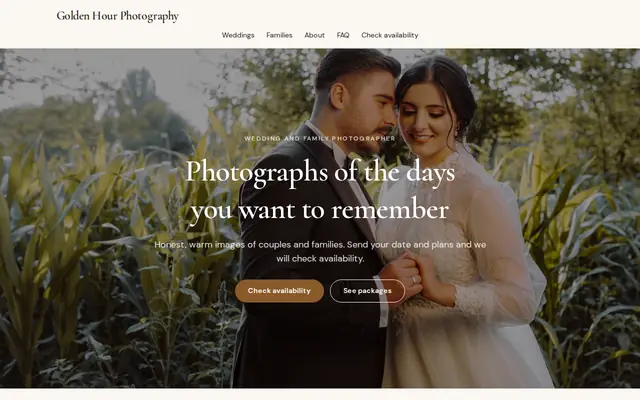
Made for Photographers, Videographers, Event planners
Editorial and airy for photographers and creatives who take bookings.
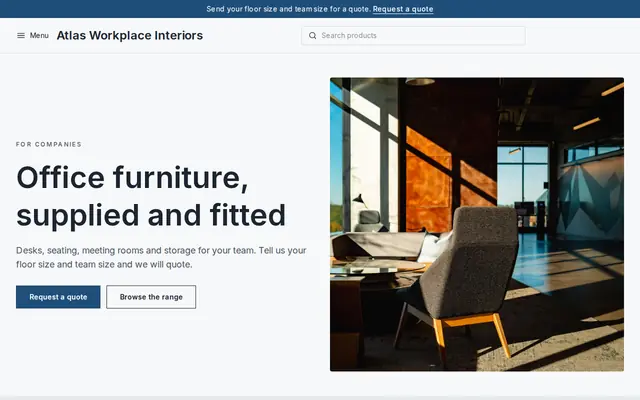
Made for Office suppliers, Fit-out companies, B2B services
Modern and confident for B2B services and fit-outs.
Advice
Whatever you build it with, these are the things that turn visitors into customers.
If corporate work pays your bills, put a company event in the first photo and say “corporate events” in the headline. Visitors decide in seconds whether you plan their kind of event.
Guest counts, the venues you’ve worked with and how many years you’ve run the same client’s holiday party. Corporate buyers compare planners on experience and capacity, not adjectives.
Companies start planning December parties in late summer. Put your holiday party page up by August and say how far ahead people should ask for Friday dates in December.
Say whether you work for a flat fee, a share of the event budget or an hourly rate, and what changes it. Clients who understand your quote approve it faster.
Venues often ask planners for a certificate of liability insurance, and public events can need permits from the city. Saying you carry insurance and handle permits answers a question corporate clients ask early.
How it works
A sentence or two is enough: what you do, who it’s for and how people buy from you.
Cornerrr writes your pages, adds your products or services, and picks the colours, fonts and look. It takes about a minute.
Link a Stripe account, or create one in a few minutes. Your customers pay you directly.
Publish on your free Cornerrr web address, or use your own. Change anything later by asking.
Payments
Payments go through your own Stripe account, straight to you. Your customers see the methods you turn on in Stripe that work for their country and currency.
Selling in Europe or the US? United States, United Kingdom, Germany, France, Netherlands, Ireland and every country we cover.
Pricing
Build and preview for free, no card needed. Every paid plan starts with a 14-day free trial, and Cornerrr adds no transaction fees.
Build your website and try everything before you go live.
$0free
Go live and start selling.
$19a month
Most popular
For growing businesses with subscriptions and deliveries.
$49a month
For several stores and bigger catalogues.
$99a month
Questions
The kind of event, the date or a date range, the location, the guest count and a budget range, plus a box for anything else. That’s enough for a first proposal. Cornerrr builds this form and sends each request to your Inbox.
For fixed-price services, yes: they pay through your Stripe account by card, wallet or the local methods you turn on. Large events usually stay on quote, and you invoice them your usual way.
Give corporate events their own page with past events, capacity and the cities you work in, and have the quote form ask for the company name. Link your website from LinkedIn and your Google Business Profile.
No. You describe your business in your own words and Cornerrr builds the website. Afterwards you change things by clicking, or by asking the assistant in plain words.
Building and previewing your website is free, with no card needed. To go live and take payments, choose a plan from $19 a month. Every paid plan starts with a 14-day free trial; a card is needed to start it.
Describe your business and see your website in about a minute. It’s free until you go live.