Preview
Build your website and try everything before you go live.
$0free
Website builder for wedding venues
Describe your venue and Cornerrr builds a wedding venue website with your spaces, capacity, packages and real weddings, plus a form for couples to ask about a date or a visit. Requests land in your Inbox.
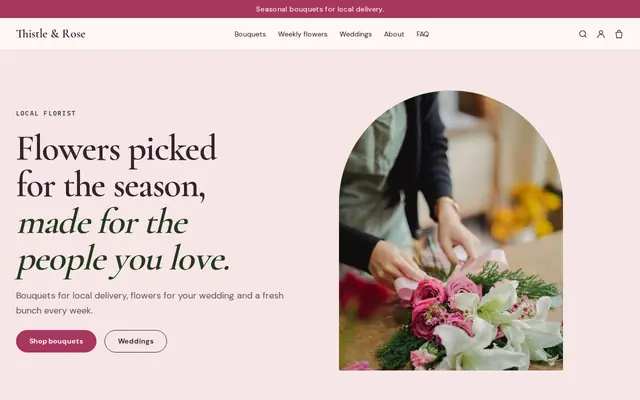

What you get
Cornerrr writes every page from your description, then you change anything by clicking or by asking.
Couples send their preferred dates, guest count and a good time to visit through one form. Requests land in your Inbox, and you reply by email to confirm the tour or talk about the date.
Each package, from an elopement to a full weekend, as a price on request listing with what’s included, so couples ask for a quote for their date and guest count.
A page for each space with seated and standing capacity, indoor and outdoor options and the rain plan, written from your notes.
Rehearsal dinners, welcome drinks and farewell brunches as their own request listings, so the same couple can ask about the whole weekend at once.
Travel and hospitality
Your services with prices, or “price on request” so clients ask first, and every request in your Inbox.
Add photo galleries of real weddings with the photographer’s credit and the couple’s permission. Couples picture their own day from them far more easily than from empty-room shots.
On the Growth plan, write about seasons, layouts and timelines at your venue. Couples researching venues find those posts in search, and then find your tour form.
Every enquiry stays in your Inbox with its dates and guest count. Ask the assistant which couples asked about June Saturdays, then reply from your email.
Cornerrr writes the venue, packages and FAQ pages from a short description, and the assistant rewrites them when your packages change for next season.
Ready-made themes
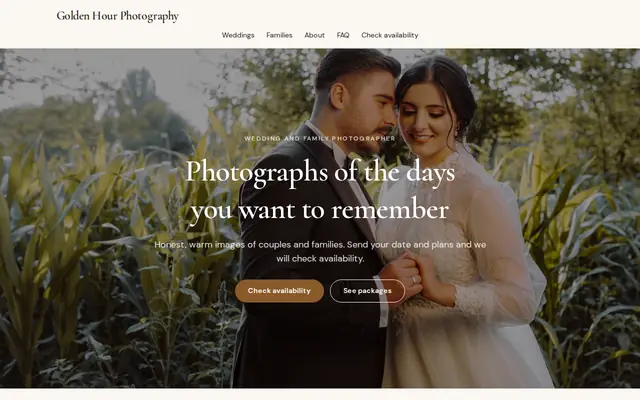
Made for Photographers, Videographers, Event planners
Editorial and airy for photographers and creatives who take bookings.
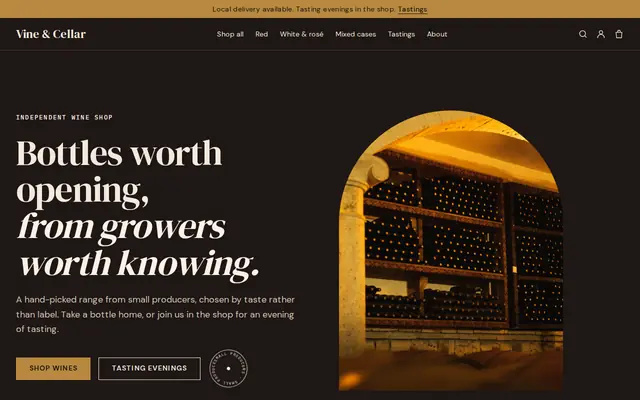
Advice
Whatever you build it with, these are the things that turn visitors into customers.
Guest count is the first filter. Give seated and standing numbers for each space, and show the indoor ceremony option with a photo, not just a promise.
Tables, chairs, linens, setup, cleanup, a coordinator, an exclusive or open vendor list, and when the music has to stop. Couples compare venues on these line by line.
If you don’t publish prices, say what moves them: season, day of the week and guest count. Couples often skip venues that give no idea at all.
Say what happens after a tour: how long you’ll hold a date, when the contract is signed and how payments work. Couples often book a year or more ahead and want to know the steps.
Name the photographer, florist and caterer on every real wedding. Vendors share posts that credit them, and couples use those names to plan their own day.
How it works
A sentence or two is enough: what you do, who it’s for and how people buy from you.
Cornerrr writes your pages, adds your products or services, and picks the colours, fonts and look. It takes about a minute.
Link a Stripe account, or create one in a few minutes. Your customers pay you directly.
Publish on your free Cornerrr web address, or use your own. Change anything later by asking.
Payments
Payments go through your own Stripe account, straight to you. Your customers see the methods you turn on in Stripe that work for their country and currency.
Selling in Europe or the US? United States, United Kingdom, Germany, France, Netherlands, Ireland and every country we cover.
Pricing
Build and preview for free, no card needed. Every paid plan starts with a 14-day free trial, and Cornerrr adds no transaction fees.
Build your website and try everything before you go live.
$0free
Go live and start selling.
$19a month
Most popular
For growing businesses with subscriptions and deliveries.
$49a month
For several stores and bigger catalogues.
$99a month
Questions
Not with a calendar. They send their preferred dates through your request form, and you reply by email with what’s open. Many venues also list the dates left this season on the home page and update them as they go.
Many venues show what changes the price, or a starting point, and quote the rest. On Cornerrr, packages can be listed as price on request so couples ask with their date and guest count.
Put the tour request on every page, show real weddings and capacity clearly, and reply quickly. Link your website from your Google Business Profile and the wedding directories you’re listed on.
You can sell fixed-price extras through your Stripe account, such as a set-price brunch package. Contracts and payment schedules for the wedding itself are agreed with the couple outside the website.
No. You describe your business in your own words and Cornerrr builds the website. Afterwards you change things by clicking, or by asking the assistant in plain words.
Building and previewing your website is free, with no card needed. To go live and take payments, choose a plan from $19 a month. Every paid plan starts with a 14-day free trial; a card is needed to start it.
Describe your business and see your website in about a minute. It’s free until you go live.