Preview
Build your website and try everything before you go live.
$0free
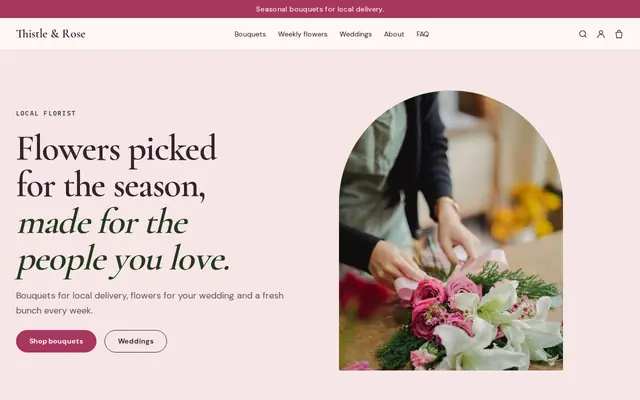
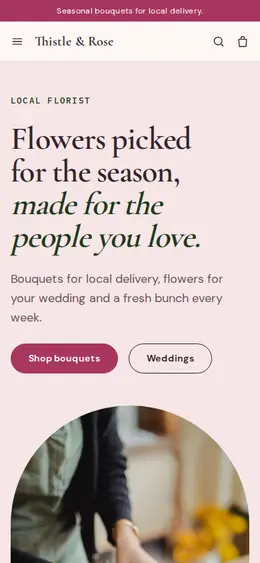
Website builder for florists
Tell Cornerrr about your flower shop and it builds a florist website: bouquets with sizes and prices, delivery rates, a request form for weddings, events and funerals, and a Stripe checkout. You change anything later by asking.
What you get
Cornerrr writes every page from your description, then you change anything by clicking or by asking.
Each bouquet is one product with sizes such as standard, deluxe and grand as options, each with its own price. Customers see what they’re paying for, and you get fewer calls asking how big the medium one is.
Bridal bouquets, boutonnieres, arches and table arrangements are listed without a price. Couples send the date, venue and color palette through a form, and you reply with ideas and a quote after a consultation.
Wreaths, sprays and standing arrangements with clear prices, plus a request form for families who need something specific. Say plainly how much notice you need and whether you deliver to funeral homes.
Orchids, houseplants and dried bunches last longer than cut stems, so they travel further and sell all year. Each one keeps a stock count, and checkout stops when the last one is gone.
Shops and makers
Products with photos, options, prices and stock, a cart and a Stripe checkout.
Set up to five fixed delivery rates, such as same day in town or next day further out, each with a delivery estimate. Write the towns you cover on your Delivery page so customers know before they pay.
Wedding, event and sympathy requests arrive in your Inbox and by email with the details your form asks for. You reply by email once you’ve worked out what the flowers will cost.
Ask the assistant to add a Valentine’s Day or Mother’s Day collection, write the descriptions and start a discount code for it, then apply the changes or undo them.
Customers pay by card, Apple Pay, Google Pay and the local methods you turn on in Stripe. The money goes to your own account, and Cornerrr adds no transaction fee.
Ready-made themes
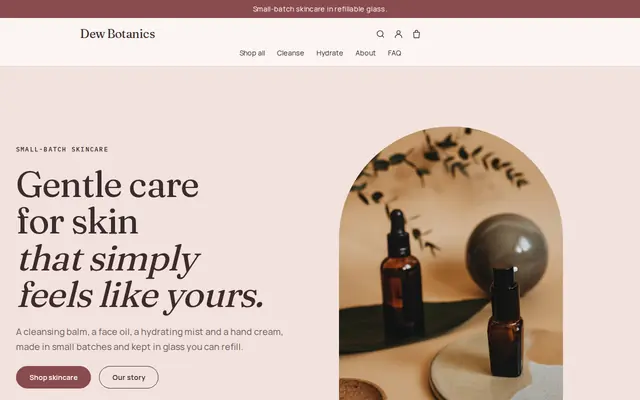
Made for Skincare, Bath and body, Natural beauty
Soft and minimal for skincare, candles and self-care brands.
Advice
Whatever you build it with, these are the things that turn visitors into customers.
Customers worry that what arrives won’t look like the picture. Photograph your own work in daylight against a plain wall, and say that stems change with the season so a florist’s choice feels expected, not like a swap.
Most flower orders are last-minute. Show the time an order must be placed for same-day delivery on the home page and on every bouquet, and say which days you don’t deliver.
People search for flower delivery plus the name of their town. List the towns and neighborhoods you cover on your Delivery page and in your page titles, and link your website from your Google Business Profile.
Valentine’s Day and Mother’s Day can bring weeks of orders into a few days. Add those collections two or three weeks ahead, set stock to what your team can really make, and close them when you’re full.
Ask for the date, venue, guest count and a rough budget, and save mood boards for the consultation. Couples comparing several florists fill in short forms and skip long ones.
How it works
A sentence or two is enough: what you do, who it’s for and how people buy from you.
Cornerrr writes your pages, adds your products or services, and picks the colours, fonts and look. It takes about a minute.
Link a Stripe account, or create one in a few minutes. Your customers pay you directly.
Publish on your free Cornerrr web address, or use your own. Change anything later by asking.
Payments
Payments go through your own Stripe account, straight to you. Your customers see the methods you turn on in Stripe that work for their country and currency.
Selling in Europe or the US? United States, United Kingdom, Germany, France, Netherlands, Ireland and every country we cover.
Pricing
Build and preview for free, no card needed. Every paid plan starts with a 14-day free trial, and Cornerrr adds no transaction fees.
Build your website and try everything before you go live.
$0free
Go live and start selling.
$19a month
Most popular
For growing businesses with subscriptions and deliveries.
$49a month
For several stores and bigger catalogues.
$99a month
Questions
Not as a checkout field today. Show your delivery days and same-day cut-off on each bouquet, and let customers who need a set date, such as a birthday or a funeral, send a request with it so you can confirm by email.
List your wedding packages or arrangements as “price on request”. Couples send their date, venue and colors through a short form, the request lands in your Inbox and by email, and you reply to set up a consultation and a quote.
Yes, on the Growth plan. A weekly or monthly bouquet can be a subscription that Stripe bills automatically, and subscribers see it in their account.
A listing gets people to call. A website lets them see your bouquets, prices and delivery area and pay at any hour, including late at night before a birthday, and your listing can link straight to it.
No. You describe your business in your own words and Cornerrr builds the website. Afterwards you change things by clicking, or by asking the assistant in plain words.
Building and previewing your website is free, with no card needed. To go live and take payments, choose a plan from $19 a month. Every paid plan starts with a 14-day free trial; a card is needed to start it.
Describe your business and see your website in about a minute. It’s free until you go live.