Preview
Build your website and try everything before you go live.
$0free
Website builder for DJs
Tell Cornerrr the gigs you play (weddings, company parties, clubs or school dances) and it builds your packages, an About page about your sound, and a request form asking for the date, venue and finish time.
What you get
Cornerrr writes every page from your description, then you change anything by clicking or by asking.
Ceremony sound, the evening set, uplighting, a dance floor or a mic for speeches: list what each package includes, so clients know exactly what they’re asking about.
Clients send the date, venue, start and finish time and guest count. Requests land in your Inbox and by email, and you confirm by email when the date is theirs.
Link your mixes on SoundCloud, Mixcloud or YouTube and write a few lines about what you play. Couples want to know you’ll suit their kind of night, not just any night.
Once a date is agreed, clients can pay online for an extra hour, uplighting or a late-night set, each a product with its own price.
Creative and events
Your services with prices, or “price on request” so clients ask first, and every request in your Inbox.
Most guests look you up on their phone after hearing you at a wedding. Every Cornerrr website works on phones, and the date request is a tap away from the home page.
Pick the fields you need: venue, timings, guest count, the style of music. You get each request by email and in your Inbox, and the assistant can tell you which are still unanswered.
Extras are paid through your own Stripe account by card, Apple Pay, Google Pay and the local methods you turn on. Cornerrr adds no transaction fee.
Ready-made themes
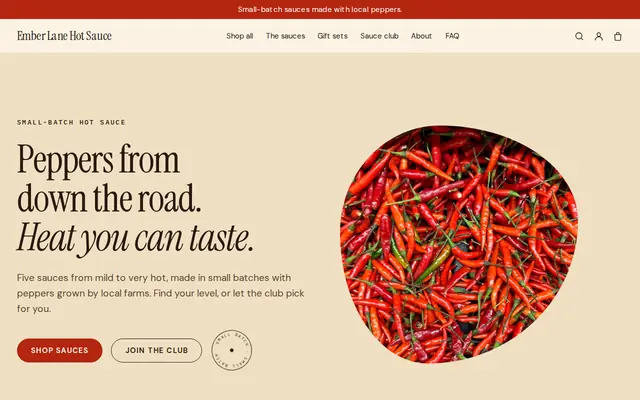
Made for Sauces and condiments, Snacks, Food gifts
Loud, playful and colourful for food makers with personality.
Advice
Whatever you build it with, these are the things that turn visitors into customers.
Photos of your booth, speakers and lighting at real weddings answer “will it look good in the photos?” Couples and venues care how your setup looks, not only how it sounds.
Power, space, load-in time and finish time. In the UK many venues ask DJs for PAT-tested equipment and public liability insurance, so say you have both if you do.
Couples worry about the music more than anything else. Saying that you take a must-play and a do-not-play list, and read the room on the night, answers their biggest question.
Venue names are search terms. A line or a page listing the venues you know helps couples marrying there find you, and gives the venue a reason to recommend you.
Couples often message several DJs about the same date. A reply within a day, saying whether you’re free and which package fits, wins many of those.
How it works
A sentence or two is enough: what you do, who it’s for and how people buy from you.
Cornerrr writes your pages, adds your products or services, and picks the colours, fonts and look. It takes about a minute.
Link a Stripe account, or create one in a few minutes. Your customers pay you directly.
Publish on your free Cornerrr web address, or use your own. Change anything later by asking.
Payments
Payments go through your own Stripe account, straight to you. Your customers see the methods you turn on in Stripe that work for their country and currency.
Selling in Europe or the US? United States, United Kingdom, Germany, France, Netherlands, Ireland and every country we cover.
Pricing
Build and preview for free, no card needed. Every paid plan starts with a 14-day free trial, and Cornerrr adds no transaction fees.
Build your website and try everything before you go live.
$0free
Go live and start selling.
$19a month
Most popular
For growing businesses with subscriptions and deliveries.
$49a month
For several stores and bigger catalogues.
$99a month
Questions
They send their date through the request form and it lands in your Inbox; you reply to say whether you’re free. Cornerrr has no calendar, so nobody can take a date you’ve already promised to someone else.
Link them from SoundCloud, Mixcloud or YouTube, where they stream properly, and add a few words about each. Your website holds the packages, photos and request form around them.
If you do both, yes. Couples look for packages, reliability and photos at venues; promoters look for mixes, past nights and where you’ve played. Separate pages let each find what they need fast.
No. You describe your business in your own words and Cornerrr builds the website. Afterwards you change things by clicking, or by asking the assistant in plain words.
Building and previewing your website is free, with no card needed. To go live and take payments, choose a plan from $19 a month. Every paid plan starts with a 14-day free trial; a card is needed to start it.
Describe your business and see your website in about a minute. It’s free until you go live.