Preview
Build your website and try everything before you go live.
$0free
Website builder for stationers
Describe your stationery store and Cornerrr builds a website with collections for writing, planning and gifting, nib sizes and paper rulings as options with stock, custom printing requests and a Stripe checkout.

What you get
Cornerrr writes every page from your description, then you change anything by clicking or by asking.
Each pen listed once, with nib size and body color as options and stock for each. Inks as their own products by color and bottle size.
Lined, dot grid, blank and squared as options, with the paper weight and whether it takes fountain pen ink without bleeding through.
Wedding invitations, business cards and letterpress work, listed with the price hidden. Customers send the quantity, paper and date, and you reply with a proof and a quote.
A parcel of notebooks, cards and an ink sample every month, billed by Stripe on the Growth plan. Members see their subscription in their account.
Shops and makers
Products with photos, options, prices and stock, a cart and a Stripe checkout.
A notebook in four rulings and three colors is one product, with every combination counting down on its own. You’ll see which dot grid is about to run out.
Run a discount code for back-to-school or a free-shipping code before the holidays, with start and end dates and a usage limit, on any paid plan.
Ask the assistant to add nib material, filling system and paper weight to every product in one go, written in your own voice.
On any paid plan, sell printable planner pages or card templates as digital downloads that buyers get after payment and can find again in their account.
Ready-made themes
Made for Bookshops, Stationers, Record shops
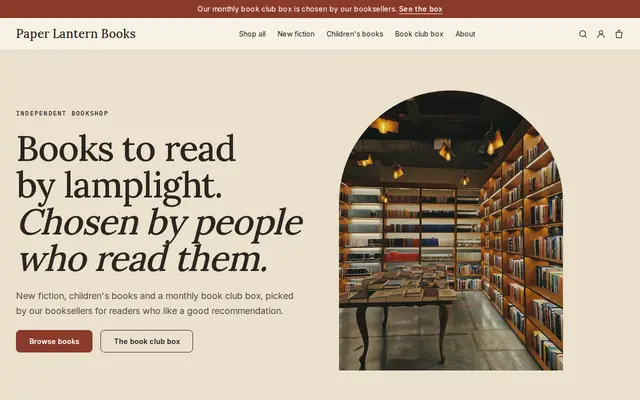
Bookish and characterful for bookshops and stationers.

Advice
Whatever you build it with, these are the things that turn visitors into customers.
Photograph each ink swabbed and written on the same paper, and each pen’s line next to a ruler. Online buyers can’t test a pen, so your samples have to do it for them.
Feathering and bleed-through are the first questions fountain pen users ask. Test each notebook with a wet nib and note the result on the product.
Back-to-school, the new-year planner rush and the winter holidays bring most of the year’s orders. Add next year’s planners in early fall, before people start looking.
For custom orders, always send a proof and get written approval before printing. Say on your Custom printing page how many rounds of changes are included.
Plenty of stationery is bought for someone else. A “Gifts for writers” collection and gift wrapping as an add-on product make it easy for them.
How it works
A sentence or two is enough: what you do, who it’s for and how people buy from you.
Cornerrr writes your pages, adds your products or services, and picks the colours, fonts and look. It takes about a minute.
Link a Stripe account, or create one in a few minutes. Your customers pay you directly.
Publish on your free Cornerrr web address, or use your own. Change anything later by asking.
Payments
Payments go through your own Stripe account, straight to you. Your customers see the methods you turn on in Stripe that work for their country and currency.
Selling in Europe or the US? United States, United Kingdom, Germany, France, Netherlands, Ireland and every country we cover.
Pricing
Build and preview for free, no card needed. Every paid plan starts with a 14-day free trial, and Cornerrr adds no transaction fees.
Build your website and try everything before you go live.
$0free
Go live and start selling.
$19a month
Most popular
For growing businesses with subscriptions and deliveries.
$49a month
For several stores and bigger catalogues.
$99a month
Questions
Yes. List invitations and save-the-dates as “price on request”. Couples send the date, quantity and style through a form, the request lands in your Inbox, and you reply with proofs and a quote.
Yes, on the Growth plan. Stripe bills members every month or at the interval you choose, with optional free trial days, and they see their subscription in their account.
Add nib size as an option on the pen, and body color too if you need it. Each combination has its own stock, and checkout stops when one runs out.
Yes. Add a wholesale page with “price on request” items. Shops send the quantities they want, the request lands in your Inbox and by email, and you reply with trade prices.
No. You describe your business in your own words and Cornerrr builds the website. Afterwards you change things by clicking, or by asking the assistant in plain words.
Building and previewing your website is free, with no card needed. To go live and take payments, choose a plan from $19 a month. Every paid plan starts with a 14-day free trial; a card is needed to start it.
Describe your business and see your website in about a minute. It’s free until you go live.