Preview
Build your website and try everything before you go live.
$0free
Website builder for food trucks
Describe your truck and Cornerrr builds a food truck website with your menu, a “where we are this week” page you update by asking, a request form for weddings and office lunches, and bottled sauces or merch for sale.
What you get
Cornerrr writes every page from your description, then you change anything by clicking or by asking.
A page listing where the truck parks each day, with times and addresses. Tell the assistant “Tuesday we’re at the brewery from five to nine” and apply the change from your phone.
Weddings, block parties and company lunches, listed as “price on request”. People send the date, place, headcount and whether there’s power on site, and it all lands in your Inbox.
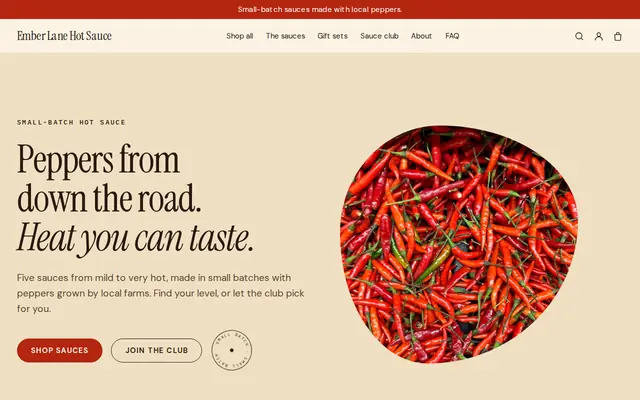
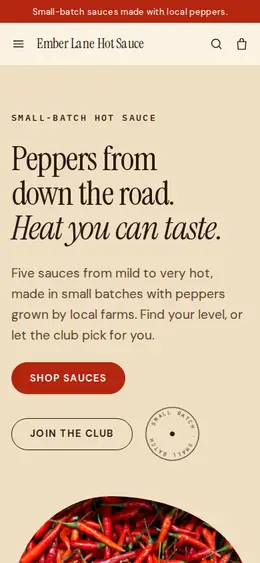
The salsa or hot sauce people ask about at the window, sold as products and shipped with rates you set. It keeps selling on the days the truck stays home.
T-shirts, hats and stickers with sizes and colors as options and stock for each, so fans can wear your logo and you can see what’s left in the box.
Food and drink
Products with photos, options, prices and stock, a cart and a Stripe checkout.
Cornerrr’s app runs in your phone’s browser, with nothing to install. Change the schedule, add a special or mark a sauce sold out between services.
Every event request arrives in your Inbox and by email with the date, address and number of guests the customer gave, so you can reply with a quote instead of trading five messages.
Set fixed shipping rates that cover a padded box of bottles and choose the countries you send to. Add the tracking number when it ships, and the customer gets a tracking link by email.
Social posts slide down the feed; a website keeps your menu, schedule and events page in one place search engines can find, with titles and descriptions you can edit.
Ready-made themes
Made for Sauces and condiments, Snacks, Food gifts
Loud, playful and colourful for food makers with personality.
Advice
Whatever you build it with, these are the things that turn visitors into customers.
An out-of-date location sends hungry people to an empty lot. Update the schedule the night before, and say clearly when weather or a breakdown cancels a stop.
People decide in the line whether to wait. A menu with prices, spice levels and vegetarian options on your site lets them choose before they walk over.
Private events often pay better than street service. Give them their own page with your minimum, service area, the space and power the truck needs, and how much notice you want.
Event planners, venues and offices often ask for your health permit and liability insurance. Say on the events page that you can provide them, and keep copies ready to email.
Put your website in your Instagram and TikTok bios and link those accounts from the site, so people who find you either way can check the schedule.
How it works
A sentence or two is enough: what you do, who it’s for and how people buy from you.
Cornerrr writes your pages, adds your products or services, and picks the colours, fonts and look. It takes about a minute.
Link a Stripe account, or create one in a few minutes. Your customers pay you directly.
Publish on your free Cornerrr web address, or use your own. Change anything later by asking.
Payments
Payments go through your own Stripe account, straight to you. Your customers see the methods you turn on in Stripe that work for their country and currency.
Selling in Europe or the US? United States, United Kingdom, Germany, France, Netherlands, Ireland and every country we cover.
Pricing
Build and preview for free, no card needed. Every paid plan starts with a 14-day free trial, and Cornerrr adds no transaction fees.
Build your website and try everything before you go live.
$0free
Go live and start selling.
$19a month
Most popular
For growing businesses with subscriptions and deliveries.
$49a month
For several stores and bigger catalogues.
$99a month
Questions
Not for collection at the window: checkout doesn’t offer a pickup choice yet. Food trucks use Cornerrr for the schedule, event and catering requests, and products that ship, like bottled sauces and merch.
List your catering packages as “price on request”. Customers send the date, place and headcount through a short form, the request lands in your Inbox, and you reply with a quote by email.
A website is where planners, offices and search engines look for your menu, area and contact details. It also takes requests and sells online, which a social profile can’t do on its own.
Keep a schedule page with each stop’s day, time and address. On Cornerrr you can ask the assistant to update it in plain words and apply the change in one click.
No. You describe your business in your own words and Cornerrr builds the website. Afterwards you change things by clicking, or by asking the assistant in plain words.
Building and previewing your website is free, with no card needed. To go live and take payments, choose a plan from $19 a month. Every paid plan starts with a 14-day free trial; a card is needed to start it.
Describe your business and see your website in about a minute. It’s free until you go live.