Preview
Build your website and try everything before you go live.
$0free
Website builder for personal chefs
Describe how you cook for clients and Cornerrr builds a personal chef website with your services, sample menus and the area you cover, plus a request form that collects the date, guests and dietary needs for you to quote.

What you get
Cornerrr writes every page from your description, then you change anything by clicking or by asking.
Birthday dinners, anniversaries and holiday meals listed as “price on request”, with the guest count, date and occasion sent to your Inbox.
A set number of meals cooked in the client’s kitchen each week. Once you’ve agreed the details, regular clients can be billed as a subscription on the Growth plan.
A lesson for two or a small group, listed with a price if you have a set one, or on request when the menu and the numbers change.
Food and drink
Your services with prices, or “price on request” so clients ask first, and every request in your Inbox.
Each request arrives in your Inbox and by email with the date, number of guests, location and dietary needs the client typed, so your first reply can be a real quote.
Write your seasonal menus once, then ask the assistant to rework them for spring, winter or a holiday, and apply the edit when you like it.
Lessons and fixed-price menus can be paid at checkout into your own Stripe account with cards and wallets like Apple Pay, so you don’t chase payment after the dishes are done.
Pick one of three designs Cornerrr makes for you, or a ready-made theme, and add your own photos. Every page works on phones, where many clients will see it first.
Ready-made themes
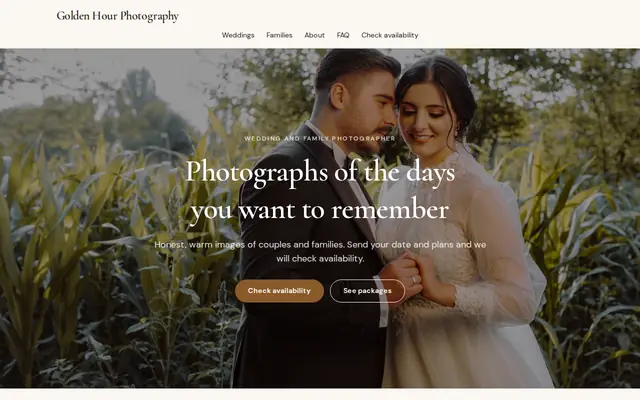
Made for Photographers, Videographers, Event planners
Editorial and airy for photographers and creatives who take bookings.
Advice
Whatever you build it with, these are the things that turn visitors into customers.
Clients are letting you into their kitchen. A friendly photo of you, plus your own photos of plated dishes, matters more here than on almost any food website.
Shopping, cooking, serving, cleanup, and whether groceries are billed separately: say exactly what a client gets. Most disagreements start with an assumption.
List the towns or neighborhoods you travel to and whether travel costs extra. People search for a personal chef with their town, so put it in your page titles too.
Ask in one line about allergies and foods to avoid, then talk through the details by email or phone. Don’t ask for medical histories through a website form.
Food safety certificates, insurance and where you trained reassure clients who are inviting a stranger to cook. Mention them on your About page.
How it works
A sentence or two is enough: what you do, who it’s for and how people buy from you.
Cornerrr writes your pages, adds your products or services, and picks the colours, fonts and look. It takes about a minute.
Link a Stripe account, or create one in a few minutes. Your customers pay you directly.
Publish on your free Cornerrr web address, or use your own. Change anything later by asking.
Payments
Payments go through your own Stripe account, straight to you. Your customers see the methods you turn on in Stripe that work for their country and currency.
Selling in Europe or the US? United States, United Kingdom, Germany, France, Netherlands, Ireland and every country we cover.
Pricing
Build and preview for free, no card needed. Every paid plan starts with a 14-day free trial, and Cornerrr adds no transaction fees.
Build your website and try everything before you go live.
$0free
Go live and start selling.
$19a month
Most popular
For growing businesses with subscriptions and deliveries.
$49a month
For several stores and bigger catalogues.
$99a month
Questions
Most take requests and confirm them by hand. On Cornerrr each service can be “price on request”: clients send the date, guests and dietary needs through a form, and you confirm and quote by email. There’s no booking calendar.
Many show a starting price per person or per week and quote the final amount. On Cornerrr you can show prices on set services like lessons and hide them on dinner parties, where the menu decides the cost.
Yes, on the Growth plan. Set up a weekly or monthly subscription for a regular client and Stripe charges it on schedule. The client can see it in their account.
It depends on where you work. Cooking in a client’s home is often treated differently from selling food to the public, but some places ask for a business license, a food handler card or insurance. Check with your city or local council.
No. You describe your business in your own words and Cornerrr builds the website. Afterwards you change things by clicking, or by asking the assistant in plain words.
Building and previewing your website is free, with no card needed. To go live and take payments, choose a plan from $19 a month. Every paid plan starts with a 14-day free trial; a card is needed to start it.
Describe your business and see your website in about a minute. It’s free until you go live.