Preview
Build your website and try everything before you go live.
$0free
Website builder for videographers
Describe what you film (weddings, brand videos or events) and Cornerrr builds your pages, your packages and an inquiry form that asks for the date, location and kind of film. Every request arrives in one Inbox.
What you get
Cornerrr writes every page from your description, then you change anything by clicking or by asking.
Each film gets a page with a strong still, the story behind it and a link to watch it on YouTube or Vimeo, where it plays at full quality.
A highlight film, a full-length edit, raw footage or drone coverage: list each package with its running time, hours of filming and delivery time, so clients compare like with like.
Businesses ask for a quote with what the video is for, where it will be shown, the shoot date and a budget range. Each brief lands in your Inbox, ready for a reply.
Extra social-media cuts, a rush edit or a keepsake USB can be products that clients pay for online once they’ve booked you.
Creative and events
Your services with prices, or “price on request” so clients ask first, and every request in your Inbox.
Choose the fields: date, location, kind of film, guest count or campaign. Each request lands in your Inbox and your email, so you can reply the same day.
Each service gets its own page title and description, and your website has a sitemap and structured data for your business, so search engines understand what you film and where.
Ask the assistant for a darker, more cinematic look or a new layout, see it, and apply or undo it. The words and pages stay as they are.
Ready-made themes
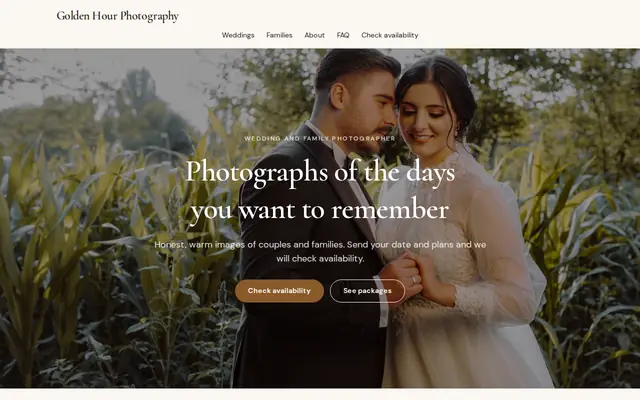
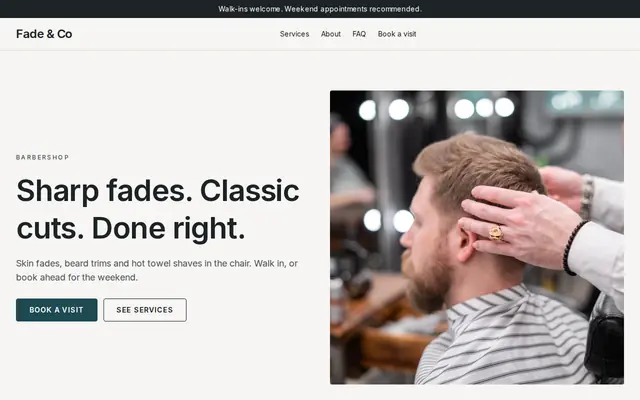
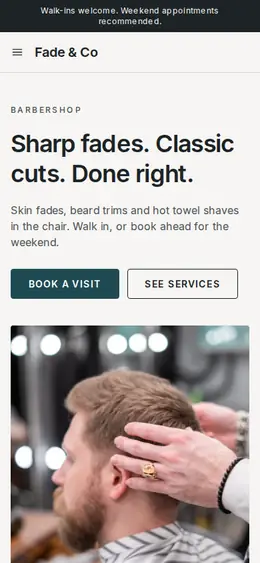
Made for Photographers, Videographers, Event planners
Editorial and airy for photographers and creatives who take bookings.
Advice
Whatever you build it with, these are the things that turn visitors into customers.
Sixty to ninety seconds of your strongest shots holds attention better than a five-minute reel. Put whole films on their own pages for people who want to see a full story.
A couple and a marketing manager want different things. Give each its own page with its own examples and packages, so neither has to scroll past the other’s films.
Running time, file format, how the film is delivered and whether the music is licensed. Saying up front that you use licensed music saves an awkward talk when a film gets muted on social media.
If you sell drone shots, say that you hold the license your country requires (in the US, the FAA’s Part 107 certificate for paid work) and that some venues don’t allow drones at all.
Say when the highlight film and the full edit arrive. Couples share the highlight film the week it lands, so a clear date helps your referrals too.
How it works
A sentence or two is enough: what you do, who it’s for and how people buy from you.
Cornerrr writes your pages, adds your products or services, and picks the colours, fonts and look. It takes about a minute.
Link a Stripe account, or create one in a few minutes. Your customers pay you directly.
Publish on your free Cornerrr web address, or use your own. Change anything later by asking.
Payments
Payments go through your own Stripe account, straight to you. Your customers see the methods you turn on in Stripe that work for their country and currency.
Selling in Europe or the US? United States, United Kingdom, Germany, France, Netherlands, Ireland and every country we cover.
Pricing
Build and preview for free, no card needed. Every paid plan starts with a 14-day free trial, and Cornerrr adds no transaction fees.
Build your website and try everything before you go live.
$0free
Go live and start selling.
$19a month
Most popular
For growing businesses with subscriptions and deliveries.
$49a month
For several stores and bigger catalogues.
$99a month
Questions
Add a still from each film with a link to watch it on YouTube or Vimeo, where it streams properly. Your website then carries the packages, the story behind each film and the inquiry form.
Many show wedding packages by film length with a starting price, and quote brand work after an inquiry. On Cornerrr each package can show its price or be marked “price on request”.
Yes. The inquiry form collects the project details you choose, and each brief lands in your Inbox and by email. You reply by email with questions or a quote.
No. You describe your business in your own words and Cornerrr builds the website. Afterwards you change things by clicking, or by asking the assistant in plain words.
Building and previewing your website is free, with no card needed. To go live and take payments, choose a plan from $19 a month. Every paid plan starts with a 14-day free trial; a card is needed to start it.
Describe your business and see your website in about a minute. It’s free until you go live.