Preview
Build your website and try everything before you go live.
$0free
Website builder for consultants
Describe what you advise on and who for, and Cornerrr builds your service pages, case studies, a request form for intro calls and, if you want them, fixed-price packages clients can buy online.
What you get
Cornerrr writes every page from your description, then you change anything by clicking or by asking.
An audit, a workshop or a strategy session at a fixed price, sold online. Clients get a clear, low-risk way to start working with you, and you’re paid before you travel.
A monthly advisory retainer billed by Stripe on the Growth plan. Clients see the retainer in their account, and you stop chasing the same invoice every month.
Larger projects are “price on request”: the prospect describes the problem, the timing and the size of their company, and the request lands in your Inbox.
A page per engagement with the problem, what you did and what changed, in the client’s own numbers and with their permission. Buyers of advice want evidence, not slogans.
Professional services
Your services with prices, or “price on request” so clients ask first, and every request in your Inbox.
Businesses paying for a fixed package get an invoice for the order and can add their tax ID at checkout. Stripe Tax can work out sales tax or VAT where it applies.
Ask for company size, the problem, the timeline and a budget range. Each request lands in your Inbox, so you can see who’s a fit before you give an hour to a call.
Cornerrr drafts your service pages from your description. Ask the assistant to cut buzzwords, shorten a page or rewrite it for one industry, then apply or undo it.
Ready-made themes
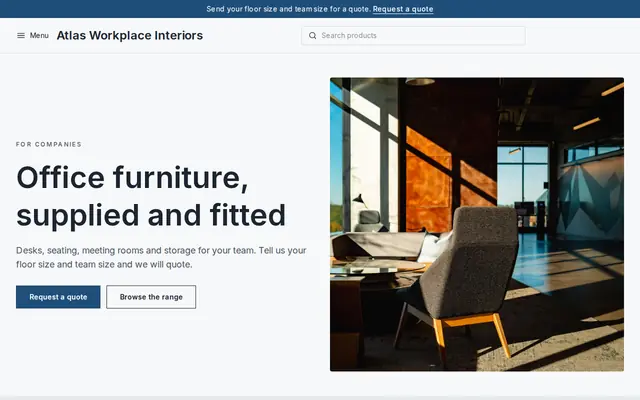
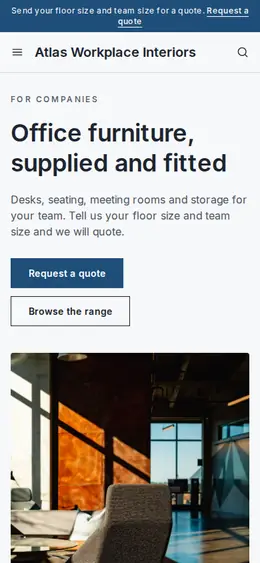
Made for Office suppliers, Fit-out companies, B2B services
Modern and confident for B2B services and fit-outs.
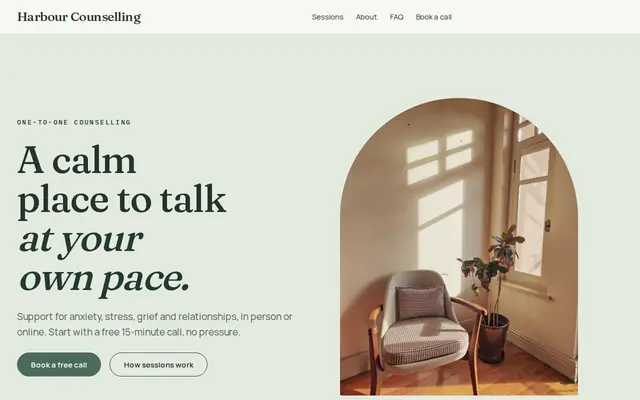
Made for Counsellors, Therapists, Life coaches
Soft and quiet for counsellors, coaches and therapists.
Advice
Whatever you build it with, these are the things that turn visitors into customers.
“Operations consulting for food manufacturers” is easier to hire than “business consulting”. The narrower your headline, the more the right visitor feels the page was written for them.
Intro call, proposal, the work, the hand-over. A short “how I work” page answers what busy buyers want to know before they commit to a meeting.
A few short articles answering questions clients ask in first calls show how you think and give search engines specific words to find. On Cornerrr the blog is on the Growth plan.
A fixed-price first step with a clear name, scope and length is easier to say yes to than “get in touch to discuss”. It also tells buyers roughly what you cost.
People hire a consultant, not a logo. A clear photo, your background in one paragraph and a link to your LinkedIn profile do more than a stock image of a meeting room.
How it works
A sentence or two is enough: what you do, who it’s for and how people buy from you.
Cornerrr writes your pages, adds your products or services, and picks the colours, fonts and look. It takes about a minute.
Link a Stripe account, or create one in a few minutes. Your customers pay you directly.
Publish on your free Cornerrr web address, or use your own. Change anything later by asking.
Payments
Payments go through your own Stripe account, straight to you. Your customers see the methods you turn on in Stripe that work for their country and currency.
Selling in Europe or the US? United States, United Kingdom, Germany, France, Netherlands, Ireland and every country we cover.
Pricing
Build and preview for free, no card needed. Every paid plan starts with a 14-day free trial, and Cornerrr adds no transaction fees.
Build your website and try everything before you go live.
$0free
Go live and start selling.
$19a month
Most popular
For growing businesses with subscriptions and deliveries.
$49a month
For several stores and bigger catalogues.
$99a month
Questions
Many show the price of a fixed first step, such as an audit or a workshop, and quote larger projects after a call. On Cornerrr, packages can show a price and be paid online, and projects can be “price on request”.
Yes, on the Growth plan. A retainer is a subscription that Stripe bills every month, and clients see it in their account. If a client wants to change or end it, they ask you.
A headline that names who you help and with what, two or three services with a clear first step, a few case studies, a page about you and a short request form. Cornerrr builds those pages from a couple of sentences about your practice.
No. You describe your business in your own words and Cornerrr builds the website. Afterwards you change things by clicking, or by asking the assistant in plain words.
Building and previewing your website is free, with no card needed. To go live and take payments, choose a plan from $19 a month. Every paid plan starts with a 14-day free trial; a card is needed to start it.
Describe your business and see your website in about a minute. It’s free until you go live.