Preview
Build your website and try everything before you go live.
$0free
Website builder for escape rooms
Describe your rooms and Cornerrr builds an escape room website with each room’s story, difficulty and group size, a request form for dates and players, and pages for birthdays and team building.
What you get
Cornerrr writes every page from your description, then you change anything by clicking or by asking.
Story, difficulty, players, length, age guide and scare level, with one moody photo that gives nothing away. Each room is listed as price on request, so groups ask for a game.
Players send the room, the date, a preferred start time and how many are coming. Requests land in your Inbox, and you confirm by email.
Companies send their headcount, the date and whether they want every room at once. You quote by email from your Inbox.
Kids’ and adults’ birthdays with what’s included, age limits and how many rooms a big group needs, as their own request listing.
Travel and hospitality
Your services with prices, or “price on request” so clients ask first, and every request in your Inbox.
Edit the form to ask what you need: room, date, preferred start time, players, ages, and whether it’s a celebration. Keep it to the questions you’d ask on the phone.
Cornerrr writes room stories and an FAQ from a few words. Ask the assistant to make a room sound scarier, funnier or more family-friendly, then apply it.
Every request lands in your Inbox and your email, and the assistant can tell you how many came in this week or which ones mention a birthday.
Each room gets its own page title, description and clean link, and your business details are marked up as structured data, so searches for escape rooms in your town have more to find.
Ready-made themes
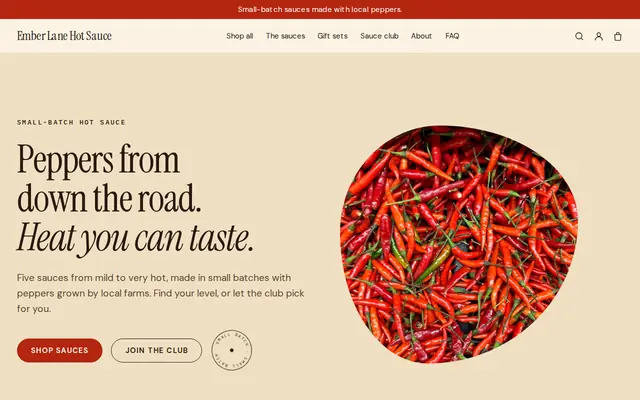
Made for Sauces and condiments, Snacks, Food gifts
Loud, playful and colourful for food makers with personality.
Advice
Whatever you build it with, these are the things that turn visitors into customers.
A simple difficulty scale, and an escape rate if you track one, help groups pick the right room. First-timers locked in your hardest room rarely come back for another.
Ask groups to come 15 minutes early for the briefing, and say what happens to the game time if they’re late. It saves awkward conversations at the door.
Minimum ages, whether children need an adult, any dark or scary parts, and whether rooms suit wheelchair users or people who dislike small spaces. Parents and planners look for these first.
Planners want group size, length, a space for a debrief and whether you can invoice. A team-building page reads differently from a birthday page, so write them separately.
Puzzle photos spoil the game, so show your entrance, the lobby and groups holding their escape-time sign, with their permission.
How it works
A sentence or two is enough: what you do, who it’s for and how people buy from you.
Cornerrr writes your pages, adds your products or services, and picks the colours, fonts and look. It takes about a minute.
Link a Stripe account, or create one in a few minutes. Your customers pay you directly.
Publish on your free Cornerrr web address, or use your own. Change anything later by asking.
Payments
Payments go through your own Stripe account, straight to you. Your customers see the methods you turn on in Stripe that work for their country and currency.
Selling in Europe or the US? United States, United Kingdom, Germany, France, Netherlands, Ireland and every country we cover.
Pricing
Build and preview for free, no card needed. Every paid plan starts with a 14-day free trial, and Cornerrr adds no transaction fees.
Build your website and try everything before you go live.
$0free
Go live and start selling.
$19a month
Most popular
For growing businesses with subscriptions and deliveries.
$49a month
For several stores and bigger catalogues.
$99a month
Questions
They send a request with the room, date, start time and group size, and you confirm by email. There’s no schedule of open games on the website, so you keep your game sheet as you do today.
Write a team-building page with group sizes, timings, what’s included and how you invoice, and link it from your home page. Companies send requests through its form, and you quote by email from your Inbox.
Theme, story, difficulty, players, length, age guide and scare level, with one photo that sets the mood without revealing puzzles. Cornerrr writes a first draft of each room page from a few words.
Yes, if you run fixed public games. List the game as a product with its dates as options and stock for the groups you can take, and checkout stops selling a date when it’s full.
No. You describe your business in your own words and Cornerrr builds the website. Afterwards you change things by clicking, or by asking the assistant in plain words.
Building and previewing your website is free, with no card needed. To go live and take payments, choose a plan from $19 a month. Every paid plan starts with a 14-day free trial; a card is needed to start it.
Describe your business and see your website in about a minute. It’s free until you go live.