Preview
Build your website and try everything before you go live.
$0free
Website builder for garden centers and nurseries
Describe your garden center or nursery and Cornerrr builds a website with plants by season, sun and size, care notes on every plant, workshops with limited seats, delivery requests for big orders and a Stripe checkout.
What you get
Cornerrr writes every page from your description, then you change anything by clicking or by asking.
A collection for what’s just arrived and what’s at its best, from spring bedding plants to fall bulbs. Gardeners plan their weekend around it.
Pot sizes as options with their own stock, and a care line on each plant: sun or shade, watering, hardiness and final height. The questions people ask at the counter, answered ahead.
Wreath making, pruning and container planting as products with a set number of places. Checkout stops when the class is full.
Trees, bulk soil and mulch, and planting help listed with the price hidden. Customers send their address and what they need, and you reply with a quote.
Shops and makers
Products with photos, options, prices and stock, a cart and a Stripe checkout.
Ask the assistant to swap spring bedding for fall bulbs on the home page, write care notes for new arrivals or start an end-of-season discount code.
Seeds, bulbs, tools and small houseplants can ship with fixed rates you set. Keep trees and large pots for your own delivery by request.
Christmas trees, wreaths and poinsettias as products with stock, so customers can buy ahead and you know how many to order before the season.
Cornerrr adds structured data for your business, a sitemap and page titles you can edit, so you can use your town and the plants people search for.
Ready-made themes
Made for Gardeners, Landscapers, Tree surgeons
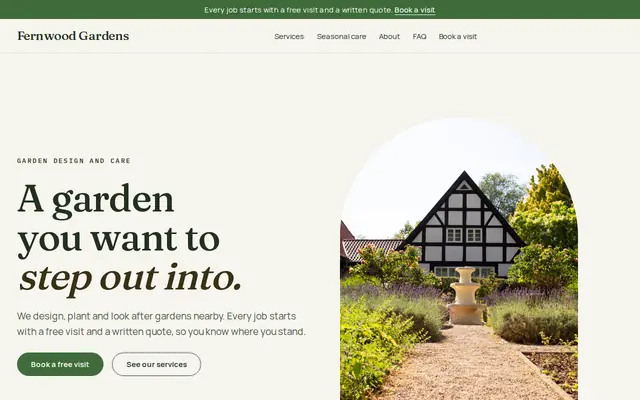
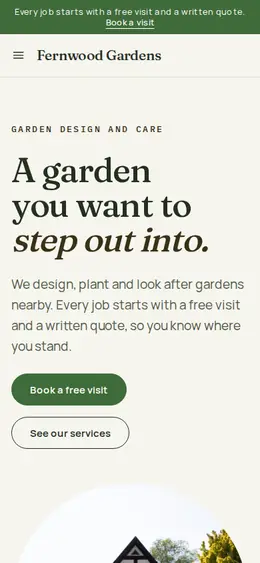
Green and natural for gardeners and landscapers.
Made for Farm boxes, Meal kits, Local deliveries
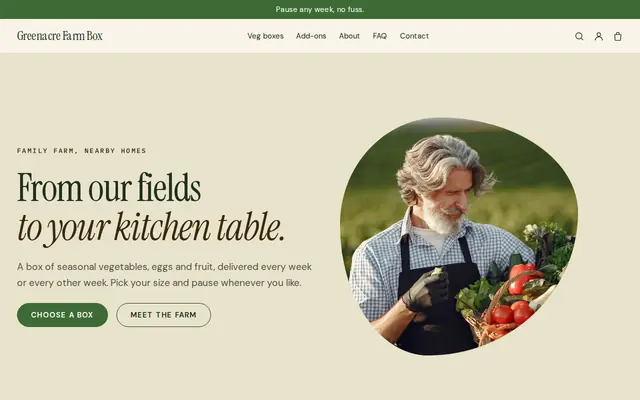
Earthy and friendly for farm boxes, meal kits and deliveries that repeat.
Advice
Whatever you build it with, these are the things that turn visitors into customers.
Say which plants do well near you and when to plant them locally. In the US mention the USDA hardiness zone; elsewhere, your usual last frost date. It’s advice a national chain can’t give.
Plants sold at a distance may need a plant passport in the EU and UK, and some US states restrict plants and soil coming in. Check the rules before you ship plants beyond your area.
Show the plant as it will arrive, in its pot, as well as in full bloom. A customer who gets a small green plant after seeing only a flowering photo feels misled.
Gardeners plan by what’s available. A weekly update on the home page, or a blog post on the Growth plan, brings regulars back and gives search engines seasonal pages.
Is it deer resistant, is it toxic to pets, is it good for pollinators? Put those answers in each plant’s description; they’re the filters gardeners use in their heads.
How it works
A sentence or two is enough: what you do, who it’s for and how people buy from you.
Cornerrr writes your pages, adds your products or services, and picks the colours, fonts and look. It takes about a minute.
Link a Stripe account, or create one in a few minutes. Your customers pay you directly.
Publish on your free Cornerrr web address, or use your own. Change anything later by asking.
Payments
Payments go through your own Stripe account, straight to you. Your customers see the methods you turn on in Stripe that work for their country and currency.
Selling in Europe or the US? United States, United Kingdom, Germany, France, Netherlands, Ireland and every country we cover.
Pricing
Build and preview for free, no card needed. Every paid plan starts with a 14-day free trial, and Cornerrr adds no transaction fees.
Build your website and try everything before you go live.
$0free
Go live and start selling.
$19a month
Most popular
For growing businesses with subscriptions and deliveries.
$49a month
For several stores and bigger catalogues.
$99a month
Questions
Yes. List plants with pot sizes as options and stock, and set fixed shipping rates for what travels well. Large plants can be “price on request” so you quote local delivery.
Keep an “In stock now” collection on your home page and update it as plants come and go. Each plant keeps its own count, and checkout stops when it sells out.
Yes, as a request. Mark bulk soil, mulch and stone “price on request”; customers send the amount and their address, and you reply with the total including delivery.
Yes. Write your seasonal hours on your Contact page and home page, and ask the assistant to update them when the season turns. Keep your Google Business Profile the same.
No. You describe your business in your own words and Cornerrr builds the website. Afterwards you change things by clicking, or by asking the assistant in plain words.
Building and previewing your website is free, with no card needed. To go live and take payments, choose a plan from $19 a month. Every paid plan starts with a 14-day free trial; a card is needed to start it.
Describe your business and see your website in about a minute. It’s free until you go live.