Preview
Build your website and try everything before you go live.
$0free
Website builder for campgrounds and RV parks
Describe your park and Cornerrr builds a campground website with tent sites, RV hookups and cabins, a request form for dates, your rules and a map. Long-stay guests can pay monthly site rent through Stripe.
What you get
Cornerrr writes every page from your description, then you change anything by clicking or by asking.
Tent, RV and cabin sites as price on request listings with hookups, amp service, pull-through or back-in, maximum rig length, shade and fire ring, so campers ask for a site that fits.
Arrival date, nights, people, pets, rig length and hookups needed, sent through your form. Requests land in your Inbox, and you confirm each stay by email.
Long-stay RV guests can pay site rent as a monthly subscription billed by Stripe on the Growth plan, so you stop chasing payments on the first of the month.
Family reunions, RV rallies and scout troops as their own request listing, asking how many sites they need and whether they want the pavilion.
Travel and hospitality
Your services with prices, or “price on request” so clients ask first, and every request in your Inbox.
Upload your site map as an image on its own page. Campers study it to choose between the river sites and the quiet loop before they send a request.
Quiet hours, fires, pets, generators and late arrivals on one plain page. Every Cornerrr website works on phones, which is where campers read it, usually from the car.
Requests land in your Inbox, site rent goes through your own Stripe account, and the assistant can tell you which requests came in this week.
Ask the assistant to update the home page when you open or close for the season, with the dates and what’s open, then apply it with one click.
Ready-made themes
Made for Outdoor gear, Bike shops, Sports shops
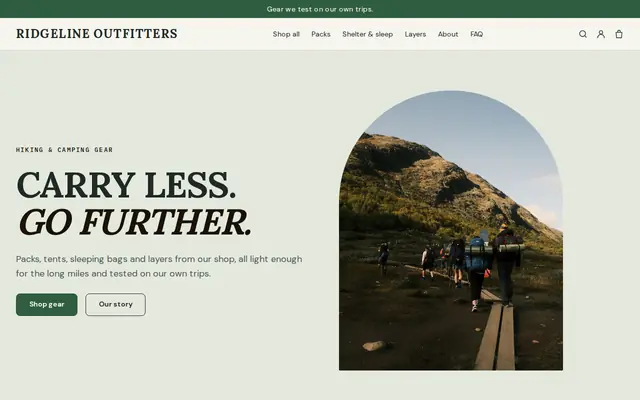
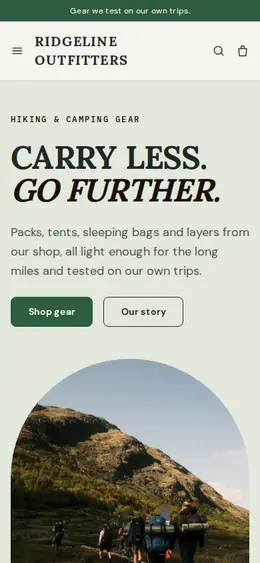
Rugged and outdoorsy for adventure and sports shops.
Made for Gardeners, Landscapers, Tree surgeons
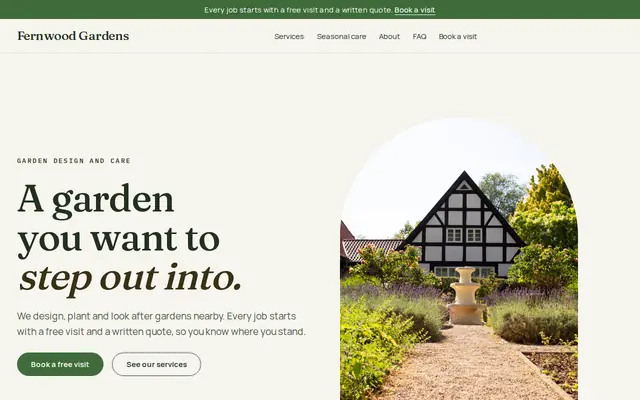
Green and natural for gardeners and landscapers.
Advice
Whatever you build it with, these are the things that turn visitors into customers.
RV campers need amps, water, sewer, pad length and surface, and whether a site is pull-through. A rig that doesn’t fit means a long drive back out.
Rural routes from map apps can send big rigs down roads they can’t turn on. Give a recommended route for RVs, the last turns, and where to check in after the office closes.
Many parks and states ask campers not to bring firewood from far away, to keep tree pests from spreading. Say whether you sell wood at the office and what your fire rules are in dry spells.
Photograph a few typical sites with a tent or a rig on them, plus the bathhouse and the laundry. Campers choose on clean bathrooms as much as on the view.
Opening dates, minimum stays on holiday weekends, and what happens when weather closes the park. Clear terms written in spring save arguments in July.
How it works
A sentence or two is enough: what you do, who it’s for and how people buy from you.
Cornerrr writes your pages, adds your products or services, and picks the colours, fonts and look. It takes about a minute.
Link a Stripe account, or create one in a few minutes. Your customers pay you directly.
Publish on your free Cornerrr web address, or use your own. Change anything later by asking.
Payments
Payments go through your own Stripe account, straight to you. Your customers see the methods you turn on in Stripe that work for their country and currency.
Selling in Europe or the US? United States, United Kingdom, Germany, France, Netherlands, Ireland and every country we cover.
Pricing
Build and preview for free, no card needed. Every paid plan starts with a 14-day free trial, and Cornerrr adds no transaction fees.
Build your website and try everything before you go live.
$0free
Go live and start selling.
$19a month
Most popular
For growing businesses with subscriptions and deliveries.
$49a month
For several stores and bigger catalogues.
$99a month
Questions
They send a request with dates, site type and rig details, and you confirm by email. Cornerrr has no site calendar or map of open sites, so you keep track of sites the way you do today.
Yes, on the Growth plan. Make monthly site rent a subscription and Stripe bills it every month through your own Stripe account. When the guest leaves, you cancel it in your Stripe Dashboard.
Site types with hookups and sizes, a park map, rules, the season, directions and how to request a stay. Cornerrr starts you with those pages, written from your description.
In most US states campgrounds are licensed or permitted, and water, sewage and bathhouses are inspected. Check with your state health department or county office for what applies to you.
No. You describe your business in your own words and Cornerrr builds the website. Afterwards you change things by clicking, or by asking the assistant in plain words.
Building and previewing your website is free, with no card needed. To go live and take payments, choose a plan from $19 a month. Every paid plan starts with a 14-day free trial; a card is needed to start it.
Describe your business and see your website in about a minute. It’s free until you go live.