Preview
Build your website and try everything before you go live.
$0free
Website builder for fishing charters
Describe your boat and your waters, and Cornerrr builds a fishing charter website with private trip requests, shared trips sold by the seat for each date, what bites in each season and what to bring.
What you get
Cornerrr writes every page from your description, then you change anything by clicking or by asking.
Half-day, full-day and overnight trips as price on request listings. Anglers send the date, group size, experience and target species, and you confirm by email after checking the forecast.
Weekend shared trips as a product with each date as an option and stock set to the seats on board, so a date stops selling when the boat is full.
Shorter, calmer trips for kids and beginners, with what’s different about them, as their own listing so parents find them quickly.
Add-ons like fish cleaning and bagging as fixed-price products, plus shirts and hats if you sell them.
Travel and hospitality
Your services with prices, or “price on request” so clients ask first, and every request in your Inbox.
Each shared trip date keeps its own seat count. When a party of three pays, three seats come off that date, and checkout won’t sell a seventh seat on a six-angler boat.
Cornerrr writes trip pages, an About page for the captain and the boat, and an FAQ about seasickness, licenses and weather from a few lines you give it.
Charter requests land in your Inbox and your email, and the owner’s app works in a phone browser, so you can reply between trips.
Seats and add-ons are paid through your own Stripe account by card, Apple Pay or Google Pay, and Cornerrr adds no transaction fee.
Ready-made themes
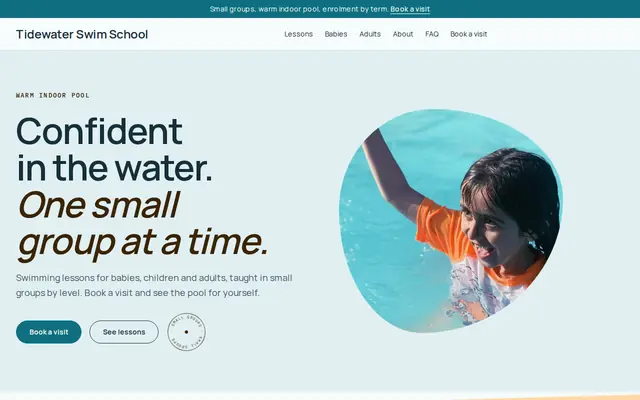
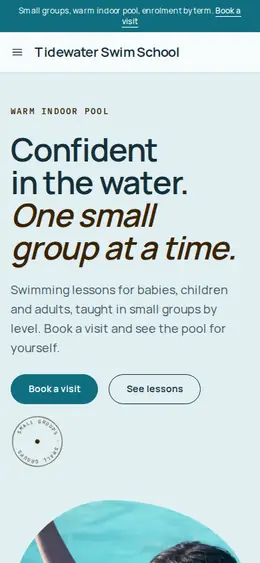
Made for Swim schools, Music lessons, Kids’ clubs
Bright and cheerful for lessons, schools and clubs.
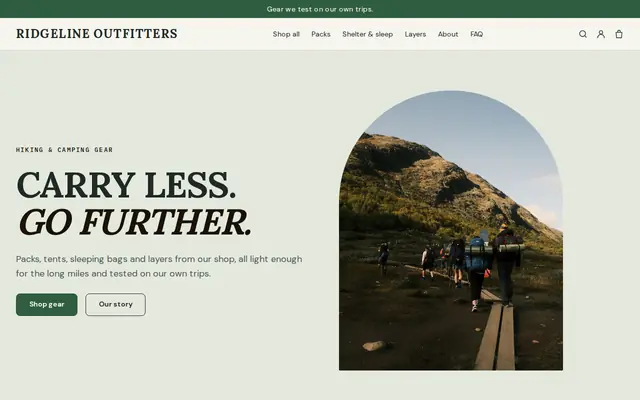
Made for Outdoor gear, Bike shops, Sports shops
Rugged and outdoorsy for adventure and sports shops.
Advice
Whatever you build it with, these are the things that turn visitors into customers.
In the US, carrying paying passengers takes a Coast Guard captain’s license, and the license type limits how many guests you can take. Say what you hold, and that you’re insured, on your About page.
In some states a charter’s license covers every angler on board; in others each guest buys their own. Say which applies on your trips, and link to where guests can buy one.
A month-by-month guide to target species answers “when should we come?”, and gives you a page worth updating each season that search engines see change.
Say who decides when it’s too rough, how late you make the call, and whether guests can move dates or get a refund. Put it on every trip page.
Rods, bait, tackle, ice, drinks, sunscreen, a hat, a cooler for the catch. Say which ones you provide, so guests who arrive ready have a better day on the water.
How it works
A sentence or two is enough: what you do, who it’s for and how people buy from you.
Cornerrr writes your pages, adds your products or services, and picks the colours, fonts and look. It takes about a minute.
Link a Stripe account, or create one in a few minutes. Your customers pay you directly.
Publish on your free Cornerrr web address, or use your own. Change anything later by asking.
Payments
Payments go through your own Stripe account, straight to you. Your customers see the methods you turn on in Stripe that work for their country and currency.
Selling in Europe or the US? United States, United Kingdom, Germany, France, Netherlands, Ireland and every country we cover.
Pricing
Build and preview for free, no card needed. Every paid plan starts with a 14-day free trial, and Cornerrr adds no transaction fees.
Build your website and try everything before you go live.
$0free
Go live and start selling.
$19a month
Most popular
For growing businesses with subscriptions and deliveries.
$49a month
For several stores and bigger catalogues.
$99a month
Questions
Private trips are requests: anglers send the date and group size, and you confirm by email. Shared trips can be sold by the seat, with each date as an option and the seats as stock.
Create a shared trip product, add each date as an option and set its stock to your seats. When a party of three buys, three seats come off that date.
Trip types and lengths, the boat and how many it carries, the captain, species by season, what’s included, what to bring, your weather policy and how to request a trip. Cornerrr builds those pages from a short description.
Write your policy where guests see it before they pay. When a trip is called off and you refund the order, the customer gets a refund email.
No. You describe your business in your own words and Cornerrr builds the website. Afterwards you change things by clicking, or by asking the assistant in plain words.
Building and previewing your website is free, with no card needed. To go live and take payments, choose a plan from $19 a month. Every paid plan starts with a 14-day free trial; a card is needed to start it.
Describe your business and see your website in about a minute. It’s free until you go live.