Preview
Build your website and try everything before you go live.
$0free
Website builder for thrift and vintage stores
Describe your thrift or vintage store and Cornerrr builds a website for secondhand stock: listings drafted from your photos, collections by decade and type, a stock of one per item, and a Stripe checkout.

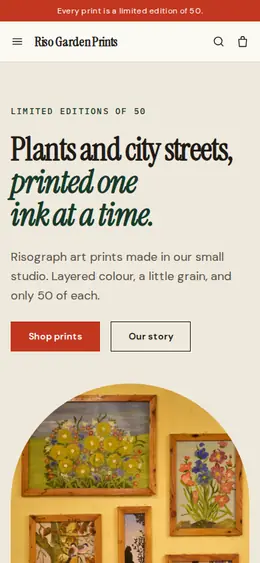
What you get
Cornerrr writes every page from your description, then you change anything by clicking or by asking.
A Just in collection at the top of the home page, filled with the day’s best pieces. Regulars check it the way they’d flick through the racks, and the good things go fast.
Collections for the ’70s, ’80s and ’90s, denim, outerwear and band tees, each piece with real measurements, since vintage sizes rarely match today’s.
Glassware, lamps, frames and records as their own collections. Small, sturdy pieces ship well; for fragile ones, say in the description that buyers should ask about shipping.
A page for people bringing items in: what you take, what you can’t, and your drop-off hours. It saves your team turning bags away at the door.
Shops and makers
Products with photos, options, prices and stock, a cart and a Stripe checkout.
Photograph an item and Cornerrr drafts the title, description, alt text and tags. You add the size, measurements and any flaws, and it’s ready to sell.
Each find has a stock of one. When it’s paid for, checkout stops for it, so the jacket that sold this morning doesn’t sell again this afternoon.
Encourage people to buy two or three pieces with a free-shipping code above an order amount you choose, on any paid plan.
Every item has its own page with a title, description and structured data for products and prices. People search for brand names and decades as well as for thrift stores nearby.
Ready-made themes
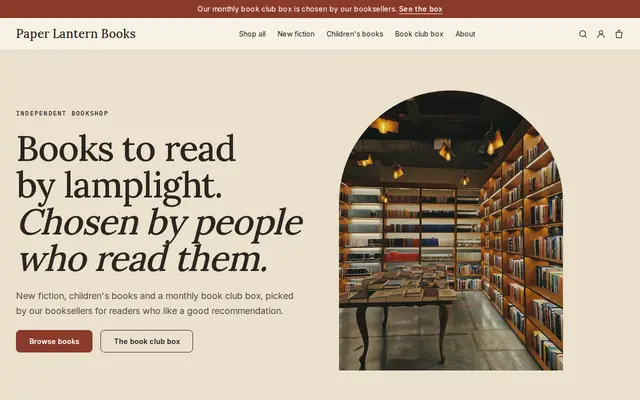
Made for Bookshops, Stationers, Record shops
Bookish and characterful for bookshops and stationers.
Advice
Whatever you build it with, these are the things that turn visitors into customers.
Give pit-to-pit, length, waist and inseam for clothing, laid flat, and the size on the label as well. Vintage sizing has shifted over the decades, so measurements prevent returns.
Use a short scale such as excellent, very good, good and as found, and photograph any stains, holes or repairs. Buyers of secondhand clothing expect some wear; they don’t forgive surprises.
A cheap paperback can cost more to post than it sells for. Put the special, branded or collectible finds online and leave everyday stock for the shop floor.
Say on the home page when new pieces go up. A dependable drop gives regulars a reason to check your website, and to get to the shop early.
If your store raises money for a charity or a cause, say so on the home page and your About page. It’s one of the reasons people choose to shop secondhand with you.
How it works
A sentence or two is enough: what you do, who it’s for and how people buy from you.
Cornerrr writes your pages, adds your products or services, and picks the colours, fonts and look. It takes about a minute.
Link a Stripe account, or create one in a few minutes. Your customers pay you directly.
Publish on your free Cornerrr web address, or use your own. Change anything later by asking.
Payments
Payments go through your own Stripe account, straight to you. Your customers see the methods you turn on in Stripe that work for their country and currency.
Selling in Europe or the US? United States, United Kingdom, Germany, France, Netherlands, Ireland and every country we cover.
Pricing
Build and preview for free, no card needed. Every paid plan starts with a 14-day free trial, and Cornerrr adds no transaction fees.
Build your website and try everything before you go live.
$0free
Go live and start selling.
$19a month
Most popular
For growing businesses with subscriptions and deliveries.
$49a month
For several stores and bigger catalogues.
$99a month
Questions
Yes. Each item is a product with a stock of one, photos, the label size and your measurements. Cornerrr can draft the listing from a photo, and checkout stops once it’s sold.
Start with your best twenty or thirty finds a week and grow from there. A small, well-photographed selection usually does more for you than hundreds of rushed listings.
Yes. Add a “What we accept” page with your drop-off hours and the things you can’t take, and link it from your home page. The assistant can update it whenever your rules change.
There’s no hold button, but they can buy it online for shipping, or call or send a request to arrange collecting it from the shop. Say which you prefer on your Visit us page.
No. You describe your business in your own words and Cornerrr builds the website. Afterwards you change things by clicking, or by asking the assistant in plain words.
Building and previewing your website is free, with no card needed. To go live and take payments, choose a plan from $19 a month. Every paid plan starts with a 14-day free trial; a card is needed to start it.
Describe your business and see your website in about a minute. It’s free until you go live.