Preview
Build your website and try everything before you go live.
$0free
Website builder for meal prep services
Describe your meal prep service and Cornerrr builds a meal prep website with weekly plans as subscriptions on the Growth plan, a rotating menu, single meals to order, and your cut-off and delivery days on every page.
What you get
Cornerrr writes every page from your description, then you change anything by clicking or by asking.
Five, ten or fifteen meals a week as plan sizes, billed every week by Stripe on the Growth plan. Each subscriber can see their plan when they sign in.
Meals sold one by one or as a bundle, with stock per dish, so a popular meal stops selling when you’ve made as many as you planned.
If you deliver on two days, add the day as an option on each bundle with its own stock, so neither delivery run gets more orders than the van can take.
Regular lunches for offices or gyms listed as “price on request”. Managers send the headcount and days through a form, and you reply with a quote.
Food and drink
Plans billed every week or month by Stripe, with one-off products and extras alongside.
Ask the assistant to swap this week’s dishes, rewrite their descriptions and change the stock, then apply the changes in one go.
Each meal’s description can list ingredients, allergens and, if you’ve worked them out, calories and macros. The assistant can add a reheating line to every meal at once.
Offer a first-week code with a percentage or fixed amount off, a minimum order, an end date and a once-per-customer limit, on any paid plan.
Customers sign in with a code sent by email to see their orders and subscription, so fewer people message you to ask what they ordered.
Ready-made themes
Made for Farm boxes, Meal kits, Local deliveries
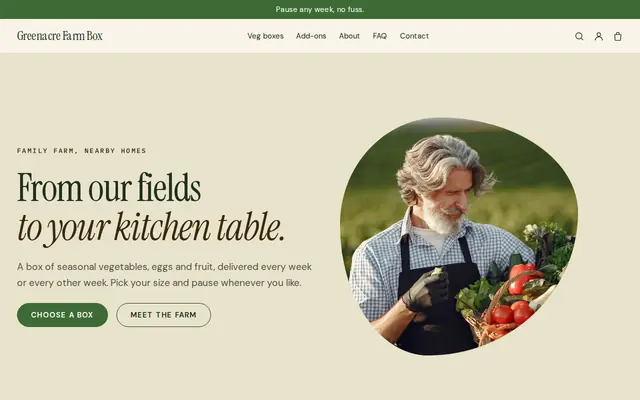
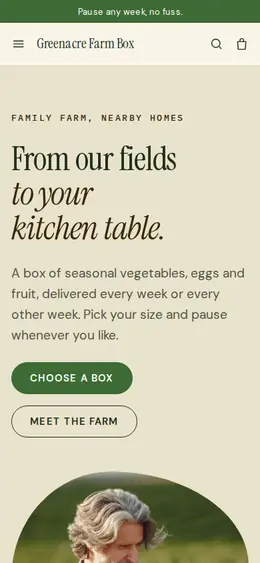
Earthy and friendly for farm boxes, meal kits and deliveries that repeat.
Made for Sauces and condiments, Snacks, Food gifts
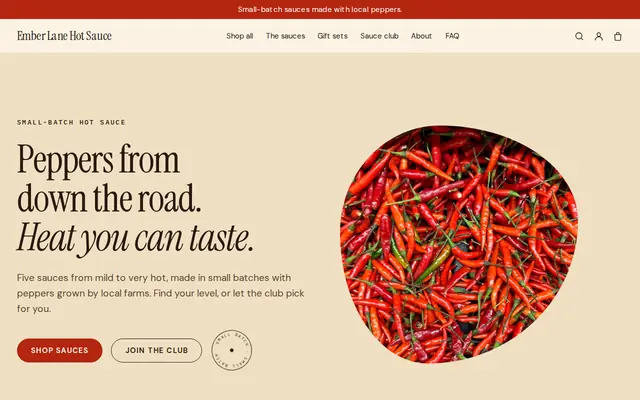
Loud, playful and colourful for food makers with personality.
Advice
Whatever you build it with, these are the things that turn visitors into customers.
Order by Thursday night for Sunday delivery: say it in the header, on the menu page and on every meal. It’s the question you’ll otherwise answer every single week.
Say what’s in the food, not what it will do to someone’s body. Promises about weight loss or medical results can break advertising and food labeling rules, so check your local rules before making any.
If you list calories or macros, calculate them from real recipes and portion weights, and recheck when a recipe changes. Customers who track their food will notice.
Photograph a meal in its real container next to a fork for scale, and give the portion weight. It answers “is it enough?” before anyone asks.
Say how many days meals keep in the fridge, whether they freeze and how to reheat them. Good instructions protect your food’s quality and your customers.
How it works
A sentence or two is enough: what you do, who it’s for and how people buy from you.
Cornerrr writes your pages, adds your products or services, and picks the colours, fonts and look. It takes about a minute.
Link a Stripe account, or create one in a few minutes. Your customers pay you directly.
Publish on your free Cornerrr web address, or use your own. Change anything later by asking.
Payments
Payments go through your own Stripe account, straight to you. Your customers see the methods you turn on in Stripe that work for their country and currency.
Selling in Europe or the US? United States, United Kingdom, Germany, France, Netherlands, Ireland and every country we cover.
Pricing
Build and preview for free, no card needed. Every paid plan starts with a 14-day free trial, and Cornerrr adds no transaction fees.
Build your website and try everything before you go live.
$0free
Go live and start selling.
$19a month
Most popular
For growing businesses with subscriptions and deliveries.
$49a month
For several stores and bigger catalogues.
$99a month
Questions
Yes, on the Growth plan. Each plan size is a subscription that Stripe bills every week. Many meal prep services make the plan “chef’s choice” and sell single meals separately for people who want to pick.
Put the cut-off in your menu and product words, and when orders close, set the stock of this week’s meals to zero so checkout stops. Reopen them with next week’s menu.
In most places, selling prepared meals to the public means cooking in a licensed or registered commercial kitchen and following food safety rules. Check with your local health department or food authority before you start.
Yes. Set a fixed delivery rate with an estimate, and say which areas and days you cover on your delivery page. Paid orders arrive by email and in your Orders list, ready for your delivery route.
No. You describe your business in your own words and Cornerrr builds the website. Afterwards you change things by clicking, or by asking the assistant in plain words.
Building and previewing your website is free, with no card needed. To go live and take payments, choose a plan from $19 a month. Every paid plan starts with a 14-day free trial; a card is needed to start it.
Describe your business and see your website in about a minute. It’s free until you go live.