Preview
Build your website and try everything before you go live.
$0free
Website builder for landscape supply yards
Describe your yard and what you sell, and Cornerrr builds a landscape supply website: mulch, soil, gravel and stone with photos and coverage notes, bulk bags sold online, delivery rates by zone, and quote requests for big loads and contractor orders.

What you get
Cornerrr writes every page from your description, then you change anything by clicking or by asking.
Each mulch, soil and stone as a product with a close-up photo, the size or grade, what it’s used for and how it’s sold: by the cubic yard, the ton or the bulk bag.
Bulk bags of gravel, topsoil or mulch sold with prices and stock, for homeowners who want one bag dropped on the driveway this week.
Truckloads and repeat orders for landscapers are “price on request”. The customer sends the quantity, the delivery address and the material in the message, and the request lands in your Inbox.
A page that tells people how much to order for a bed, a path or a patio base, by depth and area, in plain words. It answers the question your yard staff hear all spring.
Trade, wholesale and B2B
What you offer without a price, and quote requests with the quantities and details you need.
Set up to five fixed delivery rates, each named for the towns or miles it covers and with a delivery estimate. Customers pick their zone at checkout, and anything farther goes in a quote.
One product per material, with bulk bag, half yard or full yard as options, each with its own price and stock. Checkout stops when a material runs out.
You get an email for every request, and it’s kept in your Inbox with the customer’s name, location, quantity and message, so you can check the drop spot and reply with a delivered price.
Ask the assistant to put a spring-rush note on the home page, add this year’s paver range or update delivery estimates for busy weeks, then apply it.
Ready-made themes
Made for Gardeners, Landscapers, Tree surgeons
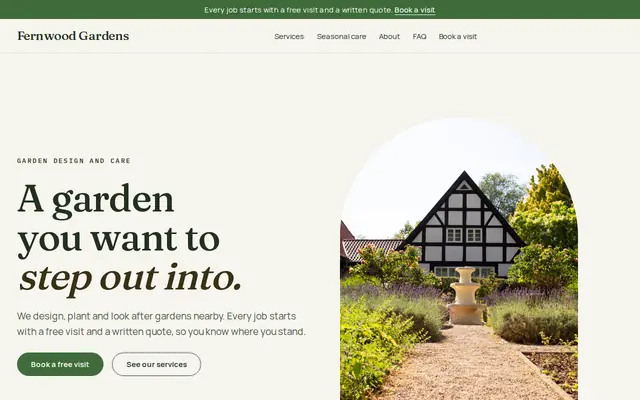
Green and natural for gardeners and landscapers.
Made for Wholesalers, Packaging, Industrial supplies
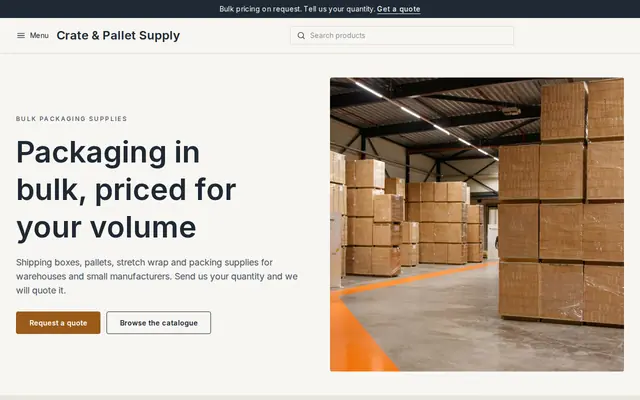
Plain and efficient for wholesale and bulk orders.
Advice
Whatever you build it with, these are the things that turn visitors into customers.
One cubic yard of mulch covers about 100 square feet at 3 inches deep. Give the rule for each material and depth, in square feet or square meters for your market, and buyers order the right amount the first time.
Stone and mulch change color in the rain. Show each one dry and wet, close up with a hand or a coin for scale, and once spread in a real garden.
Explain how much space and clearance your truck needs, whether you can drop on a lawn or only on a driveway, and that customers should mark the spot. It saves arguments over ruts and blocked garages.
Most yards sell the most mulch and soil from early spring into summer. Say how far ahead to order in peak weeks, and add your seasonal opening hours before the first warm weekend.
Contractors want repeat pricing, early loading and an account. A short page for the trade, with its own request form, keeps them from wading through homeowner advice.
How it works
A sentence or two is enough: what you do, who it’s for and how people buy from you.
Cornerrr writes your pages, adds your products or services, and picks the colours, fonts and look. It takes about a minute.
Link a Stripe account, or create one in a few minutes. Your customers pay you directly.
Publish on your free Cornerrr web address, or use your own. Change anything later by asking.
Payments
Payments go through your own Stripe account, straight to you. Your customers see the methods you turn on in Stripe that work for their country and currency.
Selling in Europe or the US? United States, United Kingdom, Germany, France, Netherlands, Ireland and every country we cover.
Pricing
Build and preview for free, no card needed. Every paid plan starts with a 14-day free trial, and Cornerrr adds no transaction fees.
Build your website and try everything before you go live.
$0free
Go live and start selling.
$19a month
Most popular
For growing businesses with subscriptions and deliveries.
$49a month
For several stores and bigger catalogues.
$99a month
Questions
Yes. List materials by the bulk bag or yard with prices and stock, and set fixed delivery rates by zone. Paid orders arrive by email and in your Orders list, ready to load.
Yes. Mark truckloads “price on request”. Customers send the material, quantity and address through the request form, and you reply with the price including delivery.
There’s no calculator built in. Put a plain coverage table on each product and on a How much do I need page, and ask the assistant to help you write it.
Delivery rates are fixed amounts you set, and the customer picks one at checkout. Many yards name rates by zone and quote very large loads separately.
No. You describe your business in your own words and Cornerrr builds the website. Afterwards you change things by clicking, or by asking the assistant in plain words.
Building and previewing your website is free, with no card needed. To go live and take payments, choose a plan from $19 a month. Every paid plan starts with a 14-day free trial; a card is needed to start it.
Describe your business and see your website in about a minute. It’s free until you go live.