Preview
Build your website and try everything before you go live.
$0free
Online store for t-shirts
Cornerrr builds a t-shirt shop around your designs: each print in its sizes and shirt colors with stock for each, preorders for new designs, a size chart and a request form for team and event orders. You print, pack and ship; customers pay through Stripe.

Step by step
Pick one or two shirt blanks you trust for fit, weight and fabric, and use them across your designs. Shoppers who liked the fit of one shirt will buy the next print without worrying about the size.
Each design is one product, with size and shirt color as options and stock for every pair. Checkout stops when the black XL is gone, even if the white XL is still on your shelf.
Not sure how many to print? Turn on “sell when out of stock” for a new design, say on the page when the preorder closes and when shirts ship, then print a run that matches the orders.
Show the shirt on people of different builds, a flat-lay of the full print and a close-up of the ink on the fabric. Buyers want to see how big the print sits on the chest and how the shirt color looks in daylight.
T-shirt sizes vary a lot between blanks. Measure across the chest just below the armpits and from the shoulder seam to the hem, in inches and centimeters, and suggest comparing with a tee the buyer already owns.
Teams, bands, schools and companies want many shirts with their own design. Add a custom orders page with the price hidden, ask for quantity, sizes, colors and the date they need them, and quote from your Inbox.
Clothing and accessories
Products with photos, options, prices and stock, a cart and a Stripe checkout.
Built in
Each design keeps a stock count and SKU for every size and shirt color, so the grid you print from matches what the website sells. Stock goes down when an order is paid.
A custom orders page can hide its price and show a form instead. A request for a team’s forty shirts arrives in your Inbox and by email, and you answer with a quote and a mock-up.
Tees fold into light mailers, so shipping stays simple: set fixed rates such as standard and express with delivery estimates, and offer free shipping with a discount code that has a minimum order.
Tell the assistant about a new print and it can add the product, write the description and set up a launch discount code with an end date. You look over each change and apply it.
Ready-made themes
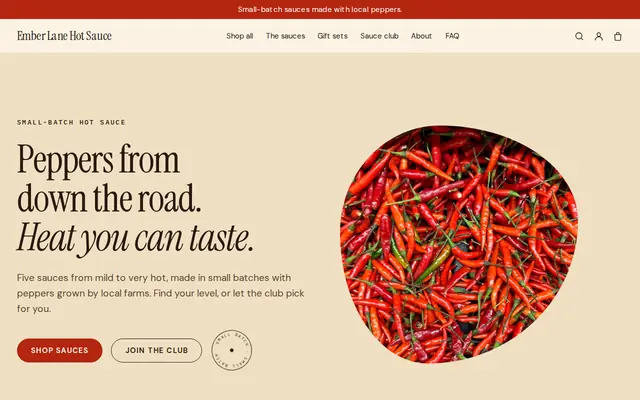
Made for Sauces and condiments, Snacks, Food gifts
Loud, playful and colourful for food makers with personality.
Before you start
If you cut out the blank’s label and sew in your own, the new label has to carry the required details. In the US that means fiber content, country of origin and your business name or RN number, plus care instructions; in the EU and UK, the fiber composition. Ask your blank supplier for the facts.
Print only designs you made, bought or licensed. Band logos, sports team names, brands and cartoon characters belong to someone; for merch, get written permission from the band or the rights holder first.
Add the blank, ink or transfers, screens and setup, the mailer and your time, then divide by how many you’ll realistically sell from a run. Small runs cost more per shirt, so price the first run as if it’s the only one.
General information to help you get started, not legal advice. Rules differ by country, state and product, so check the ones that apply to you.
How it works
A sentence or two is enough: what you do, who it’s for and how people buy from you.
Cornerrr writes your pages, adds your products or services, and picks the colours, fonts and look. It takes about a minute.
Link a Stripe account, or create one in a few minutes. Your customers pay you directly.
Publish on your free Cornerrr web address, or use your own. Change anything later by asking.
Payments
Payments go through your own Stripe account, straight to you. Your customers see the methods you turn on in Stripe that work for their country and currency.
Selling in Europe or the US? United States, United Kingdom, Germany, France, Netherlands, Ireland and every country we cover.
Pricing
Build and preview for free, no card needed. Every paid plan starts with a 14-day free trial, and Cornerrr adds no transaction fees.
Build your website and try everything before you go live.
$0free
Go live and start selling.
$19a month
Most popular
For growing businesses with subscriptions and deliveries.
$49a month
For several stores and bigger catalogues.
$99a month
Questions
Not today. Cornerrr is built for shops that print or stock their own shirts: each order arrives by email and in your Orders list, you print, pack and ship it, then add the tracking number so the customer gets a shipping email.
Print a small first run weighted to your most common sizes, or take preorders and print to match. On Cornerrr you can let a design sell when out of stock while the preorder is open, then switch that off once the run is printed.
Yes, if you are the band or have its permission. Musicians often put tees, posters and tour dates on one site, and each order arrives with the size and shirt color the fan chose.
The shirt’s fabric and weight, the fit (unisex, fitted or oversized), the print method and how to wash it to keep the print looking new. Add a link to the size chart and the model’s height and size.
No. You describe your business in your own words and Cornerrr builds the website. Afterwards you change things by clicking, or by asking the assistant in plain words.
Building and previewing your website is free, with no card needed. To go live and take payments, choose a plan from $19 a month. Every paid plan starts with a 14-day free trial; a card is needed to start it.
Describe what you sell and see your shop in about a minute. It’s free until you go live.