Preview
Build your website and try everything before you go live.
$0free
Online store for music
Describe your music and Cornerrr builds an artist website with a shop: albums and singles as MP3, WAV or FLAC downloads, vinyl, CDs and T-shirts with stock and shipping, and requests for gigs or custom work in your Inbox. Fans pay into your own Stripe account.

Step by step
Streaming covers listening; your shop is for fans who want to own something. Lead with lossless files, lyrics and liner notes as a PDF, signed vinyl and bundles with merch.
MP3 for everyday listening, WAV or FLAC for lossless, each album in its own ZIP with the artwork and track names filled in. Number the files so they play in order.
Product pages show photos and words, not a player, so say in each description where fans can hear the record: the streaming service or video channel you already use.
Vinyl, CDs and T-shirts with sizes as options and stock for each. Pressing plants can take months, so take vinyl preorders with “sell when out of stock” switched on and the ship month in the description.
Mark weddings, private gigs or custom songs “price on request”. People send the date, the place and what they want through a form, and you reply by email.
Add a newsletter sign-up to every page and export the list to the email tool you use, so the fans who asked to hear first know the day the album is out.
Digital products
Products with photos, options, prices and stock, a cart and a Stripe checkout.
Built in
A fan can buy the WAV album and the vinyl in one order. The files arrive after payment and stay in their account, and the fan gets a tracking link when you post the record.
Give a run of three hundred records a stock of three hundred, and checkout stops at the last copy. Signed or numbered editions can be options with their own stock.
Booking requests arrive by email and in your Inbox with the date and venue your form asked for, so nothing gets lost in a pile of direct messages.
Stripe Checkout appears in the fan’s language for about 40 languages, with cards, wallets and local methods like iDEAL | Wero or Bancontact where you turn them on.
Ready-made themes
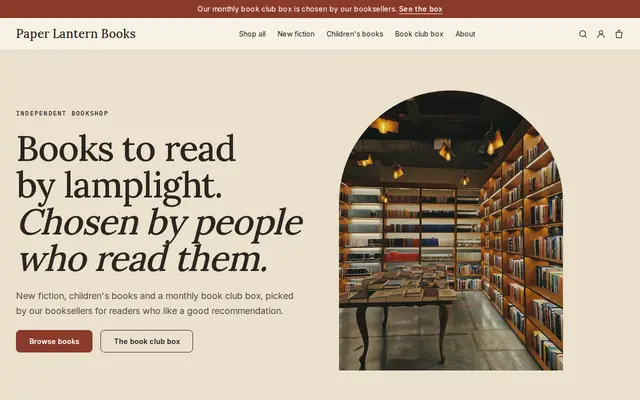
Made for Bookshops, Stationers, Record shops
Bookish and characterful for bookshops and stationers.
Before you start
Selling a download of a song someone else wrote usually needs a mechanical license, even if the recording is yours. Check how it works where you sell before you list cover versions.
If your tracks use samples, clear them before selling. For beats and sample packs, write the license on the page: lease or exclusive, whether streaming releases are allowed, and the credit you expect.
General information to help you get started, not legal advice. Rules differ by country, state and product, so check the ones that apply to you.
How it works
A sentence or two is enough: what you do, who it’s for and how people buy from you.
Cornerrr writes your pages, adds your products or services, and picks the colours, fonts and look. It takes about a minute.
Link a Stripe account, or create one in a few minutes. Your customers pay you directly.
Publish on your free Cornerrr web address, or use your own. Change anything later by asking.
Payments
Payments go through your own Stripe account, straight to you. Your customers see the methods you turn on in Stripe that work for their country and currency.
Selling in Europe or the US? United States, United Kingdom, Germany, France, Netherlands, Ireland and every country we cover.
Pricing
Build and preview for free, no card needed. Every paid plan starts with a 14-day free trial, and Cornerrr adds no transaction fees.
Build your website and try everything before you go live.
$0free
Go live and start selling.
$19a month
Most popular
For growing businesses with subscriptions and deliveries.
$49a month
For several stores and bigger catalogues.
$99a month
Questions
Yes, if your fans ask for them. Plenty of listeners still buy music they love, especially lossless files, vinyl and bundles, and every sale goes straight to your own Stripe account.
MP3 for convenience and WAV or FLAC for lossless, ideally in the same purchase. Embed the cover art in each file’s tags so the album looks right in a music app.
Yes, as ZIP downloads. Offer lease and exclusive licenses as options with their own prices, give the exclusive option a stock of one, and write what each license allows on the page.
Your store has one currency. On the Pro plan you can add prices in other currencies, each shown on its own web address, and Stripe Checkout speaks about 40 languages either way.
No. You describe your business in your own words and Cornerrr builds the website. Afterwards you change things by clicking, or by asking the assistant in plain words.
Building and previewing your website is free, with no card needed. To go live and take payments, choose a plan from $19 a month. Every paid plan starts with a 14-day free trial; a card is needed to start it.
Describe what you sell and see your shop in about a minute. It’s free until you go live.