Food and drink · Roast
Roast, a coffee shop website template with a roaster’s warmth
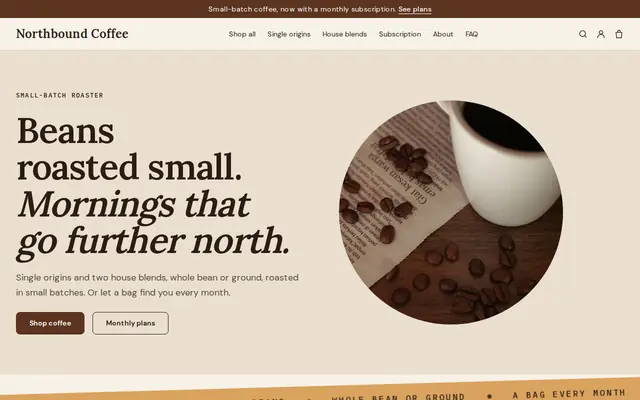
Made for a small-batch roaster, Roast is a coffee shop website template with single-origin beans, two house blends, a grind choice on every bag and a monthly coffee plan. Start with it and Cornerrr builds it under your own name, ready for your coffees.
- Free to build and preview
- Payments by Stripe
- No transaction fees from Cornerrr
About this theme
Roast Bold and modern for roasters, coffee shops and tea sellers.
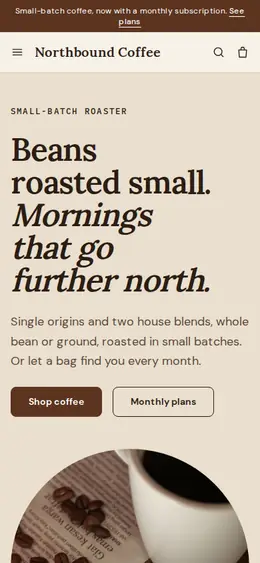
Roast is for people who sell beans as much as cups: a roaster with a café counter, a coffee shop that bags its own blend, a tea seller who wants the same crafted feel. Espresso browns, a caramel accent and a classic serif for headings feel unhurried, like kraft paper and a scale on the counter. The layout sells coffee the way people choose it: by origin or by everyday blend, with whole bean, filter or espresso grind as an option on one page instead of three near-identical products.
- Made for
- Coffee roasters, Tea shops, Cafés
- Feel
- Expressive: bold type and color
- Comes with
- 5 pages, 5 sample products
- Mood
- warm, crafted, unhurried, rich
- background
- foreground
- primary
- accent
- muted
What’s inside
Every page, already written.
Home
A hero with a drawn coffee bean, a strip of “roasted in small batches, whole bean or ground”, three ways in (single origins, house blends, the monthly plan), four hand-picked coffees and the story of how you roast.
About
A short introduction to the roastery, what you sell and why you roast a little at a time, with a photo-and-text block that links to the coffees.
FAQ
Answers on whole bean versus ground, how the monthly plan works, skipping a month by getting in touch, storing coffee and where you deliver. Edit them to match your roast days.
Shipping & returns
A short page saying shipping options and costs appear at checkout before paying, and what to do if an order arrives wrong. Add your roast and dispatch days here.
Contact
A simple message form for questions about an order, a coffee or a subscription, with replies going out from your email.
How it works
From a few words to your own Roast website, live.
Step 1: Describe your business
A sentence or two is enough: what you do, who it’s for and how people buy from you.
Step 2: We build it while you watch
Cornerrr writes your pages, adds your products or services, and picks the colours, fonts and look. It takes about a minute.
Step 3: Connect payments
Link a Stripe account, or create one in a few minutes. Your customers pay you directly.
Step 4: You’re live
Publish on your free Cornerrr web address, or use your own. Change anything later by asking.
Questions
Good to know
Does Roast’s monthly coffee plan bill customers automatically?
It can. On the Growth plan the monthly plan becomes a Stripe subscription billed every month, and subscribers see it in their account. Skipping or stopping a month goes through you, which is why the sample FAQ tells customers to get in touch.
Can I use Roast for a tea shop?
Yes. Rename the collections to black, green and herbal teas, turn the grind option into loose leaf or tea bags, and ask the assistant to rewrite the words for tea. The warm, crafted look suits tea just as well.
What do I get with Roast’s sample coffees?
Five starting products: two single origins, two house blends and the monthly plan, each with a whole bean, filter or espresso option. Replace the tasting notes with your own, or ask the assistant to write them from your notes.
Make Roast yours.
Start with this theme and Cornerrr builds your website from it with your own name. Free until you go live.