Preview
Build your website and try everything before you go live.
$0free
Website builder for music teachers
Say what you teach, from piano and guitar to voice or strings, and who your students are, and Cornerrr writes your music teacher website: your approach, lesson options, a trial lesson form, and pages for recitals and exams.
What you get
Cornerrr writes every page from your description, then you change anything by clicking or by asking.
A plan for weekly lessons as a subscription on the Growth plan, with a separate plan for each lesson length. Stripe bills families every month without you sending a reminder.
Adults with busy weeks buy a pack of lessons as a product, with 30, 45 or 60 minutes as options. You arrange each lesson with them by email.
A short form asks for the instrument, the student’s age and any experience. Requests land in your Inbox, and you reply with a time for a first lesson.
Your own arrangements, practice tracks or theory worksheets as digital downloads on any paid plan, delivered to the buyer straight after payment.
Fitness, lessons and classes
Your services with prices, or “price on request” so clients ask first, and every request in your Inbox.
Cornerrr writes your story from a few lines: where you trained, what you love teaching and how lessons feel. Ask the assistant to make it more playful for kids or more formal for adults.
One lesson product can offer studio and online lessons as options, each with its own price. The page says where you teach and what students need for lessons online.
Upload a PDF or an audio file once, and every buyer gets it after payment and can find it again in their account. No more emailing files by hand.
Ready-made themes
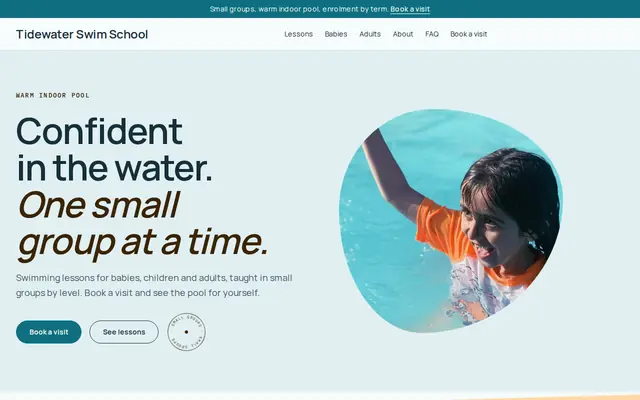
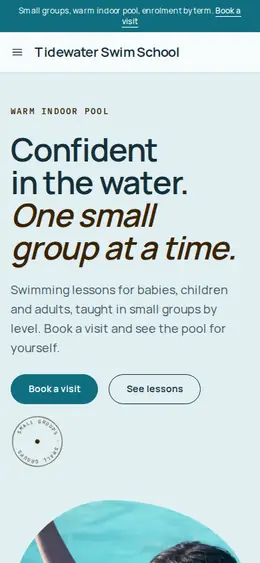
Made for Swim schools, Music lessons, Kids’ clubs
Bright and cheerful for lessons, schools and clubs.
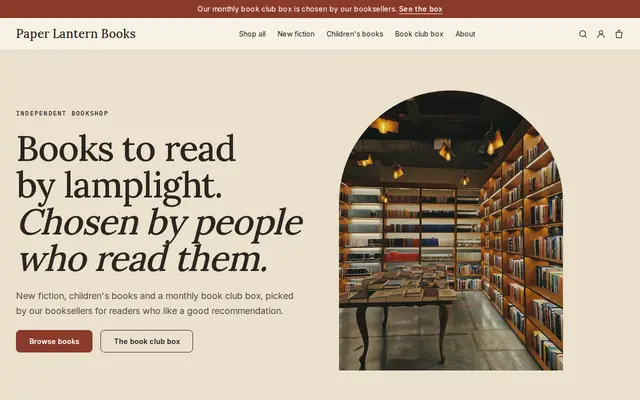
Made for Bookshops, Stationers, Record shops
Bookish and characterful for bookshops and stationers.
Advice
Whatever you build it with, these are the things that turn visitors into customers.
Beginners only, or advanced students preparing for auditions? Ages, levels and styles in your first lines help the right families get in touch.
Missed lessons, makeup lessons, holidays and how to stop lessons. Clear policies written down in advance prevent awkward conversations with parents later.
If you prepare students for ABRSM or Trinity exams, or the RCM Certificate Program in the US and Canada, say so. Parents looking for exam preparation search for those names.
A photo of the piano or studio, and one of you teaching, help families picture the lesson. If you teach from home, say whether parents can wait nearby.
Your own pieces and arrangements of public domain works are yours to sell. Arrangements of copyrighted songs usually need a license, so check before you list them.
How it works
A sentence or two is enough: what you do, who it’s for and how people buy from you.
Cornerrr writes your pages, adds your products or services, and picks the colours, fonts and look. It takes about a minute.
Link a Stripe account, or create one in a few minutes. Your customers pay you directly.
Publish on your free Cornerrr web address, or use your own. Change anything later by asking.
Payments
Payments go through your own Stripe account, straight to you. Your customers see the methods you turn on in Stripe that work for their country and currency.
Selling in Europe or the US? United States, United Kingdom, Germany, France, Netherlands, Ireland and every country we cover.
Pricing
Build and preview for free, no card needed. Every paid plan starts with a 14-day free trial, and Cornerrr adds no transaction fees.
Build your website and try everything before you go live.
$0free
Go live and start selling.
$19a month
Most popular
For growing businesses with subscriptions and deliveries.
$49a month
For several stores and bigger catalogues.
$99a month
Questions
Yes, on the Growth plan. Each lesson plan is a subscription billed by Stripe every month, and families see it in their account. Changes and cancellations go through you for now.
Not automatically. Cornerrr has no calendar, so students send a request or buy a pack, and you agree their regular lesson time with them by email.
Yes, as digital downloads on any paid plan. Upload a PDF, set a price, and buyers get the file after payment. They can download it again from their account.
It helps families find and trust you. A simple site with your experience, lesson options, area and a request form answers what parents ask before a first lesson, and your home address can stay off it.
No. You describe your business in your own words and Cornerrr builds the website. Afterwards you change things by clicking, or by asking the assistant in plain words.
Building and previewing your website is free, with no card needed. To go live and take payments, choose a plan from $19 a month. Every paid plan starts with a 14-day free trial; a card is needed to start it.
Describe your business and see your website in about a minute. It’s free until you go live.